One-click approvals from clients, vendors, and teams — no logins required
Stop Chasing Approvals. Start Getting Them.
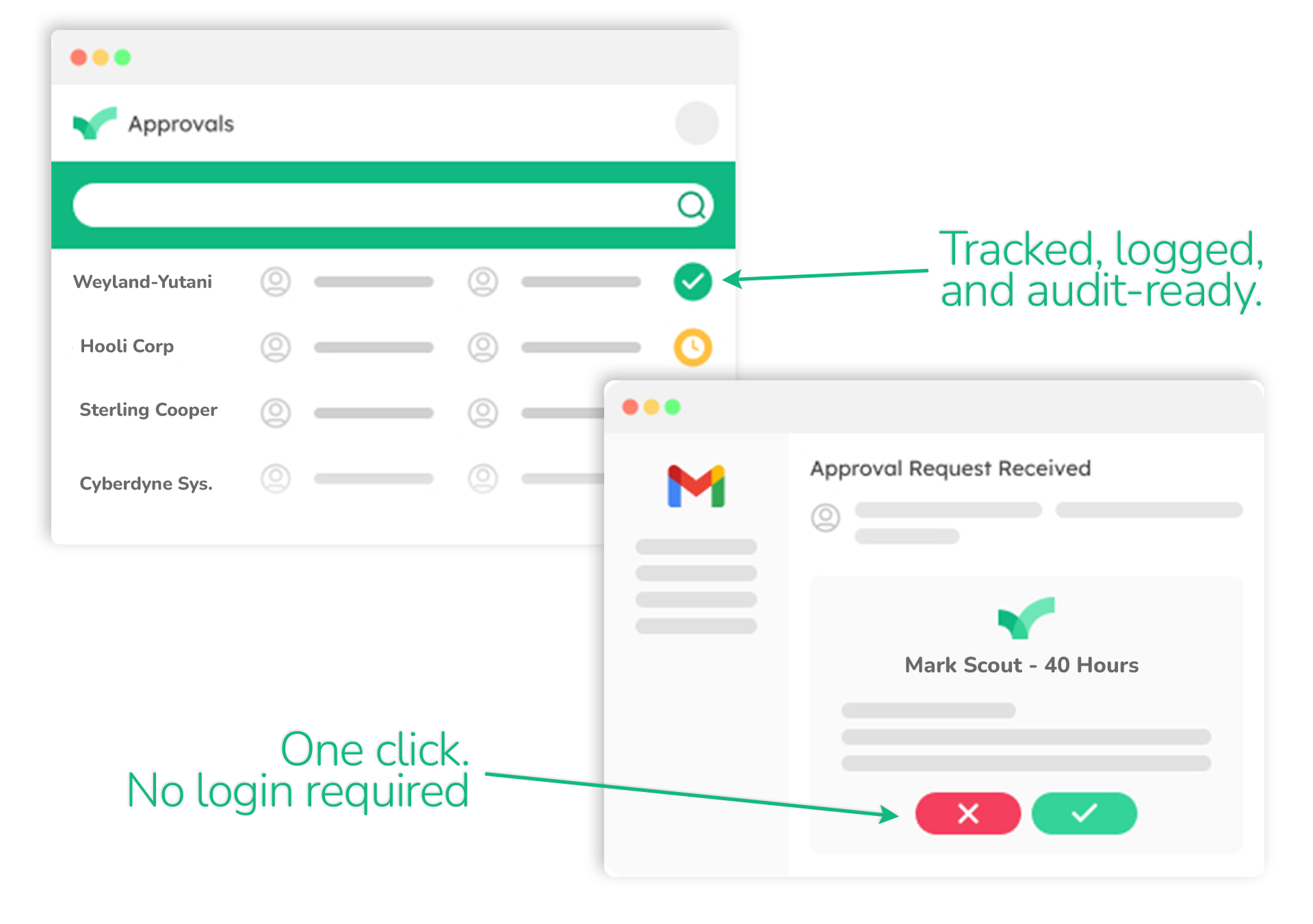
Your clients, vendors, and partners approve with one secure click from their inbox — no accounts, no logins, no follow-ups. Decisions land in hours instead of weeks, and every one is logged and timestamped.
No credit card required · Free 14-day trial · 150+ ready-made templates
Trusted by 500+ teams across industries



Most Approval Tools Break the Moment You Go External
ApproveThis was built for the approvals that cross organizational lines — the ones where the person who needs to say "yes" doesn't work for you, doesn't want another login, and definitely isn't going to create an account.
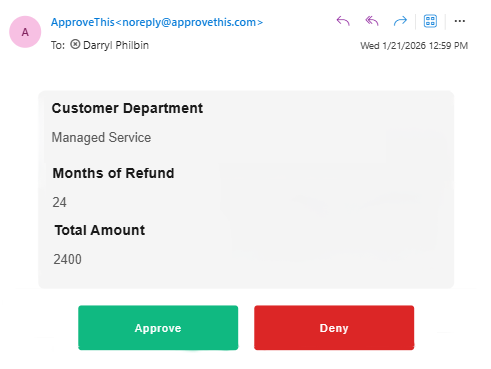
Your client approves from their inbox. That's it.
Your client gets an email with one secure button. Approved, logged, timestamped — no account, no login. Through your Approval Hub, each client sees only their projects under your branding.
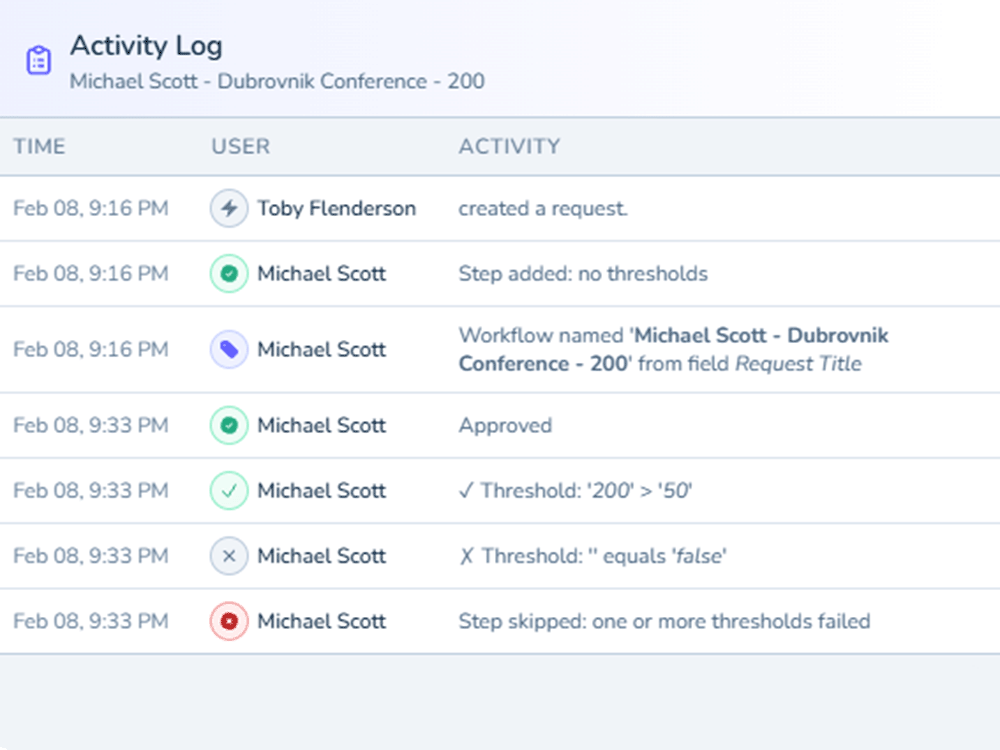
Vendors confirm PO terms with one click. You get proof.
One secure link. Vendors click to confirm terms — no login, no portal. Every response is captured with an immutable timestamp and full audit trail.
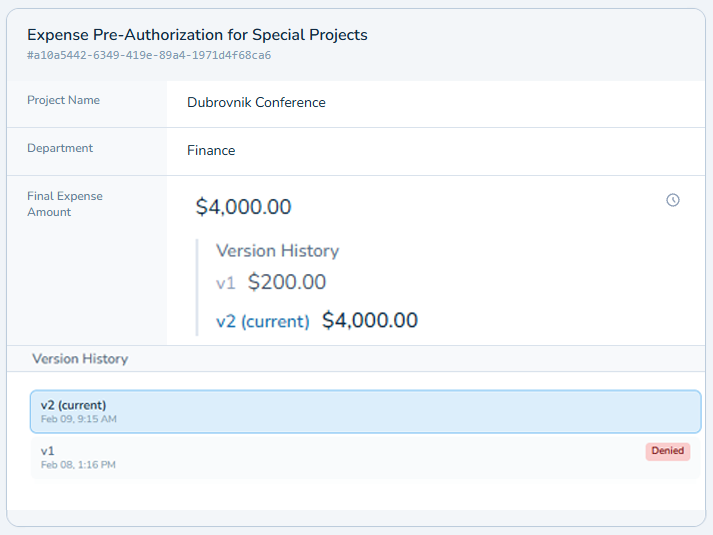
Review and approve on your terms, on your portal.
Reviewers access contracts through a white-label portal on your custom subdomain. Every version tracked, every decision attributed and timestamped.
Every external approval is secured with single-use, time-limited tokens — no shared passwords, no open links.
HOW IT WORKS
Four Steps. That's the Whole Thing.
Build your workflow
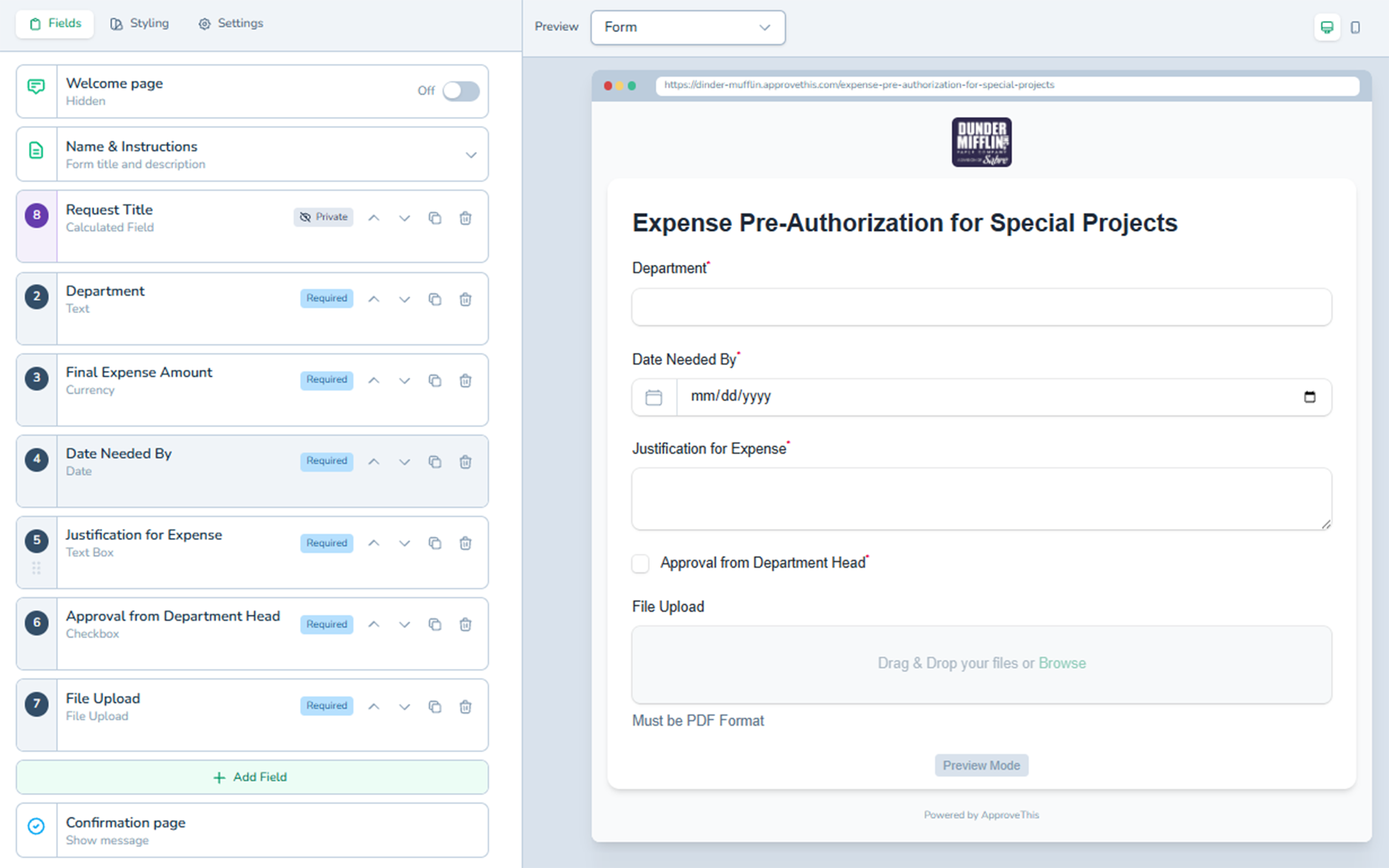
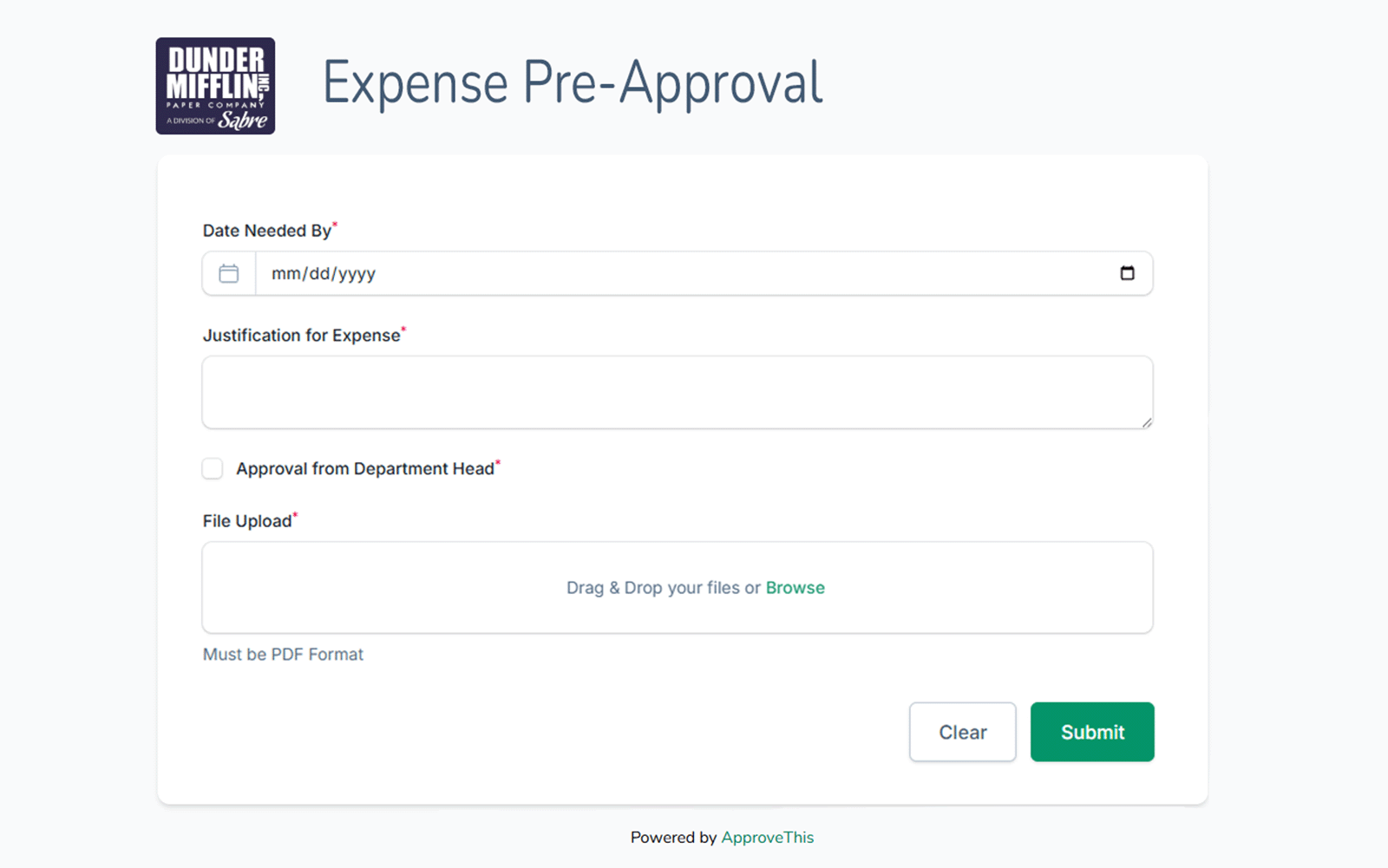
Anyone can submit
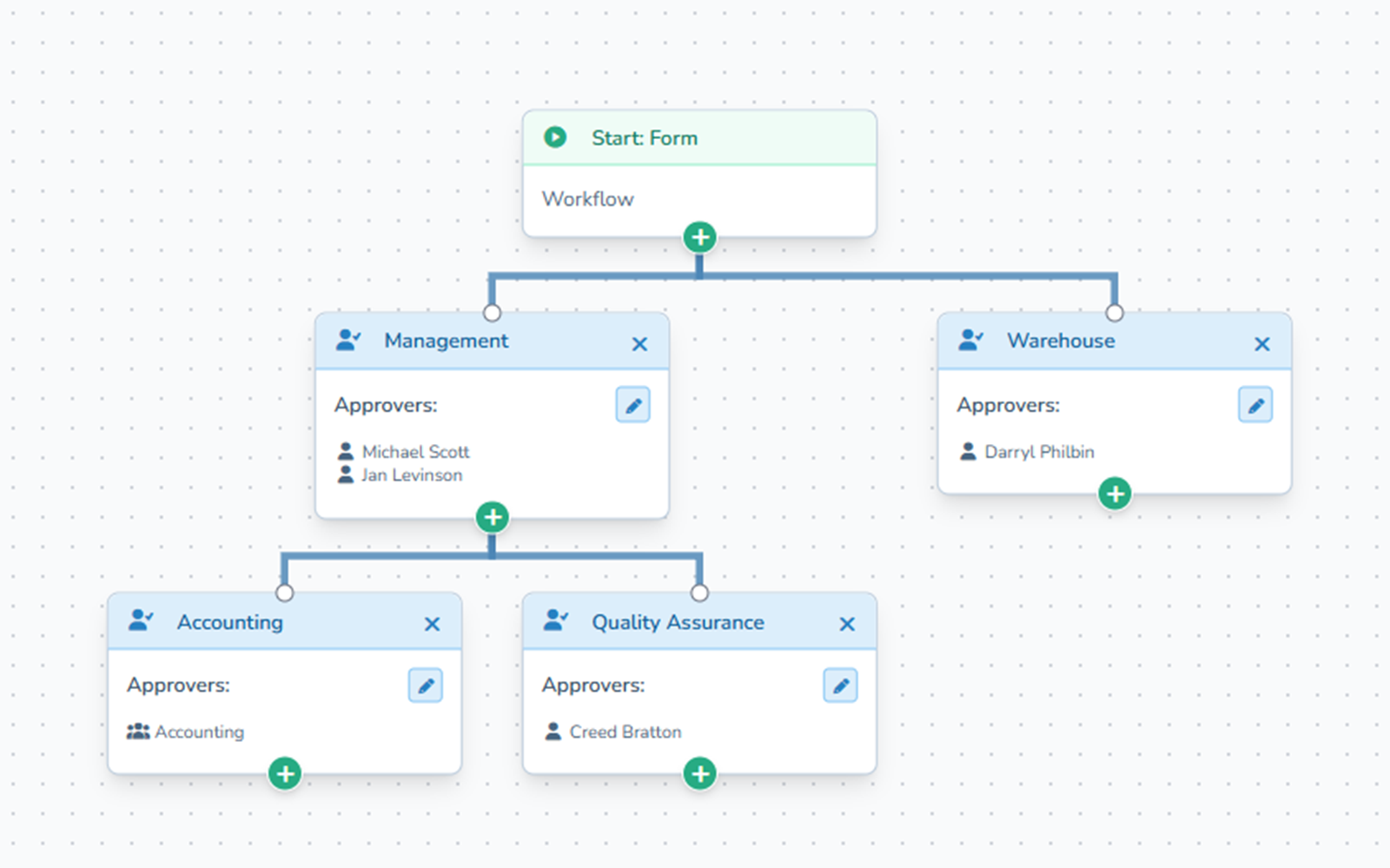
Smart routing handles the rest
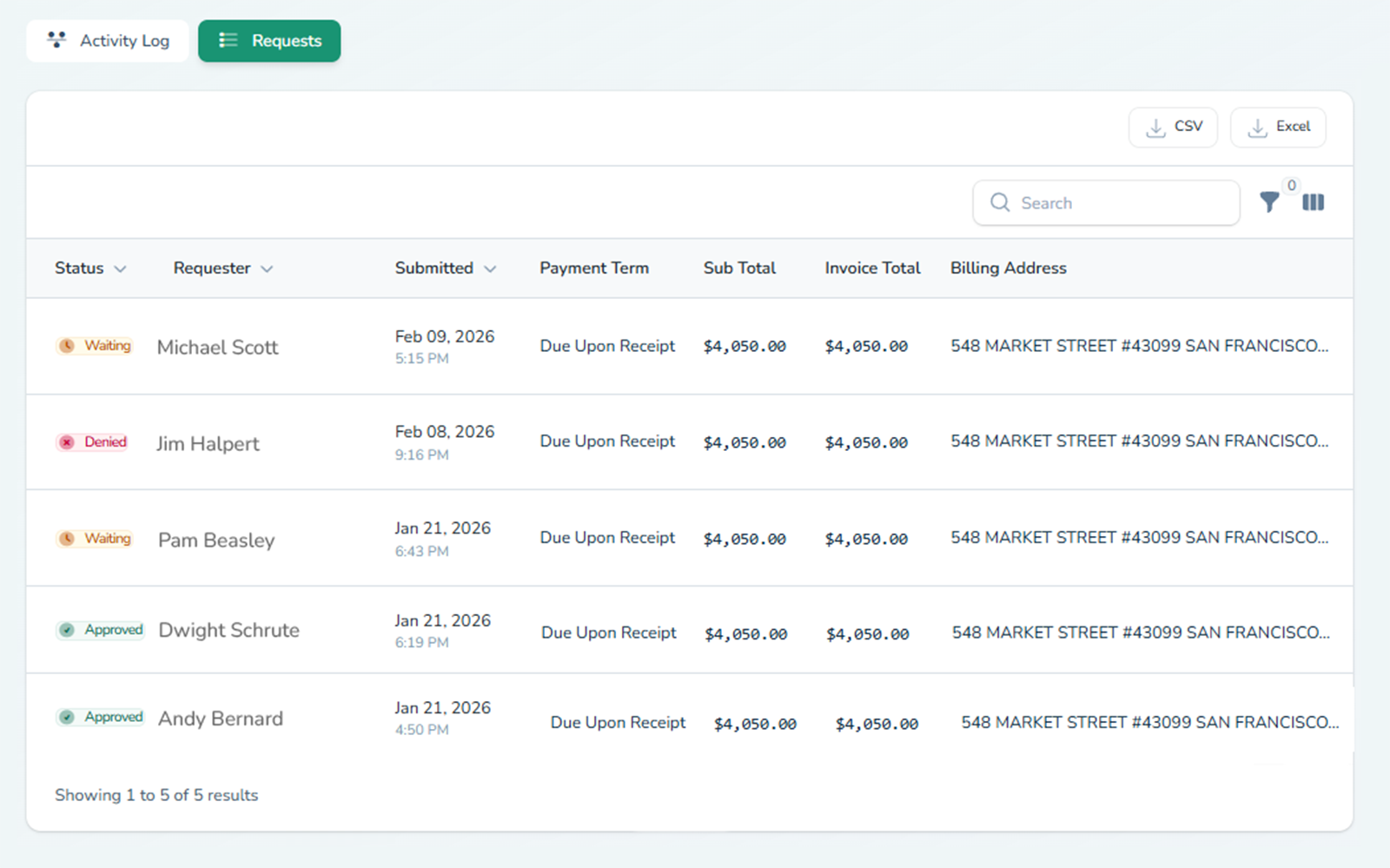
One-click decisions, full audit trail
Start simple. Add intelligence when you're ready.
No credit card required. Free 14-day trial.
INTELLIGENCE LAYER
Start simple. Add intelligence when you're ready.
Not Just Routing. Thinking.
The core loop handles most approvals. When you're ready for more — document extraction, calculated thresholds, version tracking — it's already built in. No upgrade required. All features included at every plan.
INTELLIGENCE LAYER
Not Just Routing. Thinking.
The core loop handles most approvals. When you're ready for more — document extraction, calculated thresholds, version tracking — it's already built in. No upgrade required. All features included at every plan.
Upload a document. Get structured data. Review before it routes.
Upload an invoice, contract, or receipt. AI extracts the key data — totals, dates, vendor names, line items — and populates your approval form automatically. Every extracted field shows a confidence indicator, so you see exactly what the AI is certain about and what needs your review. You check the data, correct anything that's off, and only then does it route for approval. Full audit trail preserved — every extraction and every human correction is logged.
Build the logic your spreadsheet handles today.
Create formulas that compare values, flag mismatches, and route to the right approver based on what the numbers say. PO over $5,000? Routes to the CFO automatically. Invoice total doesn't match the submitted amount? Triggers escalation before anyone approves it. Expense report crosses the department budget threshold? Flags for senior review. The rules run in real time as the form is filled — no manual cross-referencing, no Friday-afternoon errors.
Denied doesn't mean start over.
When an approver denies a request, the requester revises and resubmits — and the approver sees exactly what changed between versions. No restarting the workflow from scratch. No "which version are we looking at?" confusion. Full version history is preserved, with a clear diff view showing additions, removals, and modifications side by side.
Describe it. Launch it. Fifteen seconds.
Type what you need in plain English — "expense report with receipt upload, manager approval over $500, VP approval over $2,000" — and AI builds a working form with the right fields, validation rules, and routing logic. Review the result, adjust anything you want, and launch. What used to take an afternoon of configuration takes less time than reading this paragraph.
Upload a document. Get structured data. Review before it routes.
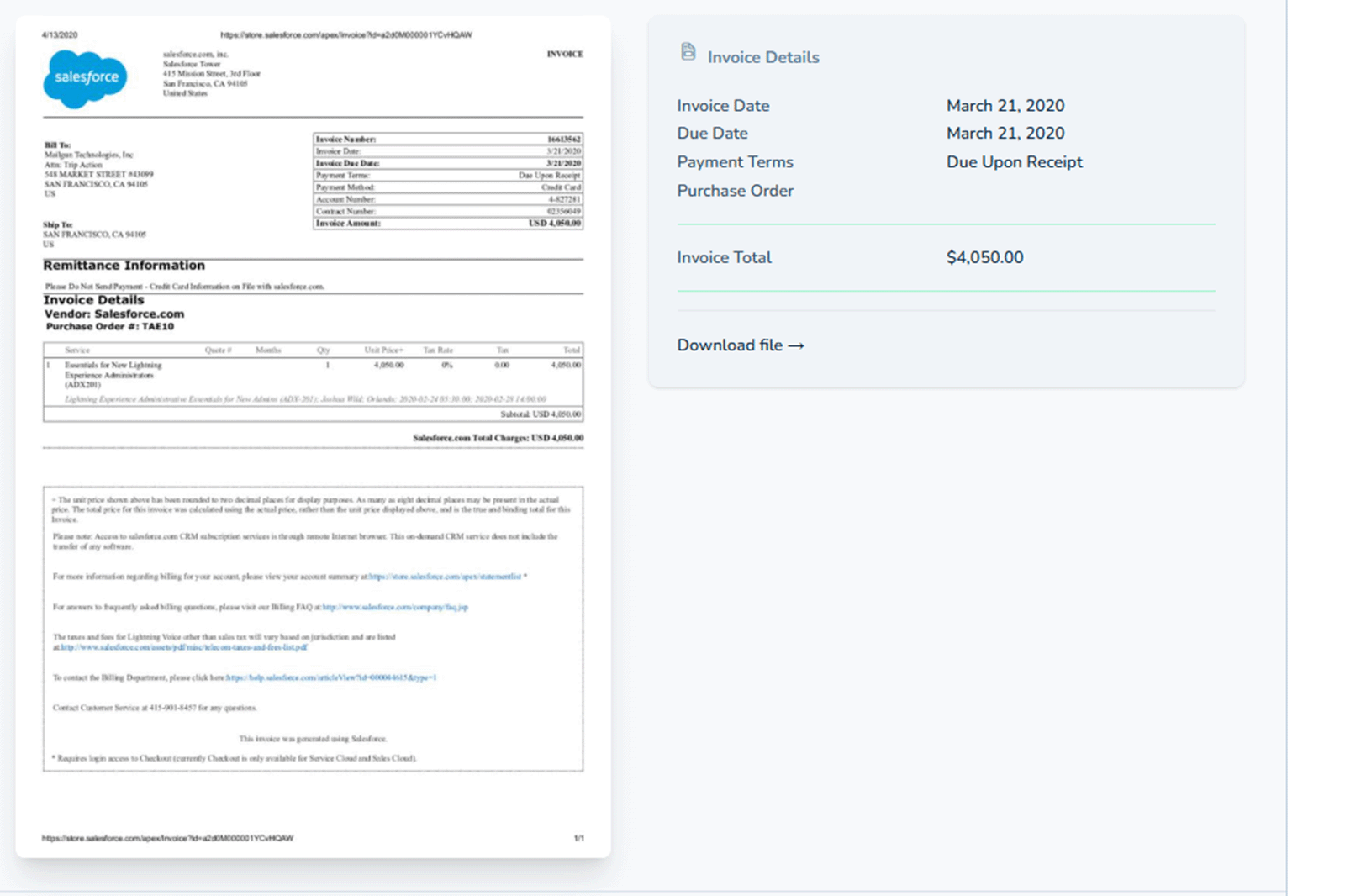
Upload an invoice, contract, or receipt. AI extracts the key data — totals, dates, vendor names, line items — and populates your approval form automatically. Every extracted field shows a confidence indicator, so you see exactly what the AI is certain about and what needs your review. You check the data, correct anything that's off, and only then does it route for approval. Full audit trail preserved — every extraction and every human correction is logged.
Build the logic your spreadsheet handles today.
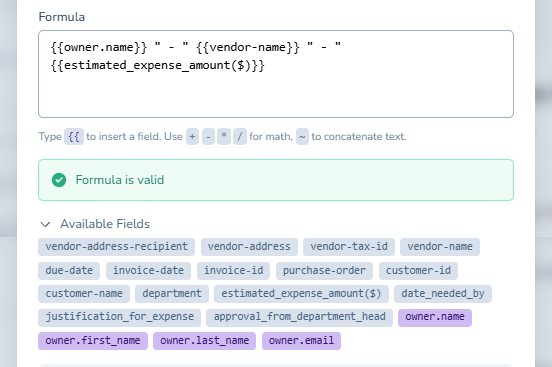
Create formulas that compare values, flag mismatches, and route to the right approver based on what the numbers say. PO over $5,000? Routes to the CFO automatically. Invoice total doesn't match the submitted amount? Triggers escalation before anyone approves it. Expense report crosses the department budget threshold? Flags for senior review. The rules run in real time as the form is filled — no manual cross-referencing, no Friday-afternoon errors.
Denied doesn't mean start over.
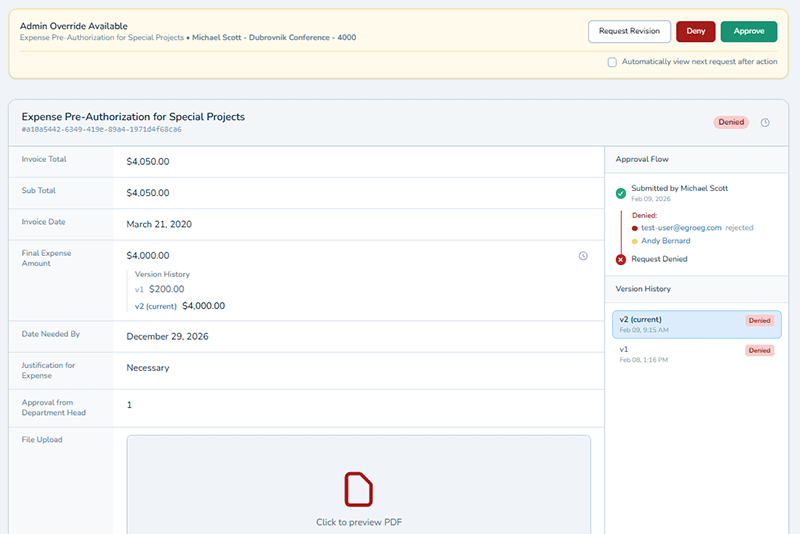
When an approver denies a request, the requester revises and resubmits — and the approver sees exactly what changed between versions. No restarting the workflow from scratch. No "which version are we looking at?" confusion. Full version history is preserved, with a clear diff view showing additions, removals, and modifications side by side.
Describe it. Launch it. Fifteen seconds.
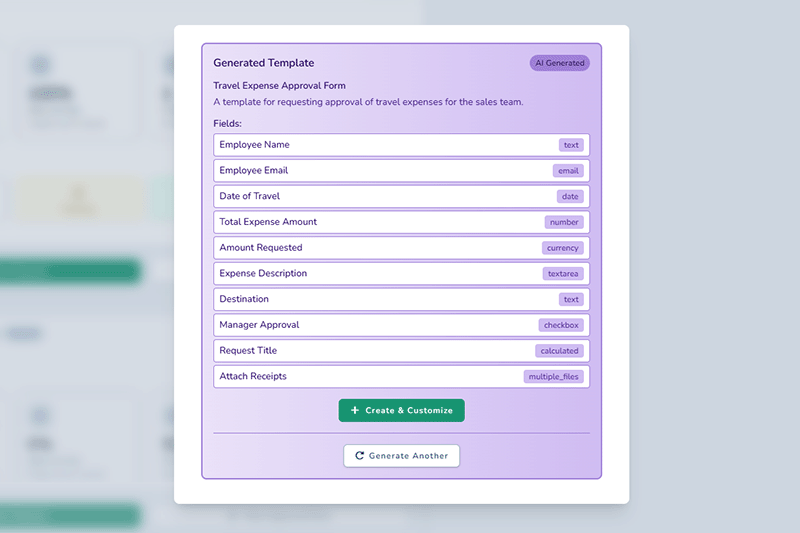
Type what you need in plain English — "expense report with receipt upload, manager approval over $500, VP approval over $2,000" — and AI builds a working form with the right fields, validation rules, and routing logic. Review the result, adjust anything you want, and launch. What used to take an afternoon of configuration takes less time than reading this paragraph.
Every intelligence feature writes to the same immutable audit trail as the core workflow. AI assists — you decide.
All features included at every plan. No credit card required. Free 14-day trial.
USE CASES
Built for How You Actually Work
Every team runs approvals differently. Find your workflow.
PO Approvals With Audit Trails and Threshold Routing
Purchase orders that route to the right approver based on dollar amount — automatically. Expense reports that flag when totals exceed budget thresholds. Every approval timestamped, attributed, and exportable for the auditor who shows up in six months.
Stop Chasing Signatures. Start Tracking Decisions.
Vendor approvals, procurement requests, employee sign-offs — routed automatically by role, department, or org chart. Vacation delegation keeps things moving when approvers are out. You spend your time managing operations, not reminding people to check their email.
Get Client Sign-Off Without the Follow-Up Spiral
Send approvals to clients and they respond from their inbox — one secure click, no account, no login, every action logged. Version history tracks every round of feedback so nobody works off the wrong file. External approvals that finally move at the speed of the work.
Automated Compliance Checks With Complete Version History
Contract reviews with full version diffs. AI clause extraction you review before it routes — with confidence indicators on every field. Immutable audit trail capturing who saw what, when, and what they did. Evidence handling that survives scrutiny.
White-Label Approval Portals for Every Client
Each client gets their own white-label portal with separate branding, separate workflows, and strict permission boundaries between accounts. Client-specific routing rules. Multi-tenant governance without enterprise BPM complexity. Your clients see their brand — not yours, and not each other's.
Approval Workflows That Prove Process to Leadership
Content approvals, spend authorizations, and campaign sign-offs with a clear audit trail. Cycle time reporting shows leadership exactly how fast your team moves. When someone asks "what's the holdup?" — you have the data, not just a guess.
INTEGRATIONS
Works With Your Existing Tools
ApproveThis fits into the stack you already have — no rip-and-replace required.
 Airtable
 Slack
Slack
 Quickbooks
 BigCommerce

 Salesforce

 Microsoft 365
 Xero
Xero
 Jira
Jira
 Monday.com
 Asana
Asana
 Trello
 Airtable
 Notion
Connect ApproveThis to 5,000+ apps through Zapier, or use our API for custom integrations. Native connections for Slack, QuickBooks, and BigCommerce are built in — set up in minutes, no developer required.
COMPLIANCE & SECURITY
Built for the Audit You Haven't Scheduled Yet
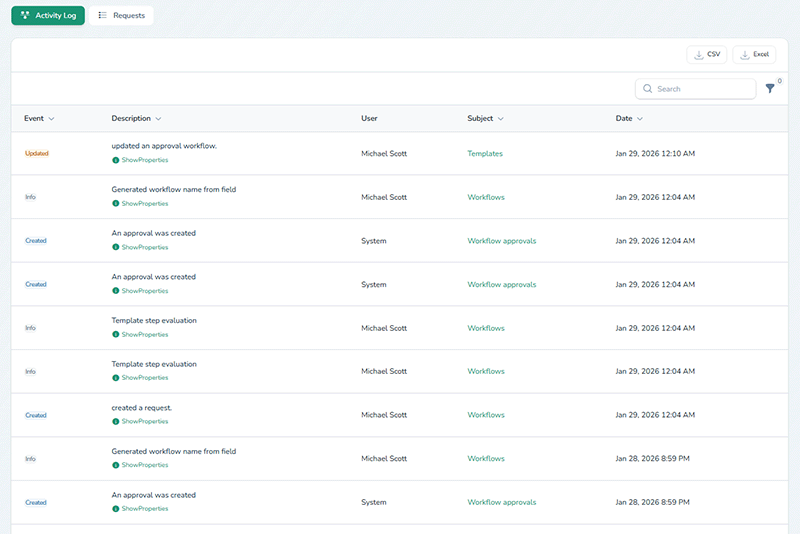
Every action recorded. Every version preserved. Every export ready before you need it.
Audit & Evidence
Access Controls
Data Isolation & Governance
Every feature on this checklist is available on every plan. No compliance tax. No security add-on tier.
Every Approval. Logged, Tracked, and Off Your Plate.
Build your first workflow in 30 seconds. Your team, your clients, and your vendors will thank you by Tuesday.
Free 14-day trial · No credit card · Set up in 30 seconds
SOCIAL PROOF
Teams Across Industries Run Approvals on ApproveThis
500+ teams use ApproveThis to get decisions faster — from purchase orders and client sign-offs to compliance reviews and marketing approvals.
The tool is super useful for us to manage approvals and feedback from our clients. George took our feedback seriously and shipped most of the features we wanted in just a couple of days.
Agency Owner, (AppSumo verified)
Digital Agency
They get an email, click Approve or Decline, add a short note if needed, and they're done. That single feature removed a lot of 'did you see this?' messages. The automatic record of who approved and when keeps audits straightforward.
Operations Team (AppSumo verified purchaser)
E-commerce
I set up ApproveThis in a few mins and now all our requests go to one mailbox. The best part is the team can approve right from the email!
Staff Accountant (AppSumo verified purchaser)
Finance
80%
80% faster approvals
Average reduction in approval cycle time for teams replacing email-based workflows.
10+
hours saved per week
Time recovered from follow-up emails, status checks, and manual routing.
3x
faster external sign-offs
Client, vendor, and partner approvals completed in hours instead of days — no account creation required.
See Where Approvals Stall
Bottleneck reporting by approver and stage. Cycle time analytics. Exportable approval history for leadership updates.
No credit card required. Free 14-day trial.