Stop Chasing People for Decisions They'd Make in Seconds
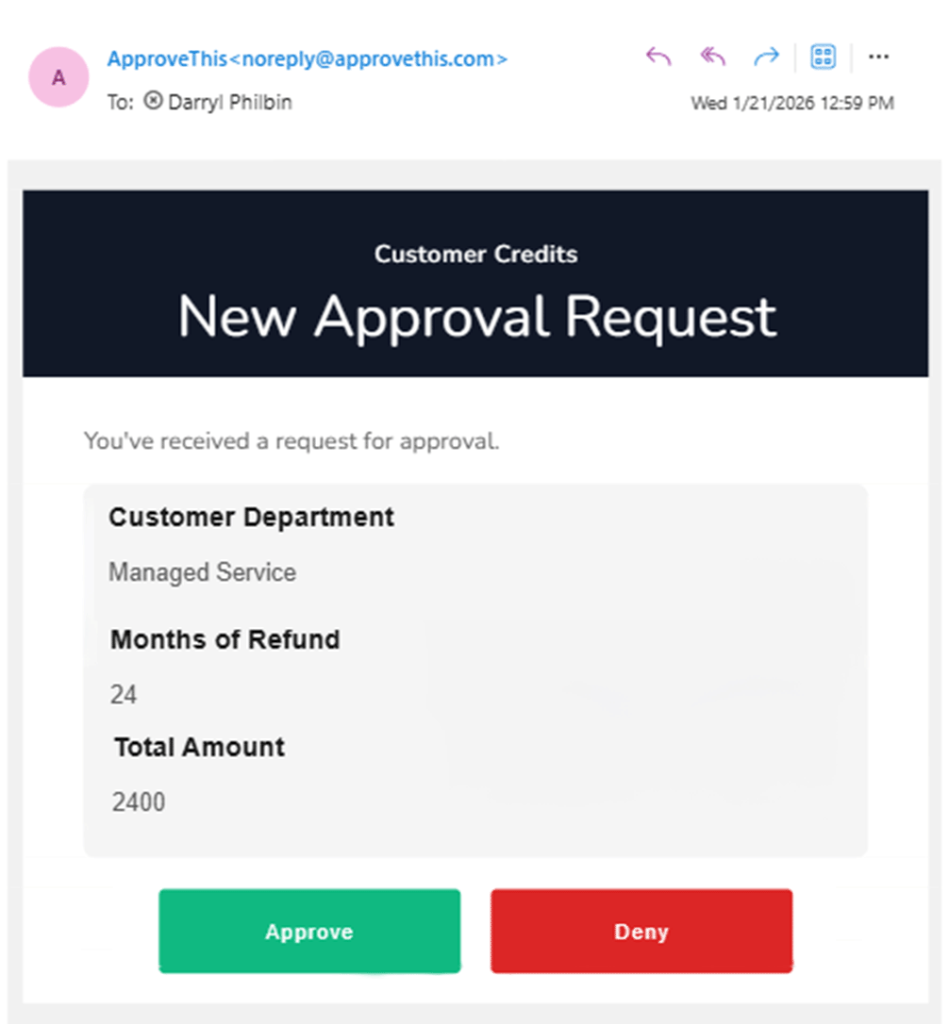
ApproveThis removes the friction between the request and the decision. Approvers click Approve or Deny in email or Slack — no login, no account, no separate tool. Every decision is timestamped and logged.
No credit card required · Set up in under 2 minutes
THE APPROVER'S EXPERIENCE
One Click in Their Inbox. Decision Logged, Audit Trail Complete.
How One-Click Email Approvals Work
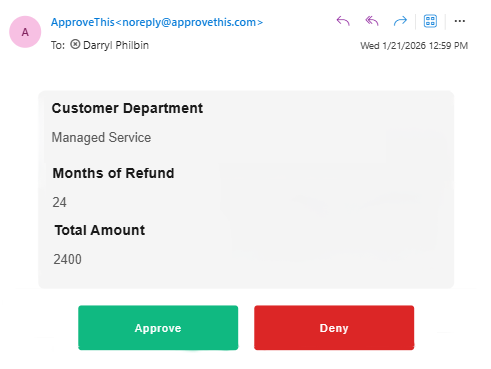
External Approvers: No Account, No Barrier
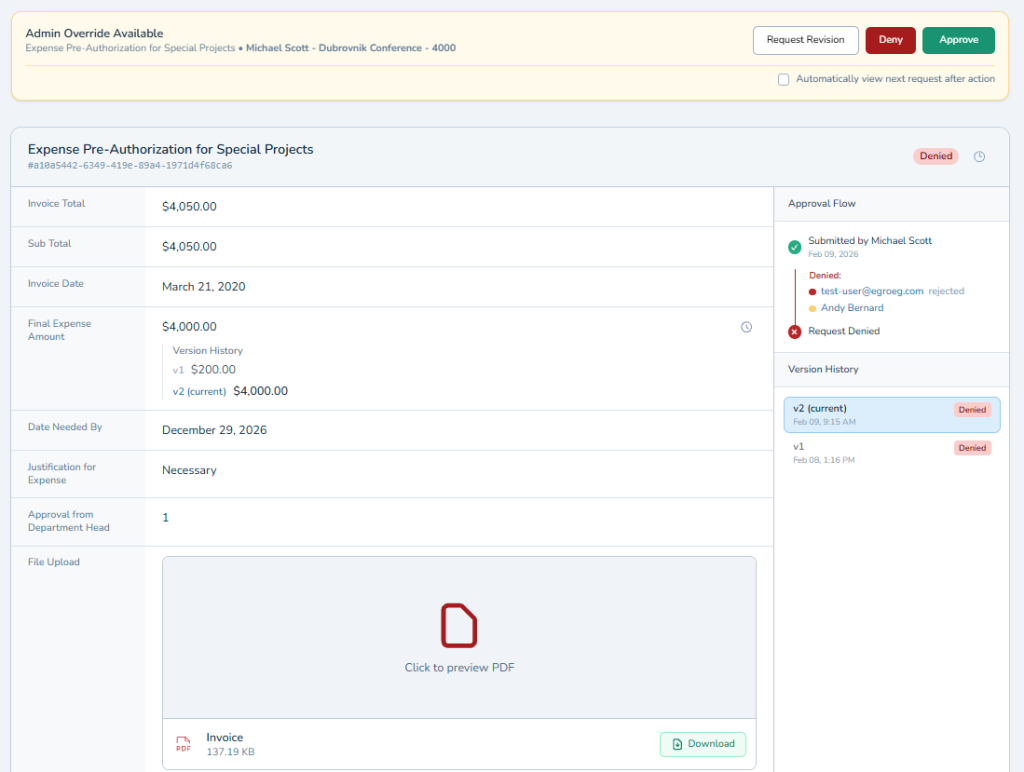
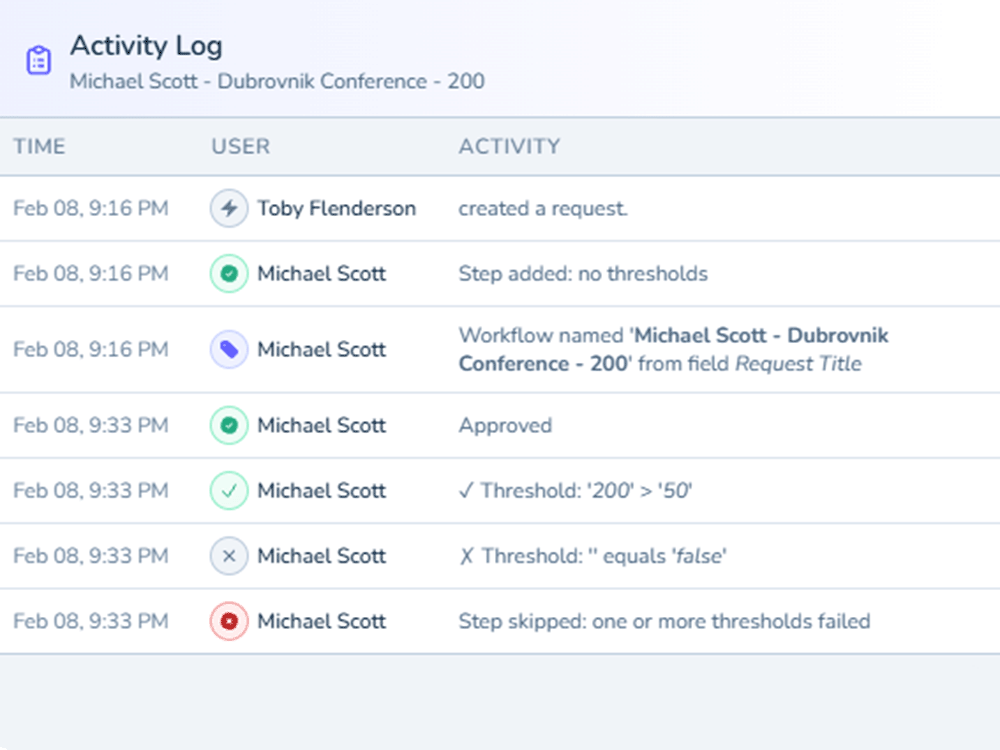
Security: Every One-Click Decision Is Fully Audited
Set the Rules Once. The System Follows Up for You.
Steve responds to the first reminder. Janet needs three. David has been on vacation in Portugal — nobody told you. You are managing people’s attention manually, from memory, one reminder at a time.
-
Day 0 Request sent
Original approver notified by email.
-
Day 2 Reminder 1
First automated follow-up on the cadence you set.
-
Day 4 Reminder 2
Second automated follow-up -- still no response.
-
Day 5 Escalated
Request reroutes to the backup approver. Original approver notified.
-
Day 5 Approved
Backup approver responds in one click. Full audit trail preserved.
No reminders sent by hand. The system escalates automatically.
Vacation? Handled.
When an approver sets vacation dates, pending and incoming requests route to their designated delegate automatically. Same one-click experience, same record. When they return, delegation ends.
Configurable Reminders
Set reminder cadence once per workflow — frequency, timing, escalation thresholds. The system handles follow-up. Approvers who respond on the first try never see a reminder. Approvers who miss it get a follow-up on schedule, each one logged.
Escalation Rules
Unanswered requests escalate automatically — to a backup approver, a manager, or the next person in the chain. You define the trigger: missed reminders, elapsed time, or both. The original approver is notified. Every step recorded.
MEET APPROVERS WHERE THEY ARE
One Approval Request. Every Channel They Actually Use.
The client VP doesn’t check Slack. The designer never reads email past noon. The contractor wants a text. You blast everything through email and hope — and you can’t tell whether they saw it.
Email: One-Click Approvals with Full Context
The approval request arrives with everything the approver needs embedded directly in the email -- request details, file thumbnails, spreadsheet previews, PDF first pages. They click Approve, Deny, or Request Changes without leaving their inbox. Every one-click decision is timestamped and recorded.
Slack: Approve Directly from the Conversation
The native Slack app delivers approval requests with interactive Approve and Deny buttons right in the Slack message. Approvers respond without switching tools, without opening a browser, without breaking their flow. The decision is logged to the same record as every other channel.
SMS: Critical Alerts That Cut Through the Noise
Text alerts for critical approval events -- configurable by event type and priority level. When an approval is urgent and the approver is away from their desk, SMS reaches them where email and Slack cannot. Non-urgent notifications stay in the channels that handle volume. Urgent ones go straight to their phone.
Webhooks: Push Approval Events to External Systems
For teams that integrate approval workflows into larger operational systems, outbound webhooks push approval events -- created, approved, denied, cancelled -- to any external endpoint. Conditional logic controls which events fire. Retries handle failures automatically.
Every channel feeds the same approval record. Same audit trail, same status, same one-click decision.
You Control the Volume
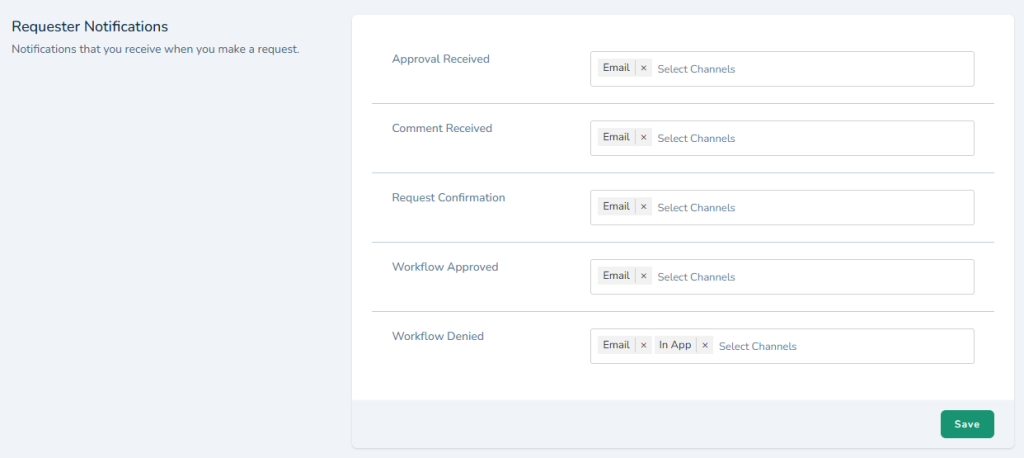
Toggle notification types per event. Role-based defaults set new approvers up sensibly; individuals override for their own preferences. Every approver gets reached through the channel that works for them.
STAKEHOLDER VISIBILITY
Stay Informed Without Becoming a Bottleneck.
Maria walks into a leadership meeting and her CEO asks about the vendor contract. She doesn’t know — she wasn’t in the approval chain. Carl needs to see what’s being approved without becoming an approver. Oversight shouldn’t require a signature.
Watchers: Visibility Without Authority
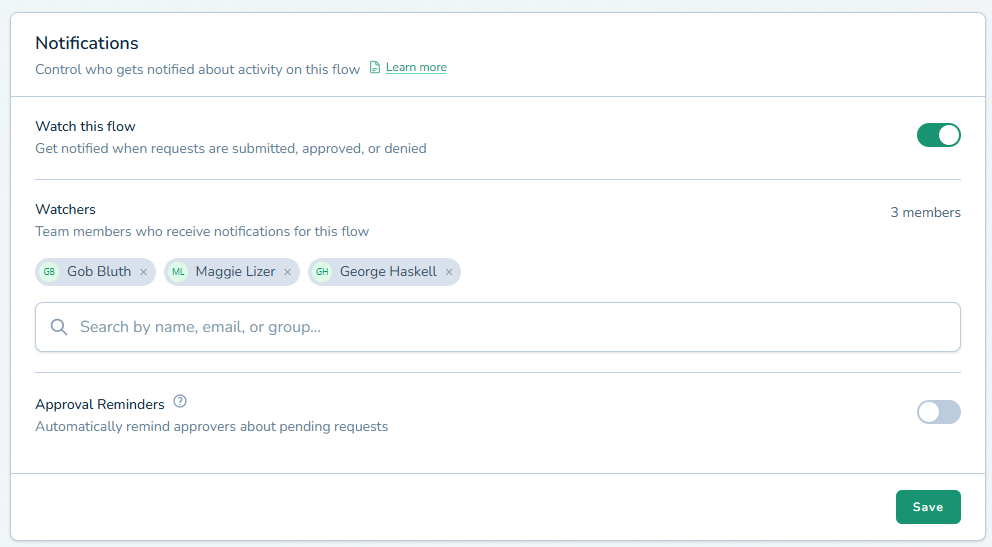
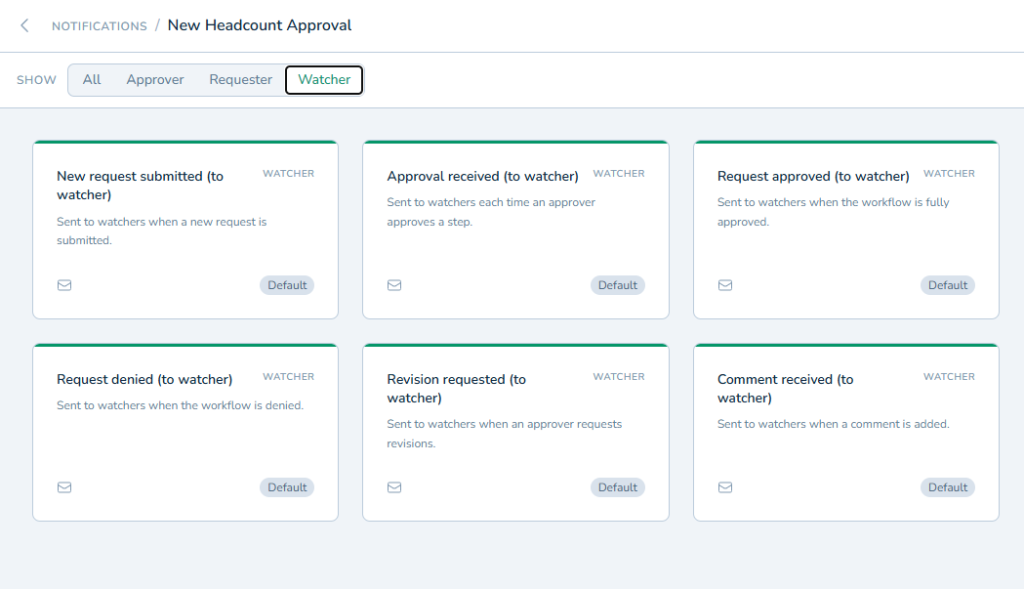
Add watchers to any workflow — people who receive status updates without being in the approval chain. Watchers see when requests are submitted, approved, denied, or escalated. Up to 10 watchers per workflow.
Watchers Can Contribute Without Blocking
Watchers can add comments without blocking the decision. Maria checks her dashboard Monday morning and walks into the meeting informed. Carl broadens oversight without slowing anything down.
Approvals Close While You Focus on the Work That Matters.
Every feature you just read about is included on every plan.
ApproveThis starts at $19/mo with every feature included on every plan. No feature gates. Every capability available the moment you sign up.
No credit card required · Set up in under 2 minutes
Want a walkthrough? We'll show you the workflow for your use case.
CONTEXT THAT STAYS WITH THE DECISION
Every Question and Rationale -- Attached to the Approval, Not Your Inbox.
The approval isn’t always one-click. Sometimes the approver has a question. Sometimes the client says ‘love it, but make the headline bigger.’ When discussion happens outside the approval, it fragments — nine emails across four inboxes, a Slack DM nobody saved.
Threaded Comments on Any Approval
Add comments at any stage — before, during, or after the decision. Rich text and @mentions tag the right people. Every stakeholder is notified.
The Audit Record Includes the Reasoning
Every comment is timestamped, attributed, and preserved in the immutable audit trail. When compliance reviews six months later, the rationale is there — who asked what, who answered, what informed the decision.
Client Feedback Stays Attached
For client approvals, threads eliminate feedback fragmentation. The revision request, internal discussion, updated deliverable, and final sign-off all live in the same approval. When a client says ‘that’s not what I asked for,’ the history shows what was discussed and approved.