Kissflow Alternative: ApproveThis Delivers 40x Savings for SMBs
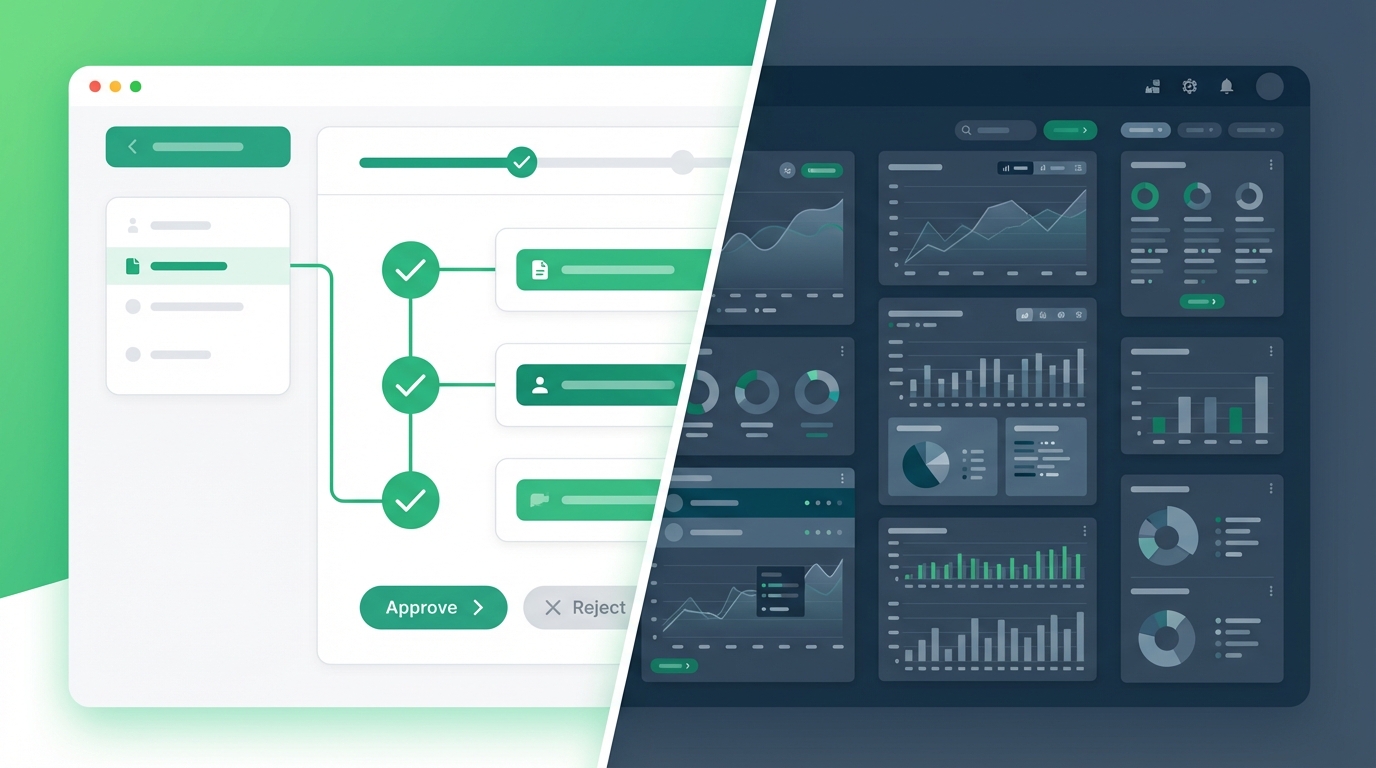
Here's a number that should make you question your current approval software: $19/month vs. $2,500+/month. That's the pricing gap between ApproveThis and Kissflow for similar approval workflow functionality—and it's why SMBs are increasingly searching for a Kissflow alternative that doesn't drain their budget.
If you're running a growing business, you need approval workflows that actually work. Purchase orders, expense approvals, vendor contracts, time-off requests—these processes can't live in email threads and spreadsheets forever. But here's the problem: most enterprise workflow platforms like Kissflow were built for companies with Fortune 500 budgets and IT departments to match.
This guide provides a comprehensive comparison showing how ApproveThis delivers 95% of Kissflow's core approval workflow capabilities at 1/40th the cost, with a practical migration guide for SMBs ready to switch.
Why SMBs Are Looking for Kissflow Alternatives
Let's be direct: Kissflow is a capable platform. But it's designed for enterprises, priced for enterprises, and built with enterprise-level complexity. For SMBs, that's a problem. You're paying for capabilities you'll never use while struggling to justify the budget for features you actually need.
Kissflow Pricing Breakdown and Limitations for SMBs
Kissflow's enterprise pricing model starts at approximately $2,500 per month—and that's often just the beginning. Here's what SMBs typically encounter:
Minimum user requirements exceed SMB needs. Kissflow pricing tiers often require minimum seat counts that don't align with smaller team sizes. If you have 15 people who need approval access, you might still pay for 50+ seats.
Complex features you're paying for but won't use. Full BPM (Business Process Management) suites, advanced case management, complex orchestration capabilities—these are powerful features for large enterprises managing thousands of processes. For an SMB needing purchase order approvals and vacation requests? Overkill.
Hidden costs compound quickly. Beyond base subscription fees, factor in:
- Implementation costs (enterprise platforms often require consultants)
- Training costs (complex systems need extensive onboarding)
- Customization fees (making the platform fit your actual workflows)
- Per-seat fees for external approvers (vendors, clients, contractors)
Annual contracts limit flexibility. Most enterprise pricing locks you into 12-month commitments. For SMBs managing cash flow carefully, that's a significant financial risk—especially if the platform doesn't deliver expected value.
The math is simple: if you're spending $30,000+ annually on approval workflow software for small businesses that's more complex than you need, those resources could drive growth elsewhere.
The SMB-Specific Workflow Automation Needs
SMBs don't need a full BPM platform. They need SMB workflow automation that solves specific problems:
Simple approval chains, not complex process modeling. You want "send this to my manager, then finance, then done." You don't need enterprise process orchestration with dozens of conditional branches.
External approver functionality without license fees. Real businesses involve external stakeholders—vendors approving contracts, clients signing off on deliverables, contractors confirming timesheets. Paying full license fees for people who click "approve" twice a month doesn't make sense.
Quick implementation without IT support: Most SMBs don't have dedicated IT staff to spend weeks configuring enterprise software. Implementation should take hours, not months.
Grows affordably with your team. As your business grows, approval costs shouldn't grow exponentially. Predictable pricing matters when you're managing growth carefully.
Essential features, not enterprise bloat. Form builders, multi-step approvals, email notifications, integrations with tools you already use—these core capabilities solve 95% of SMB approval needs.
Kissflow vs ApproveThis: Head-to-Head Comparison
The question isn't whether Kissflow has more features—enterprise platforms always have more features. The question is whether ApproveThis vs Kissflow delivers the functionality SMBs actually need at a price that makes sense.
Side-by-Side Feature Comparison Table
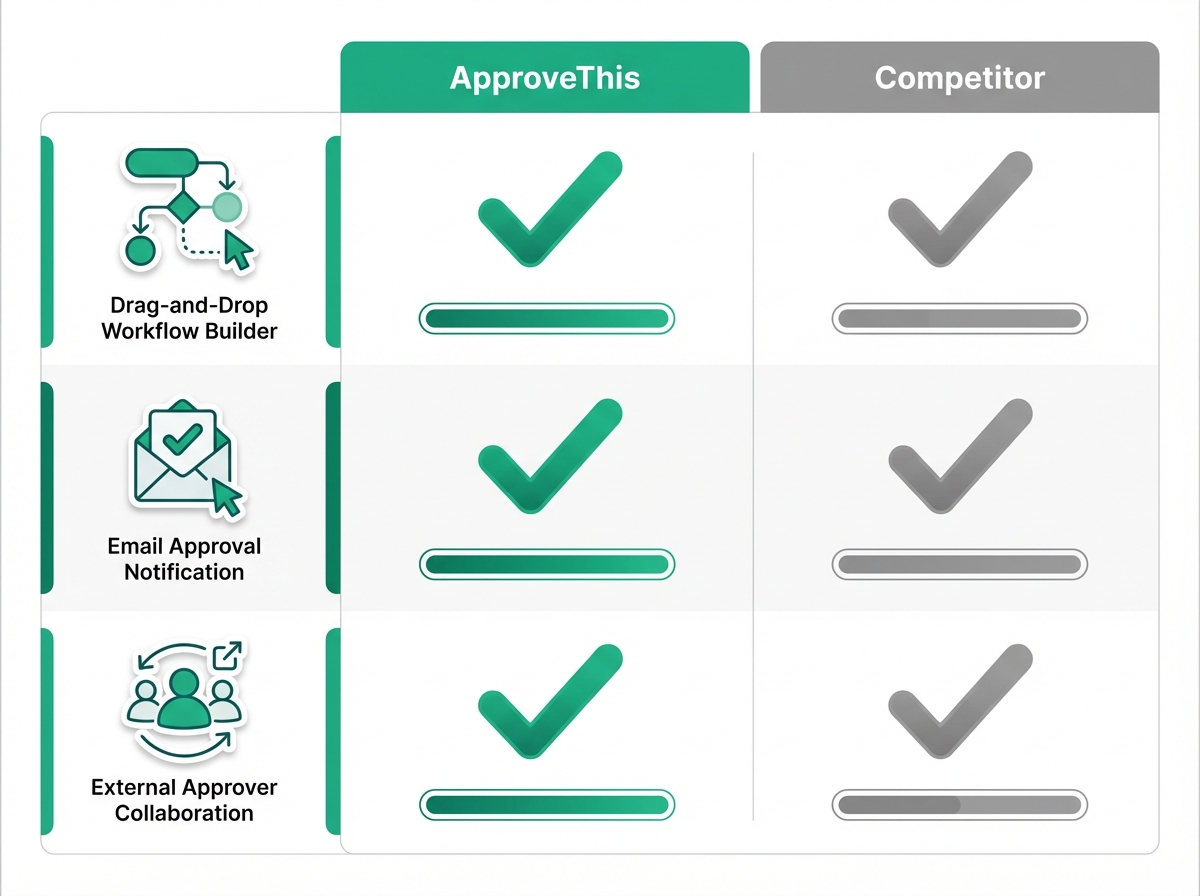
Here's a direct feature comparison for approval workflow capabilities:
| Feature | ApproveThis | Kissflow |
|---|---|---|
| Visual Workflow Builder | ✓ Drag-and-drop canvas | ✓ Visual process designer |
| Multi-Step Approvals | ✓ Sequential and parallel | ✓ Sequential and parallel |
| External Approvers | ✓ Free via signed URLs | ✓ Requires paid licenses |
| Email Approvals | ✓ One-click from inbox | ✓ Email notifications |
| Slack Integration | ✓ Native app with approve/deny | ✓ Available |
| Zapier Integration | ✓ 5,000+ app connections | ✓ Available |
| Form Builder | ✓ Drag-and-drop, 12+ field types | ✓ Advanced form builder |
| Conditional Routing | ✓ Threshold-based rules | ✓ Complex conditional logic |
| Mobile Access | ✓ Fully responsive | ✓ Mobile apps |
| Audit Trail | ✓ Complete activity logging | ✓ Enterprise audit features |
| Template Library | ✓ Pre-built workflows | ✓ Process templates |
| AI Features | ✓ Template generation, document extraction | ✓ AI capabilities |
For the approval workflow capabilities that matter to SMBs—getting requests approved quickly, routing to the right people, tracking everything—both platforms deliver. The difference is in pricing and complexity. Learn how to create multi-step approval workflows that match your actual needs.
External Approver Functionality Comparison
This is where the cost difference becomes dramatic. Here's how external approver functionality works on each platform:
ApproveThis: Free external approvers via signed URLs. When you need approval from someone outside your organization—a vendor, client, or contractor—ApproveThis generates secure, time-limited URLs. External approvers click a link, review the request, and approve or deny. No account required. No license fees. No friction.
Kissflow: Additional license fees for external users. Want a vendor to approve a contract? That might require a paid seat. Need client sign-off on project deliverables? Another license. For SMBs working with multiple external stakeholders, these costs compound quickly.
Real-world SMB use cases for external approvals:
- Vendor approving purchase orders before fulfillment
- Clients signing off on project scope or deliverables
- Contractors confirming work orders or timesheets
- Partners approving joint marketing materials
- Board members approving budget decisions
Cost savings from eliminating external user fees: If you work with 10 external stakeholders who each need occasional approval access, you could be looking at hundreds or thousands of dollars monthly in additional Kissflow licensing—versus $0 with ApproveThis.
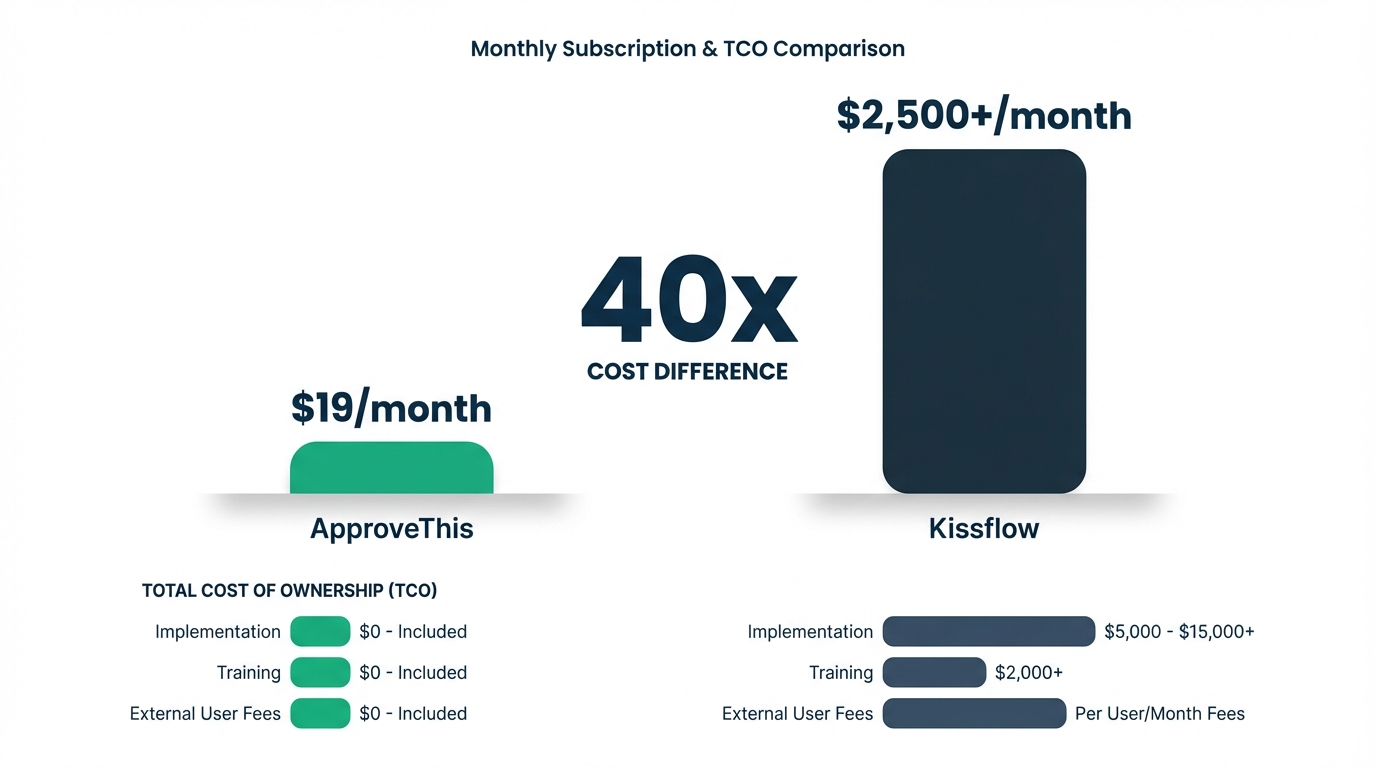
Pricing Breakdown: $19/month vs $2,500+/month
Let's make the 40x savings concrete with actual numbers.
ApproveThis Pricing Structure and Value Proposition
ApproveThis pricing is designed for SMBs who need approval workflows without enterprise complexity:
Flat pricing starting at $19/month. No per-user fees for approvers. No minimum seat requirements. No surprise charges.
Unlimited external approvers at no extra cost. Vendors, clients, contractors—anyone can approve via email without affecting your bill.
Free trial with full functionality. Test everything before committing. No credit card required to start.
Month-to-month flexibility. No annual contracts required. Scale up when you need to, scale down if business changes. Cancel anytime without penalty.
Transparent pricing with no hidden costs. The price you see is the price you pay. No implementation fees, no mandatory training packages, no customization charges.
Total Cost of Ownership Analysis
Here's what the numbers look like over time:
First-year comparison:
| Cost Category | ApproveThis | Kissflow |
|---|---|---|
| Annual subscription | ~$228-$1,200 | $30,000+ |
| Implementation | DIY (hours) | $5,000-$15,000 (typical) |
| Training | Self-serve docs | $2,000-$5,000 (typical) |
| External user fees | $0 | $5,000-$20,000+ |
| First-year total | ~$228-$1,200 | $42,000-$70,000+ |
Implementation time comparison:
- ApproveThis: Most teams go live in hours. The visual workflow builder and template library mean you can configure your first approval process during a lunch break.
- Kissflow: Enterprise implementations typically take weeks to months, requiring dedicated project management and often external consultants.
Scalability cost projections: As your business grows from 20 to 50 to 100 employees, ApproveThis costs remain predictable. With per-seat enterprise pricing, your approval software costs could grow 3-5x as you scale.
ROI calculation for switching: If you're currently spending $2,500+/month on Kissflow, switching to ApproveThis saves approximately $2,400/month—$28,800 annually. That's budget you can redirect toward actual business growth.
Migration Guide: Switching from Kissflow to ApproveThis
Switching approval platforms doesn't have to be disruptive. Here's how to make the transition smooth.
Implementation and Migration Considerations
Parallel run strategy to minimize disruption: Don't flip the switch overnight. Run both systems simultaneously for 2-4 weeks:
- Set up ApproveThis workflows mirroring your key Kissflow processes
- Route new requests through ApproveThis while existing requests complete in Kissflow
- Train team members on the new system while they still have the old one as backup
- Gradually shift all workflows once confidence is established
Data export/import process from Kissflow:
- Export your workflow configurations and templates
- Document your approval chains and routing rules
- Download any historical data needed for compliance
- Note integration configurations for recreation
Workflow template recreation in ApproveThis:
- Use the template library as starting points for common processes
- Leverage AI template generation—describe your workflow in plain English and get a working configuration
- Recreate custom workflows using the visual builder (most take 15-30 minutes)
User training and adoption plan:
- ApproveThis's interface is intentionally simple—most users need minimal training
- Share quick-start documentation with your team
- Identify 2-3 "champions" who learn the system first and help others
- One-click email approvals mean approvers barely need training at all
Timeline: Days vs weeks/months. Most SMBs complete migration in 1-2 weeks, including the parallel run period. Compare that to typical enterprise platform implementations measured in months.
Common Migration Challenges and Solutions
Handling complex approval chains:
- Map your existing multi-step workflows to ApproveThis's sequential and parallel approval capabilities
- Use conditional threshold routing for amount-based escalation
- Set up approval groups for "any of these people can approve" scenarios
External user transition process:
- No migration needed for external approvers—they'll simply receive ApproveThis links instead of Kissflow notifications
- The experience is actually simpler for them: no login, no account, just click to approve
Integration reconfiguration:
- Reconnect Slack integration (native app installation takes minutes)
- Set up Zapier connections to maintain automation with other tools
- Configure webhooks for any custom integrations
- Reestablish QuickBooks or BigCommerce connections if applicable
Change management for team adoption:
- Communicate the "why" clearly: simpler system, same capabilities, significant cost savings
- Highlight time savings: faster approvals, less training, fewer clicks
- Address concerns directly: "Yes, it really is this simple. No, you're not missing features."
Post-migration optimization tips:
- Review approval times after 30 days—you'll likely see improvements
- Identify workflows that can be simplified now that you're not constrained by enterprise complexity
- Set up automatic reminders and escalations to prevent bottlenecks
- Use the analytics dashboard to identify and address any new bottlenecks
Testimonials from SMB Customers
Real businesses are making the switch. Here's what they're experiencing.

Case Studies from SMB Switchers
Marketing agency: Saved $28,000/year
A 35-person marketing agency was paying for enterprise approval software they'd implemented years earlier. Client deliverable approvals, vendor payments, campaign budget sign-offs—the platform worked, but the cost was impossible to justify.
After switching to ApproveThis, they maintained identical workflow capabilities while reducing annual costs from $30,000+ to under $2,000. The external approver feature alone saved thousands—clients now approve deliverables without needing paid licenses.
Manufacturing company: Reduced approval time by 65%
A regional manufacturer struggled with purchase order approvals. Their previous system required approvers to log in to a complex portal, navigate multiple screens, and complete multi-step processes. Many approvals sat pending for days.
With ApproveThis email approvals, managers now approve POs directly from their inbox with one click. Average approval time dropped from 3.2 days to 1.1 days—a 65% improvement that accelerated their entire procurement process.
Professional services firm: Eliminated external approver fees
A consulting firm regularly needed client approvals on project changes, scope modifications, and final deliverables. Their previous platform charged per-seat for external users, adding $800/month just for client access.
ApproveThis's free external approvers via signed URLs eliminated this cost entirely while improving the client experience—no account creation, no password management, just simple approve/deny links.
Retail business: Implemented in 3 days vs 6 weeks
A growing e-commerce company needed approval workflows for inventory purchases, discount approvals, and vendor contracts. They'd been quoted 6+ weeks for enterprise implementation.
Using ApproveThis's template library and visual builder, they configured all workflows and went live in 3 days. Training consisted of a 20-minute team meeting and a shared documentation link.
Quantifiable Results and ROI
Across SMB customers making the switch, the patterns are consistent:
Average time savings: 8 hours/week
Simpler interfaces, email-based approvals, and reduced administrative overhead free up significant time. Research on workflow automation shows that managers spend less time navigating software and more time making decisions.
Cost savings: $2,500+/month
The subscription cost difference alone delivers substantial savings. Add eliminated external user fees, reduced training costs, and faster implementation, and the total savings grow significantly.
Approval cycle time reduction: 40-70%
When approvers can act from email without logging into complex portals, approvals happen faster. The one-click approach removes friction that caused delays.
User adoption rates: 90%+ within first week
Simple systems get used. When approval software is intuitive, teams actually use it consistently rather than working around it with email chains and verbal approvals.
Support ticket reduction: 60%
Complex enterprise software generates support requests. Simpler systems don't. Teams spend less time troubleshooting and more time working.
FAQ Section
Common Questions About Switching
How difficult is it to migrate from Kissflow to ApproveThis?
Most SMBs complete the transition in 1-2 weeks, including parallel running of both systems. The visual workflow builder makes recreating your approval processes straightforward—typically 15-30 minutes per workflow. There's no complex data migration required; you're primarily recreating workflow logic, which is often an opportunity to simplify processes that have become unnecessarily complex.
Can ApproveThis handle complex approval workflows?
Yes. ApproveThis supports multi-step sequential approvals, parallel approvals (multiple people approving simultaneously), conditional routing based on field values (like auto-escalating high-dollar requests), approval groups (any member can approve), and manager hierarchy routing. For 95%+ of SMB approval scenarios, the capabilities are equivalent to enterprise platforms.
What about external approvers and guest users?
This is actually where ApproveThis shines versus enterprise alternatives. External approvers use secure, time-limited signed URLs—no account required, no license fees. They click a link in their email, see the approval request, and respond. It's simpler for them and free for you.
How does the pricing scale as my business grows?
ApproveThis pricing is based on workflow volume, not user count. You can add unlimited approvers without increasing costs. As you scale, you might move to higher tiers with more workflow capacity, but you won't face the exponential cost growth that per-seat enterprise pricing creates.
What integration options are available?
ApproveThis integrates with:
- Slack: Native app with interactive approve/deny buttons
- Zapier: Connect to 5,000+ applications
- QuickBooks: Sync company data and time tracking
- BigCommerce: Order approval workflows
- Custom webhooks: Connect to any system that accepts HTTP requests
- Email: Submit requests by forwarding emails to dedicated addresses
Is there a free trial or demo available?
Yes. ApproveThis offers a free trial with full functionality—no credit card required. You can build workflows, test integrations, and run actual approvals before committing. Most teams evaluate the platform in under an hour and make a decision within a few days.
Conclusion
The comparison between ApproveThis and Kissflow comes down to this: ApproveThis delivers 95% of Kissflow's core approval functionality at 1/40th the cost. For SMBs, that math is compelling.
Key takeaways:
- SMBs can save $2,500+ monthly while maintaining the workflow efficiency they need
- Migration is straightforward with parallel run strategies and minimal disruption
- External approver functionality is free versus Kissflow's additional license fees
- Month-to-month flexibility eliminates risky annual contracts
- Implementation takes days, not months—most teams go live within a week
Enterprise approval platforms made sense when they were the only option—they're not anymore. The BPM software market has evolved, and SMBs now have purpose-built alternatives. If you're paying enterprise prices for approval workflows you could handle with a simpler, more affordable solution, you're leaving money on the table.
Start your free trial of ApproveThis today and experience the 40x cost savings with similar features. No credit card required, no annual commitment. Set up your first workflow in 15 minutes and see the difference for yourself.