Spreadsheet Approval Tracking: 7 Hidden Risks That Could Cost Your Business

A single misplaced decimal point cost one company $50,000. The culprit? A spreadsheet approval tracking system that nobody questioned until it was too late.
If your organization tracks approvals through Excel files or Google Sheets, you're not alone—and you're probably aware that things occasionally fall through the cracks. What you might not realize is the scale of hidden risk lurking in those familiar cells and formulas. Research shows that spreadsheet-based approval workflow processes contribute to 52% of companies missing critical deadlines, often because requests get buried or lost between versions.
While spreadsheets feel comfortable and flexible, they create significant vulnerabilities that most organizations don't recognize until auditors come knocking or a costly mistake surfaces. This article reveals the specific failure scenarios in spreadsheet approval tracking, quantifies the business costs, and provides practical solutions for both immediate mitigation and long-term approval workflow improvement.
Real-World Spreadsheet Approval Tracking Failure Scenarios
Spreadsheet approval systems don't fail dramatically—they fail quietly. A missed email here, an overwritten cell there, and suddenly you're explaining to leadership why a $200,000 purchase never got proper authorization. Let's examine how these failures actually happen in practice.
Version Control Nightmares: When Multiple Spreadsheets Collide
The "which version is current?" problem plagues every organization that tracks approvals in spreadsheets. Marketing has a copy they downloaded last Tuesday. Finance is working from an attachment someone sent in an email thread. Meanwhile, the "official" version on the shared drive was last updated three weeks ago.
This isn't hypothetical. One manufacturing company discovered they had processed duplicate payments totaling $47,000 because two different team members were approving invoices in separate spreadsheet copies. Neither knew the other existed until the vendor called to ask about the duplicate deposits.
The spreadsheet tracking issues compound when you factor in email attachment chains. Someone sends "Approvals_v2_Final.xlsx" to three people. Two of them make changes and reply-all. Now you have three versions of "final," and nobody can definitively say which changes made it into the master file—if a master file even exists anymore.
Perhaps most insidious is silent data corruption in shared spreadsheets. When multiple users edit simultaneously, cells can overwrite each other without warning. One user's formula gets replaced by another's value, and the version control challenges mean nobody notices until the numbers stop adding up.
For organizations struggling with similar approval workflow challenges, the version control nightmare extends beyond spreadsheets into every communication channel where requests get lost or duplicated.
Audit Trail Gaps: The Compliance Time Bomb
When auditors ask "who approved this purchase order on March 15th?" your answer cannot be "let me check my email."
Yet that's exactly where most spreadsheet-based approval systems leave you. Spreadsheet cells don't inherently track who changed what and when. Sure, some platforms offer basic version history, but try extracting a clean audit trail from Google Sheets' revision history when you need to prove regulatory compliance.
The compliance and audit trail gaps become critical in regulated industries. HIPAA requires healthcare organizations to document who accessed patient-related approvals and when. SOX mandates that financial approvals have clear authorization chains. GDPR insists on demonstrable consent processes with timestamps. Spreadsheets offer none of this out of the box.
One healthcare provider learned this lesson when they faced a HIPAA audit and couldn't prove who had approved access to patient records three months prior. The approval had been granted—someone remembered doing it—but the spreadsheet showed only the current state, not the decision-making history. The resulting fine exceeded $100,000.
Reconstructing approval workflow history from email threads isn't just tedious; it's often impossible. Emails get deleted. Employees leave. The person who approved something via reply-all used their personal phone and never synced those messages to the corporate archive.
Human Error Amplification: Small Mistakes, Big Consequences
Spreadsheets don't just fail to prevent human error—they amplify it.
Formula errors cascade through approval calculations in ways that are nearly impossible to detect. Change one cell that feeds into a calculation, and suddenly your approval thresholds are triggering on the wrong amounts. One procurement team discovered their "auto-approve under $5,000" logic had been broken for six months because someone accidentally deleted a dollar sign in a formula.
The copy-paste problem puts wrong data in the right cells constantly. An employee copies a vendor name from one row but pastes it into the wrong approval record. Now you've approved payment to Vendor A while thinking you approved Vendor B. The human error risks multiply with every manual operation.
Remember that $50,000 error mentioned earlier? It came from a decimal point moved one position during a copy-paste operation. The approval form showed $5,000.00, but the actual purchase order reflected $50,000.00. Nobody caught it because the spreadsheet looked correct at every review stage.
Why are spreadsheet errors so hard to catch? Because spreadsheets present data, not process. There's no system flagging that an amount changed between submission and approval. No alert when a formula returns an unexpected value. A 2024 study found that 94% of business spreadsheets contain errors—the data sits there, looking authoritative, hiding mistakes in plain sight.
Technical Risks: Security, Data Integrity, and Scalability
Beyond daily operational failures, spreadsheet approval systems carry fundamental technical vulnerabilities that put your organization at risk.
Security Vulnerabilities in Shared Spreadsheet Workflows
Spreadsheet permissions operate on an all-or-nothing model. Either someone can access the file, or they can't. There's no way to let an approver see only their pending items while hiding sensitive data from other requests.
This creates immediate security vulnerabilities. Your expense approval spreadsheet contains salary information, vendor pricing, and budget allocations that not everyone should see. But if the file is shared, it's shared completely.
The accidental sharing problem compounds this risk. One click on "Share with anyone who has the link," and your sensitive approval data is exposed to anyone who stumbles onto that URL. It happens more often than IT departments want to admit.
Password protection offers minimal defense. Basic spreadsheet password protections can be bypassed with freely available tools. And even "protected" sheets often allow copying data out to unprotected files.
Perhaps most concerning: spreadsheets bypass corporate security policies entirely. Your company may have sophisticated data loss prevention systems, access controls, and audit logging—but none of it applies to a spreadsheet someone downloaded to their laptop.
Data Integrity Challenges in Multi-User Environments
Simultaneous editing creates conflicts that silently destroy data. User A and User B both open the approval spreadsheet at 9:00 AM. Each makes changes throughout the morning. When they save, whose version survives?
The answer is usually "the last save wins"—and the first user's work disappears without warning. This data integrity problem means approved items become unapproved, comments vanish, and status updates revert to previous states.
Data validation in spreadsheets is limited and easily circumvented. You can set up dropdown lists and conditional formatting, but users can paste data that ignores validation rules. Someone copies an amount from an email and pastes it into your carefully validated number field—as text. The validation never fires.
Over time, spreadsheet data degrades without proper governance. Columns get added haphazardly. Row formats drift. What started as a clean approval tracker becomes an archaeological dig site of merged cells, hidden columns, and formulas referencing deleted sheets.
Scalability Limitations of Spreadsheet Systems
Spreadsheets that work beautifully at 100 rows become unusable at 10,000. Performance degrades exponentially—opening the file takes minutes, filtering freezes the application, and formulas recalculate for eternity.
But scalability limitations aren't just about row counts. They're about process volume. When your company handled 50 approvals per month, someone could manually copy requests from emails into the spreadsheet. At 500 approvals per month, that person does nothing else. At 5,000, it's physically impossible.
Manual approval workflow processes don't scale with business growth. Every approval requires human intervention to route, track, remind, and close. According to procurement research, that hidden labor cost—estimated at $506 per purchase order in rework, delays, and administrative overhead—multiplies with volume.
Eventually, spreadsheets become the bottleneck. Decisions wait not because approvers are unavailable, but because the tracking system can't keep pace. The approval queue exists only in someone's memory, and when they're out sick, everything stops.
Industry-Specific Compliance and Audit Challenges
Different industries face unique compliance requirements that spreadsheet systems fundamentally cannot meet.
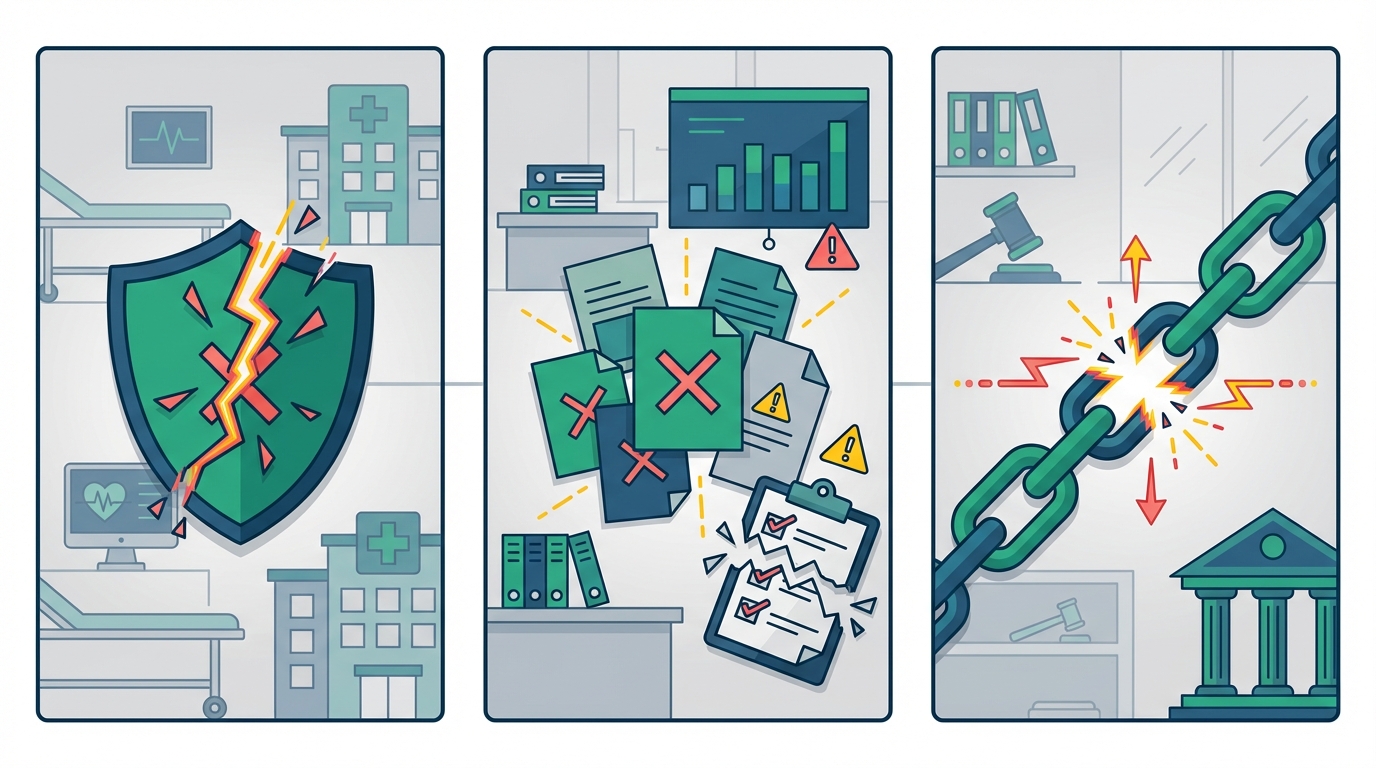
Healthcare: HIPAA and Patient Data Protection
HIPAA requires covered entities to maintain audit trails showing who accessed protected health information and when. Spreadsheets tracking patient-related approvals—consent forms, treatment authorizations, records access requests—violate this requirement by design.
Patient consent tracking demands timestamps, user attribution, and tamper-proof records. A spreadsheet can be edited by anyone with access, making it impossible to prove that recorded consent matches what actually occurred.
The risk of PHI exposure in shared spreadsheets is substantial. One approval tracker containing patient names and procedure authorizations, shared via Google Sheets link, constitutes a reportable breach if accessed by unauthorized parties.
Healthcare providers have faced six-figure fines specifically because spreadsheet-based approval workflow systems couldn't demonstrate compliance. According to HIPAA Journal, violation penalties range from $145 to over $73,000 per incident depending on the level of negligence. The spreadsheet itself becomes evidence of inadequate controls.
Finance: SOX, PCI-DSS, and Financial Controls
Sarbanes-Oxley requires financial approvals to demonstrate clear segregation of duties, authorization chains, and audit trails. As SOX compliance guidelines emphasize, spreadsheet systems cannot prove that the person who requested a payment wasn't also the person who approved it—because anyone with file access can edit any cell.
PCI-DSS compliance for payment card data requires strict access controls and logging. Spreadsheets containing cardholder data for payment approvals violate these standards unless heroic (and fragile) manual processes wrap around them.
Financial auditors expect to see system-generated reports showing approval workflows, timestamps, and user actions. "Here's our spreadsheet" is increasingly inadequate for organizations beyond minimal scale.
The segregation of duties problem is fundamental: spreadsheets can't enforce that requester and approver are different people. They can only record what users claim happened.
Legal and Contract Management: Document Chain of Custody
Contract approval workflows require demonstrable chain of custody. Who reviewed which version? When was legal sign-off obtained? What changed between drafts?
Spreadsheets tracking contract approvals cannot answer these questions with the certainty courts and regulators expect. Signature authority tracking—proving that the person who approved a contract actually had authority to bind the organization—becomes a matter of trusting spreadsheet data that anyone could have edited.
In legal discovery, opposing counsel will ask for approval records. Producing a spreadsheet that could have been modified at any point, by anyone with access, undermines your position before the deposition even starts.
Practical Mitigation Strategies for Spreadsheet Users
If you can't immediately replace your spreadsheet approval system, you can reduce its risks. These interim mitigation strategies provide immediate value while you plan longer-term approval workflow improvements.
Immediate Improvements to Reduce Risk
Start with structured templates that include validation rules. Lock cells that shouldn't change. Use data validation dropdowns instead of free-text entry. Protect sheets while allowing input only in designated areas.
Implement version control protocols: save copies with date stamps before major changes. Use a naming convention everyone follows. Designate one person as the spreadsheet owner who resolves conflicts and maintains the master version.
Schedule regular audit and reconciliation processes. Weekly, compare your spreadsheet against source systems. Monthly, verify that recorded approvals match what actually occurred. This catches drift before it becomes disaster.
Backup critical approval data outside the spreadsheet itself. Export to PDF weekly. Email summaries to stakeholders who can verify accuracy. Don't let the spreadsheet be the only record of what happened.
For comprehensive guidance on building better approval workflow processes, explore dedicated tools that offer multi-step approval routing with built-in audit trails.
Hybrid Approaches: Combining Spreadsheets with Automation
Zapier and similar tools can add workflow logic to spreadsheet-based processes. Automatically notify approvers when new rows appear. Send reminders when items age beyond thresholds. Log changes to separate audit spreadsheets that users can't edit.
Email automation reduces manual follow-up burden. Instead of someone checking the spreadsheet daily and emailing reminders, automate notifications when approvals are pending past deadlines.
Cloud storage platforms with better version control and permissions—like SharePoint or Google Drive with proper configuration—offer incremental improvements over emailed attachments. At minimum, you establish a single source of truth.
These transitional tools don't solve fundamental spreadsheet limitations, but they reduce friction while you build the case for proper approval workflow systems.
Implementation Checklist for Safer Spreadsheet Processes
Document every approval workflow completely: who submits, who approves, what triggers escalation, what constitutes completion. If it's not written down, it doesn't exist when key people leave.
Establish training protocols for spreadsheet users. New employees should learn not just where the file lives, but why certain cells are protected and what happens if validation fails.
Create review and sunset policies for old spreadsheets. Archive completed approvals quarterly. Delete personal copies that shouldn't exist. Audit who has access and remove former employees.
Track metrics on your spreadsheet approval performance: average time to approval, error rate, rework frequency. You'll need this data to build the business case for better tools.
When and How to Transition from Spreadsheets to Proper Approval Workflow Software
At some point, mitigation isn't enough. Recognizing when your spreadsheet system is failing—and knowing how to make the change—separates organizations that escape approval chaos from those that drown in it.
Signs Your Spreadsheet System Is Failing
Watch for key performance indicators that signal trouble: approval times increasing despite stable volume, error rates climbing, users creating personal workaround copies.
Conduct honest cost analysis of manual approval workflow processes. Calculate hours spent on approval administration weekly. Multiply by fully-loaded labor costs. Add rework costs when errors occur. The total typically shocks leadership.
Error rate thresholds signal systemic problems. One mistake per hundred approvals might be acceptable. One per ten indicates the system is failing. Track this formally—your instincts underestimate the problem.
User frustration and compliance warning signs appear before catastrophic failure. When approvers start ignoring the process because it's too cumbersome, when finance creates shadow tracking systems, when auditors ask questions your spreadsheet can't answer—the system is already failing.
Building the Business Case for Dedicated Approval Workflow Tools
ROI calculation starts with current costs: administrative labor, error remediation, delayed decision costs, audit preparation time. Compare against tool investment—typically $19-99 per month for capable approval workflow software.
Risk reduction has financial value. Calculate potential audit fines, duplicate payment exposure, and fraud vulnerability under current systems. Even small probability of major incidents justifies prevention investment.
Productivity gains from automated workflows compound quickly. Automatic routing eliminates manual assignment. Reminders eliminate follow-up email. Dashboards eliminate status-check meetings. These hours return to value-creating work.
Compliance and audit cost savings often exceed direct efficiency gains. When auditors can pull reports instead of requesting document reconstructions, audit prep drops from weeks to hours.
Implementation Roadmap for Approval Workflow Migration
Start with highest-risk workflows. Identify approvals with largest financial exposure, strictest compliance requirements, or highest error rates. Migrate these first while lower-risk processes continue on spreadsheets.
Data migration from spreadsheets requires cleaning. Export historical approvals for reference, but don't try to import messy data into clean systems. Start fresh with proper structures; keep old records accessible for historical queries.
User training and change management determine success. People comfortable with spreadsheet chaos resist structured systems. Demonstrate how the new approval workflow approach eliminates their specific frustrations—the reminder emails they hate sending, the version confusion they navigate daily.
Measure success after implementation. Compare approval cycle times, error rates, and user satisfaction against baseline. Document improvements for future business cases and organizational learning.
Conclusion
Spreadsheet approval tracking creates significant hidden risks that most organizations underestimate until failure forces recognition. Security vulnerabilities, compliance gaps, and human error amplification compound as approval volume grows.
Industry-specific compliance requirements—HIPAA in healthcare, SOX in finance, chain-of-custody standards in legal—frequently exceed what spreadsheet systems can provide. The audit exposure alone justifies serious evaluation of approval workflow alternatives.
Practical mitigation strategies exist for organizations that must use spreadsheets temporarily. Structured templates, version control protocols, and hybrid automation approaches reduce risk while you plan transitions.
The business case for dedicated approval workflow systems includes measurable ROI through risk reduction, productivity gains, and compliance cost savings. When spreadsheet limitations cost $506 per purchase order in hidden overhead, even modest tool investments pay for themselves quickly.
A phased implementation roadmap can successfully transition organizations from spreadsheet chaos to structured approval workflows without disrupting ongoing operations.
Ready to eliminate spreadsheet approval risks? Explore how ApproveThis can provide secure, compliant approval workflows with complete audit trails and automated routing—all for under $20/month, with no per-seat charges for approvers.