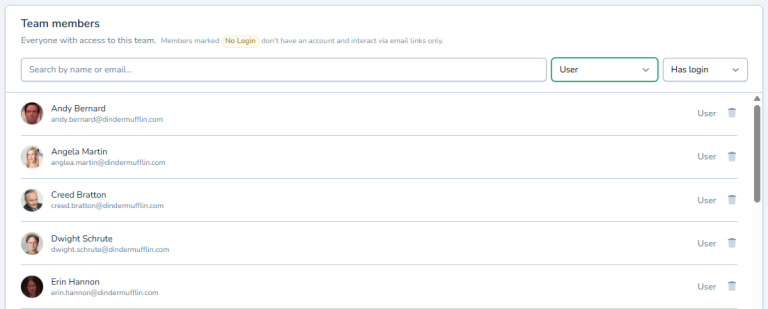
Team Members
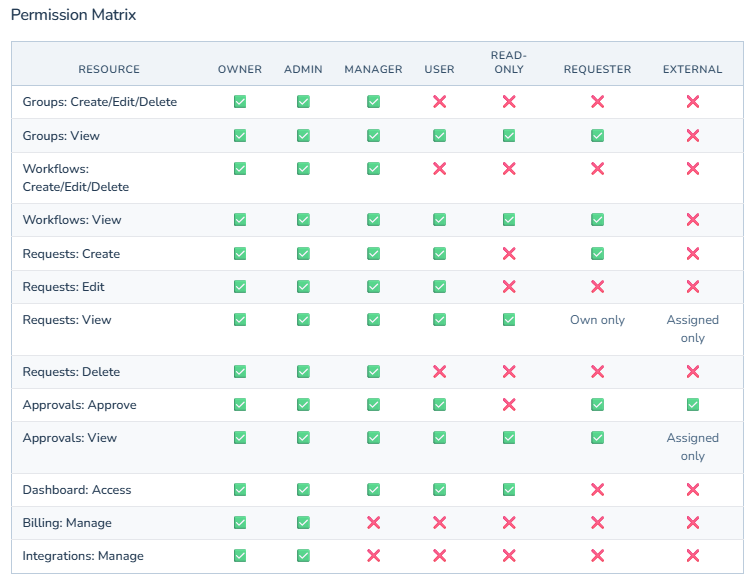
Team Members is your central place to add, remove, and manage everyone in your approval workspace. Send email invitations to new team members, assign them as admins or regular users, and control who can do what. See your whole team at a glance, update roles when people change positions, and remove access when someone leaves. Onboard new team members in minutes instead of waiting on IT. Keep access current as roles change and people leave. Perfect for growing teams that need flexibility without complexity. Control who can create workflows, who can approve them, and who can only submit requests.
Team Members: Simple Team Management That Actually Works
Adding Users Shouldn't Feel Like IT Work
You need to add someone to your approval workflows. Now you're googling "how to add users" and clicking through settings menus you've never seen before. You find something that looks right, click around nervously, and hope you didn't break anything.
Or worse, you email IT and wait three days for them to add one person.
Your team is ready to work. The approvals are piling up. But you can't move forward because adding users is complicated.
Team Members makes it simple. Add people, assign their roles, and get back to work. No IT degree required.
What is Team Members Management?
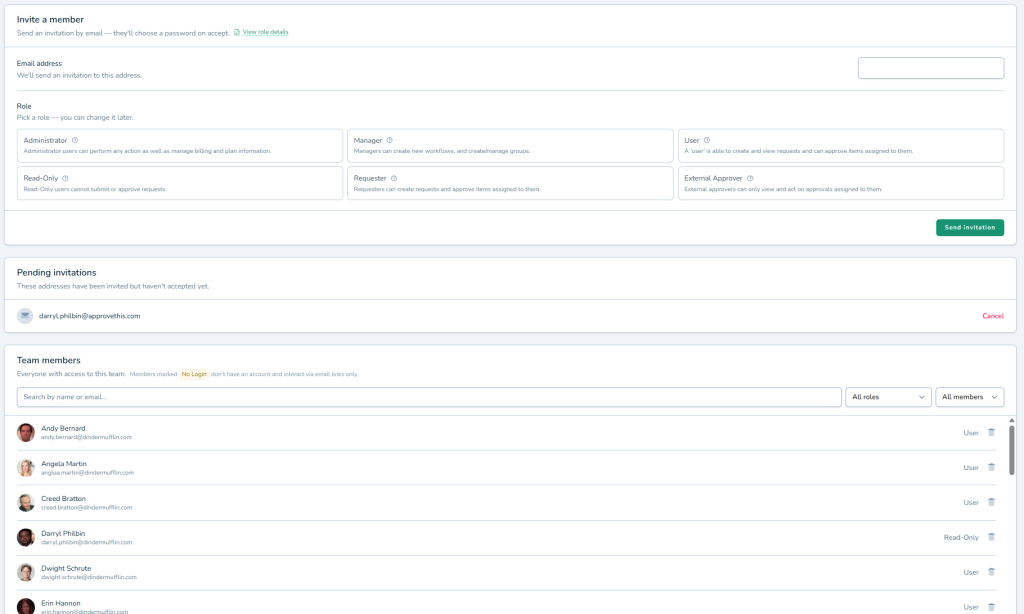
Team Members is your central place to add, remove, and manage everyone in your approval workspace. Send email invitations to new team members, assign them as admins or regular users, and control who can do what.
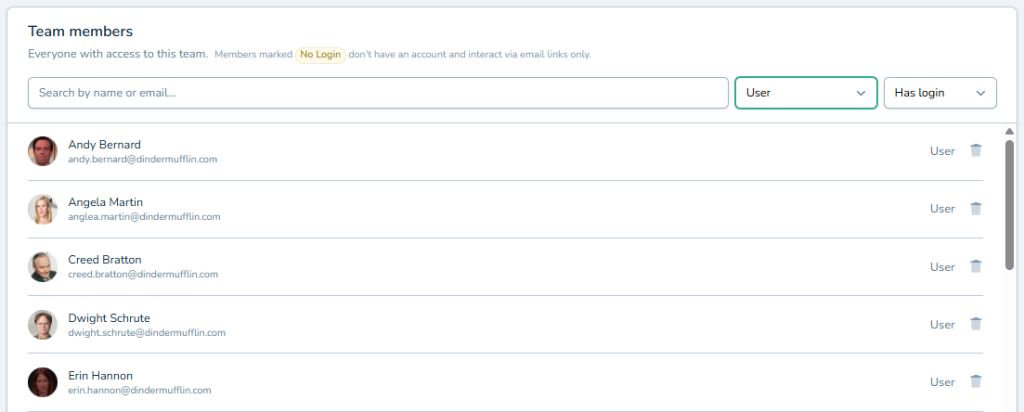
See your whole team at a glance. Update roles when people change positions. Remove access when someone leaves. Everything team-related in one straightforward interface.
Perfect for growing teams that need flexibility without complexity. Works seamlessly with Approval Groups to organize people into departments or approval types.
Why Team Members Management Matters
When adding users is hard, you put it off. When it's easy, your team stays current.
Onboard New Team Members in Minutes
Someone joins your team. Send them an invitation, they click accept, and they're ready to submit requests or start approving. No waiting on IT. No complex setup guides. Just working approvals from day one.
Keep Access Current as Teams Change
People switch roles. Employees leave. Contractors finish projects. Update access instantly from one screen instead of wondering who still has login credentials they shouldn't. Your approval system stays secure and organized.
Give the Right Access to the Right People
Not everyone needs admin access to your approval workflows. Team Members lets you control who can create workflows, who can just approve them, and who can only submit requests. Combined with Conditional Routing, you ensure approvals flow to the right people with the right permissions.
How It Works
Managing your team is straightforward and quick.
- Invite New Members: Enter their email, choose their role, and send the invitation
- They Accept and Join: New members click the link in their email and set up their account in seconds
- Manage as Needed: Update roles, remove access, or re-invite as your team evolves
The team list shows who's active, what role they have, and when they joined. Find anyone quickly and make changes without second-guessing yourself.
Perfect For Teams That Keep Moving
You need Team Members management if you're dealing with:
- New hires who need approval access on their first day, not their first week
- Changing team structures where people need different access levels
- Multiple departments where you need to control who sees what workflows
- The constant anxiety of wondering if former employees still have system access
Get Your Team Set Up Today
Stop waiting on IT to add users. Stop putting off access updates because it's too complicated.
Team Members gives you simple, direct control over who's in your approval workspace. Add people when you need them, update access when roles change, and keep your team moving.
Try ApproveThis free for 14 days and invite your whole team in minutes, not days.