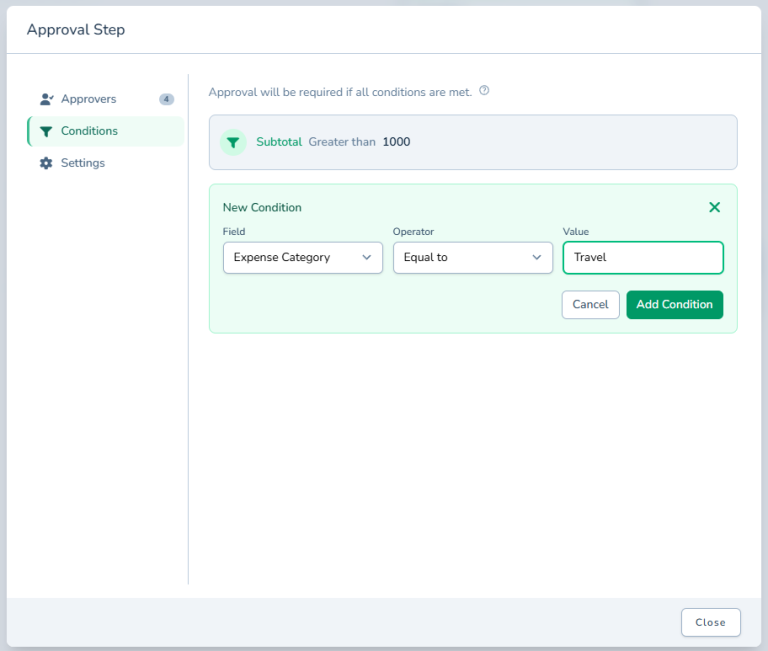
Threshold-Based Routing
Threshold-Based Routing automatically sends approvals to different approvers based on monetary values. Set dollar thresholds and corresponding approval paths - under $1,000 to manager, $1,000 to $10,000 adds finance, over $10,000 requires executive approval. One workflow handles all amounts with intelligent routing. Enforce approval authority automatically based on delegation of authority policies. Reduce unnecessary approval layers for small requests while ensuring proper oversight for large ones. Adapt to policy changes instantly by updating thresholds in one place. Perfect for purchase approvals, budget requests, and expense reimbursements where amounts determine required approvers.
Threshold-Based Routing: Automatic Approval Paths By Amount
Different Dollar Amounts Need Different Approvers
Purchases under $500 need manager approval. $500 to $5,000 need finance approval too. Over $5,000 require VP sign-off. Your approval routing depends entirely on the dollar amount, but you're routing everything manually or building separate workflows for every threshold.
You can't create dozens of workflows for every dollar amount. But you also can't send a $10,000 purchase through the same approval as a $50 one. The risk levels are completely different.
So you're telling people "if it's over this amount, also send it to finance" and hoping they remember. Or you're manually reviewing every request and routing it yourself. Neither option scales or prevents mistakes.
Threshold-Based Routing automatically routes approvals to different people based on dollar amounts. Configure thresholds once, and the system routes requests correctly based on the numbers. Small purchases skip unnecessary approval layers. Large purchases automatically escalate to appropriate authority levels.
What is Threshold-Based Routing?
Threshold-Based Routing sends approvals to different approvers based on monetary values. Set dollar thresholds and corresponding approval paths: under $1,000 to your manager, $1,000 to $10,000 adds finance, over $10,000 requires executive approval.
One workflow handles all amounts with intelligent routing. Requesters submit once without thinking about thresholds. The system reads the amount, compares to thresholds, and routes to the right approvers automatically.
Perfect for purchase approvals, budget requests, expense reimbursements, or anything where dollar amounts determine approval authority. Works with Conditional Routing for sophisticated logic and Create Approval Workflow to build complete processes.
Why Amount-Based Routing Matters
Manual threshold routing doesn't scale and creates errors. Automatic routing enforces policy perfectly every time.
Enforce Approval Authority Automatically
Your delegation of authority policy says CFO approval required over $25,000. Threshold routing enforces that automatically. No training people on thresholds, no hoping they remember, no manual review. The system routes based on policy, perfectly consistent.
Reduce Unnecessary Approval Layers
Why make finance approve a $50 purchase? Threshold routing skips approval steps when amounts don't warrant them. Small requests move faster with fewer approvers. Large requests automatically include appropriate oversight. Everyone's time gets used appropriately.
Adapt To Policy Changes Instantly
Approval thresholds change. Update them in one place and all future requests route correctly immediately. No updating dozens of workflows or retraining everyone. Combined with Edit Workflow, you maintain current routing as business needs evolve.
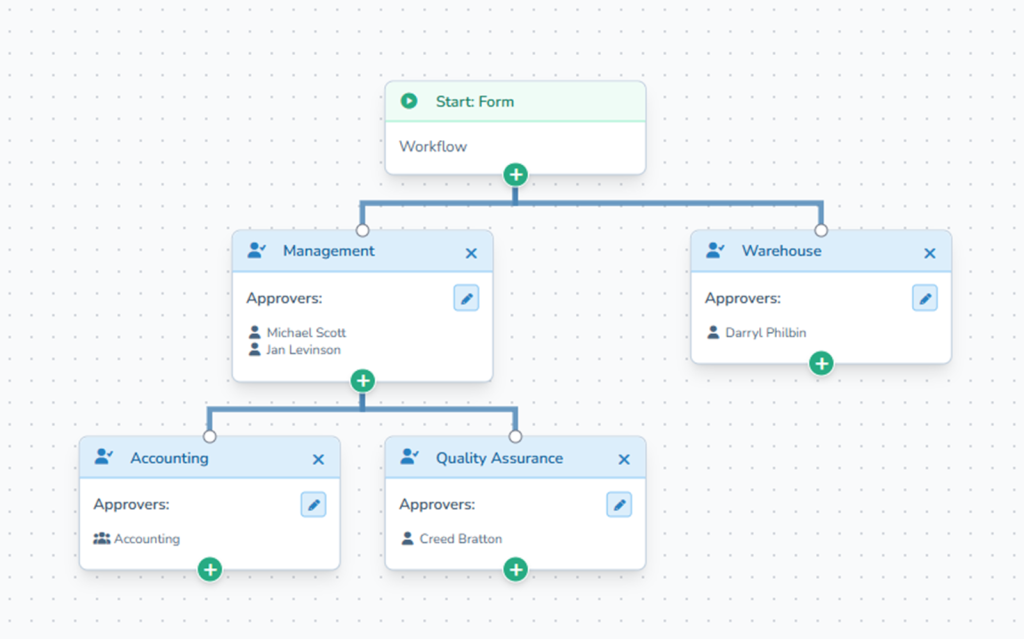
How It Works
Setting up threshold routing is configuration, not coding.
- Define Thresholds: Set dollar amounts that trigger different routing
- Assign Approvers: Configure who approves at each threshold level
- Activate Workflow: Requests route automatically based on submitted amounts
- System Routes Correctly: Each request goes to appropriate approvers based on its value
Thresholds work with other routing conditions. Combine amount-based and department-based routing for sophisticated approval logic.
Perfect For Amount-Sensitive Approvals
You need Threshold-Based Routing if you're dealing with:
- Purchase approvals where dollar amounts determine required approvers
- Budget requests with different authority levels for different sizes
- Expense reimbursements that need escalation above certain values
- Delegation of authority policies based on monetary thresholds
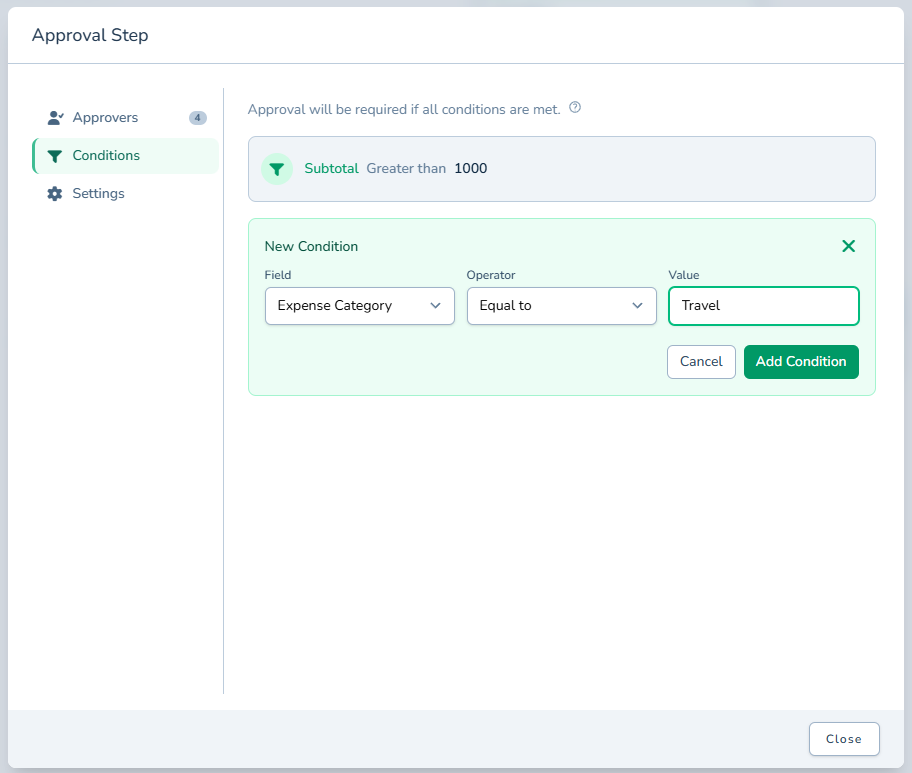
Start Routing By Amount Today
Stop manually routing based on dollar amounts. Stop hoping people remember threshold policies.
Threshold-Based Routing enforces approval authority automatically. Configure thresholds once, and every request routes correctly based on its value. Small requests move fast, large requests get proper oversight, and policy enforcement is automatic.
Try ApproveThis free for 14 days and set up your first threshold-based approval workflow.