Kissflow Pricing: Why It Fails Small Businesses (And What to Use Instead)
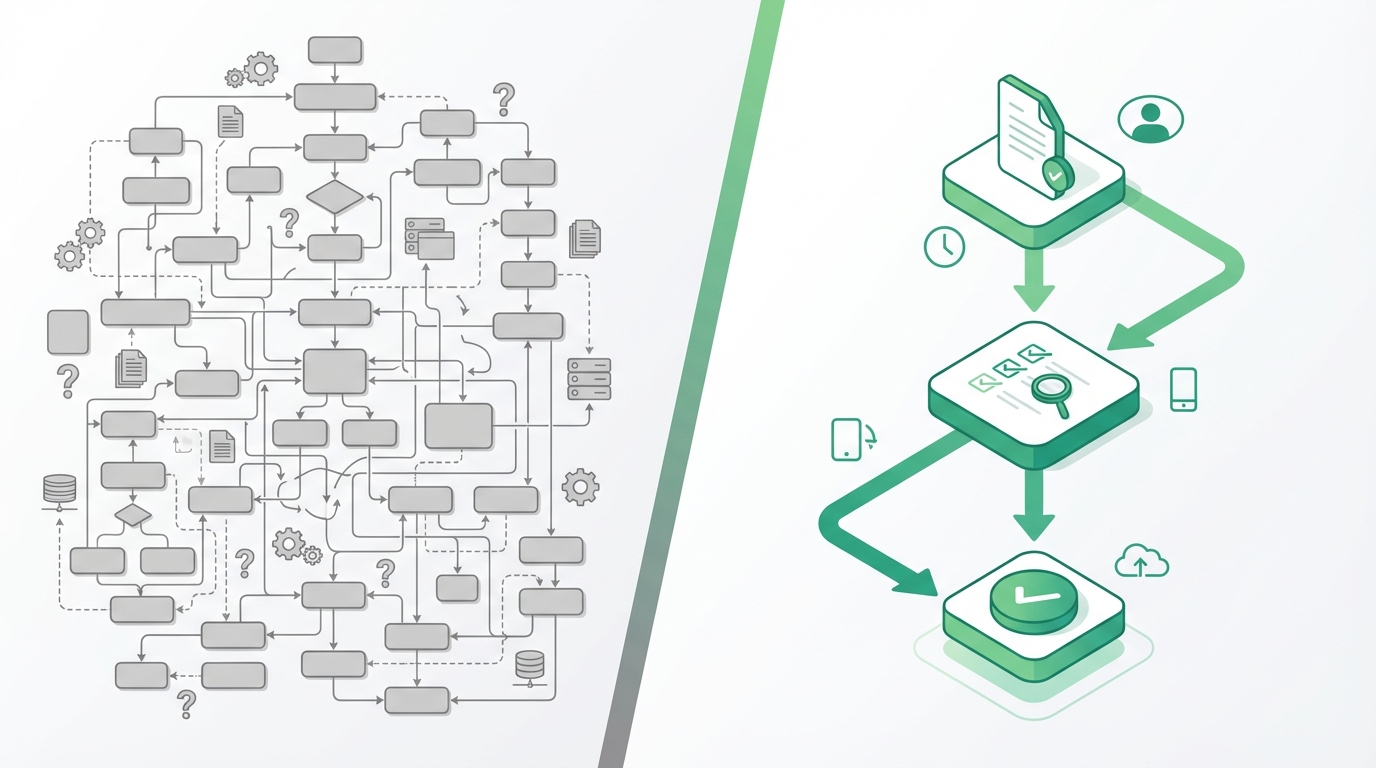
Small businesses spend an average of just $100-500 per month on workflow software—a fraction of what enterprise tools expect you to pay. So when you discover that Kissflow pricing starts at levels designed for large organizations, the frustration hits hard. You've already invested time researching, maybe even running demos, only to find essential features locked behind enterprise tiers.
This is a growing problem for SMBs seeking workflow automation. Enterprise-focused tools like Kissflow build their entire pricing model around large teams with dedicated IT budgets, leaving small businesses either overpaying for features they don't need or locked out of capabilities they actually require.
This guide will show you why Kissflow's pricing model is fundamentally incompatible with SMB needs, what features you actually require, and how ApproveThis delivers purpose-built workflow automation at a fraction of the cost.
Why Kissflow Pricing Is Prohibitive for Small Businesses
Understanding why enterprise pricing fails SMBs requires looking at the structural decisions these vendors make—and why those decisions leave smaller teams behind.
The Enterprise Pricing Trap: What SMBs Discover Too Late
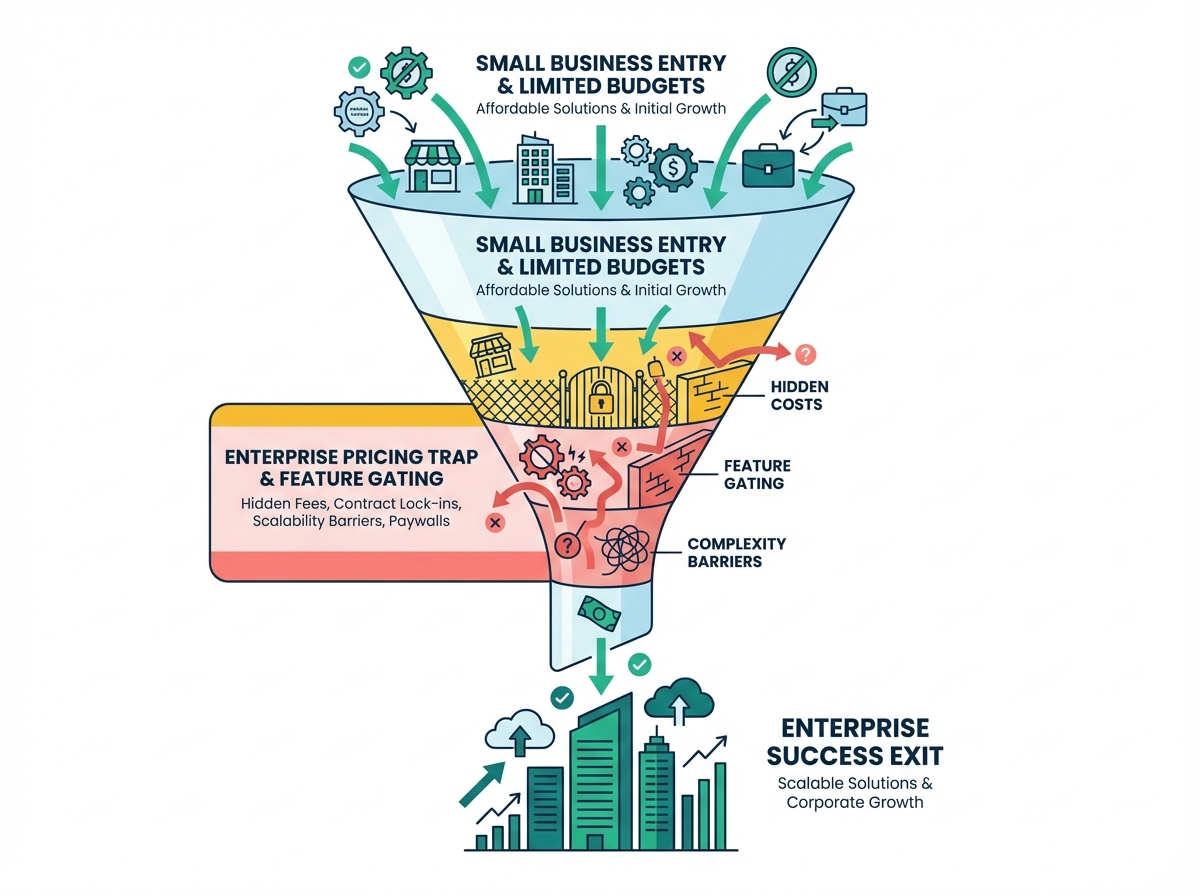
Kissflow pricing for small businesses creates a painful gap between marketing promises and reality. Entry-level plans may seem accessible at first glance, but actual feature access tells a different story. According to The Digital Project Manager's pricing analysis, the Basic plan starts at $1,500 per month—already beyond most SMB budgets. The automation capabilities, integrations, and administrative controls most SMBs need often sit behind higher tiers.
Hidden costs compound the problem:
- Implementation fees: Enterprise tools often require professional services for setup, running thousands of dollars
- Training requirements: Complex interfaces mean weeks of team onboarding
- Maintenance overhead: Someone has to manage, update, and troubleshoot the system
- Integration costs: Connecting to your existing tools may require additional modules or developer time
Consider a 25-person manufacturing company that spent three months onboarding with an enterprise platform. After initial setup, they discovered the approval routing they needed—threshold-based routing for purchase orders over specific amounts—required upgrading to a tier that doubled their monthly cost. Three months of work, only to hit a feature wall.
This isn't an anomaly. It's the enterprise pricing trap by design.
Enterprise Feature Gating: How Kissflow Limits SMB Growth
Feature gating refers to the practice of restricting functionality to higher pricing tiers. Enterprise software vendors use this model to maximize revenue from large organizations, but it creates significant Kissflow feature limitations for smaller teams.
Key capabilities typically locked behind higher tiers include:
- Advanced approval routing logic (conditional paths, threshold-based escalation)
- Meaningful integration depth with business tools
- Custom reporting and analytics
- White-label or branding options
- API access for custom workflows
This enterprise feature gating doesn't just affect your current operations—it prevents SMBs from scaling efficiently. As your business grows, you either accept reduced functionality or face sudden price jumps when you finally need those gated features.
The opportunity cost compounds over time. While waiting to afford "enterprise-ready" features, you're stuck with manual processes, spreadsheet tracking, and email chains that eat productivity.
Every month spent on workarounds is money lost to inefficiency.
What SMBs Actually Need vs. Enterprise Bloat
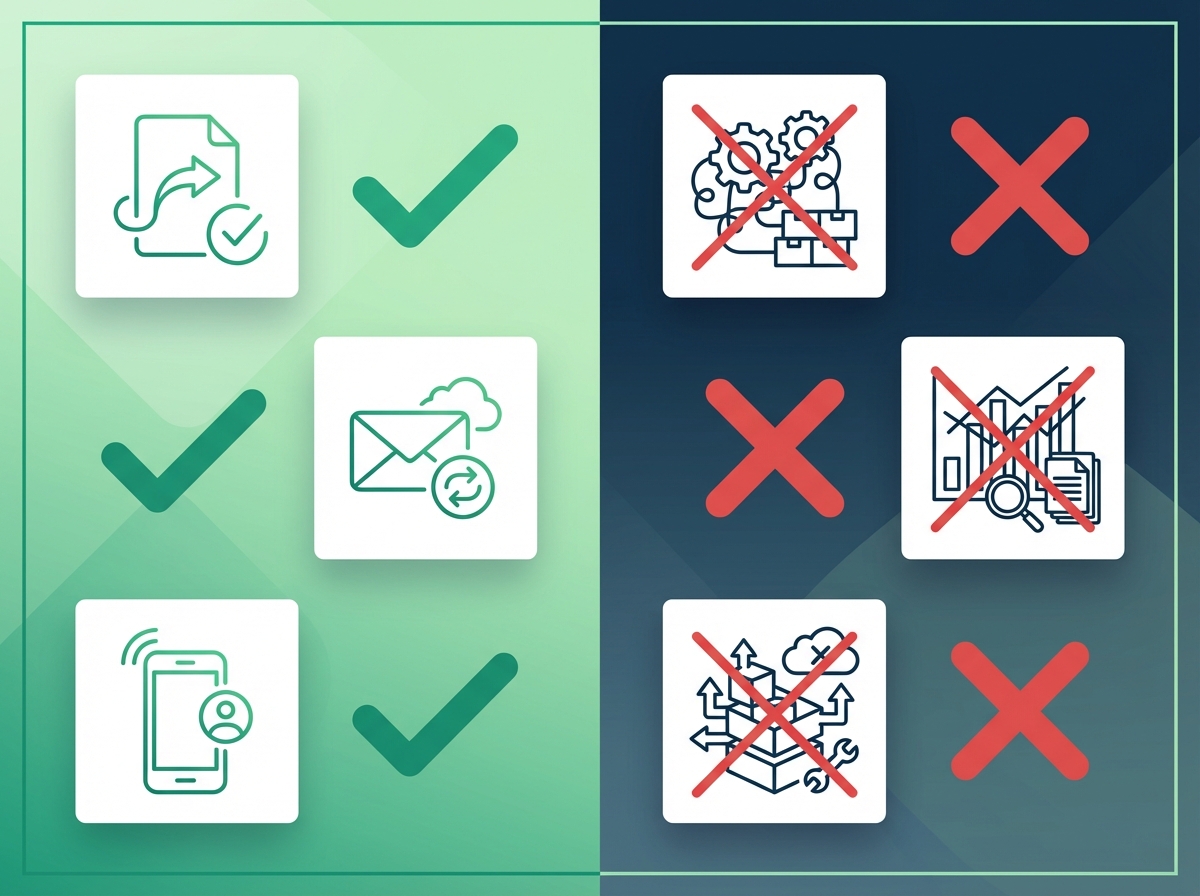
The mismatch between enterprise offerings and SMB requirements isn't just about price—it's about fundamental differences in what each group needs from workflow automation for small teams.
Core Workflow Features Every SMB Needs
SMB workflow automation doesn't require complex business process management engines. Most small businesses need straightforward capabilities that work reliably:
Simple approval workflows: Route decisions to the right people without building flowcharts. A purchase request goes to the department manager, then finance. A time-off request goes to direct supervisors. Nothing more complicated than that.
Email and Slack integration: Your team already lives in email and chat. Notifications should meet them there, with the ability to approve directly without logging into another platform.
Basic form building: Collect the information you need—vendor details, amounts, dates, justifications—without requiring IT involvement to create new forms.
Mobile-responsive design: Approvers should handle requests from their phones. Period. No special app downloads, no degraded mobile experience.
Affordable multi-user access: Small business approval software shouldn't penalize you for having a 15-person approval chain. External stakeholders—vendors, clients, contractors—should participate without adding license costs.
The Enterprise Bloat SMBs Don't Need (And Shouldn't Pay For)
Enterprise software bloat fills product roadmaps with features designed for Fortune 500 complexity:
- Complex BPM engines: Hundreds of connectors, visual process mining, and advanced workflow modeling—overkill when you just need approvals to flow properly
- Advanced analytics dashboards: Built for analyzing thousands of daily transactions across global operations, not your 50 monthly approval requests
- Custom development frameworks: API-heavy integrations requiring developer resources you don't have
- Dedicated account management: Premium support packages with named representatives—nice, but bundled into pricing whether you use them or not
- Multinational compliance frameworks: SOC 2 Type II, GDPR data residency controls, and industry-specific certifications that matter for enterprises but add cost for features SMBs don't trigger
When you compare SMB vs enterprise needs, the disconnect becomes obvious. Enterprise tools charge for capabilities built for different problems than yours.
ApproveThis: The Purpose-Built SMB Alternative
ApproveThis was built from the ground up for small business budgets and workflows—not adapted from enterprise software with features stripped out.
How ApproveThis Solves the SMB Workflow Problem
The ApproveThis alternative approach starts with a simple premise: small businesses deserve workflow automation that works without enterprise complexity or pricing.
Built for SMB budgets: Starting at $19/month with all features included. No surprise upgrades required to access the routing logic or integrations you need.
No feature gating: Every capability is available from day one. Conditional routing, threshold-based escalation, Slack integration, email approvals—included, not gated.
Simple implementation: Most teams go live in under 15 minutes. No professional services, no weeks of training, no IT dependency. Describe what you need, and the system helps you build it.
Real SMB use cases: Purchase order approvals, expense reports, time-off requests, vendor onboarding, document reviews—the actual workflows small businesses run daily.
The SMB workflow solution model means you pay for what you need and nothing more.
Key Features That Matter for SMBs
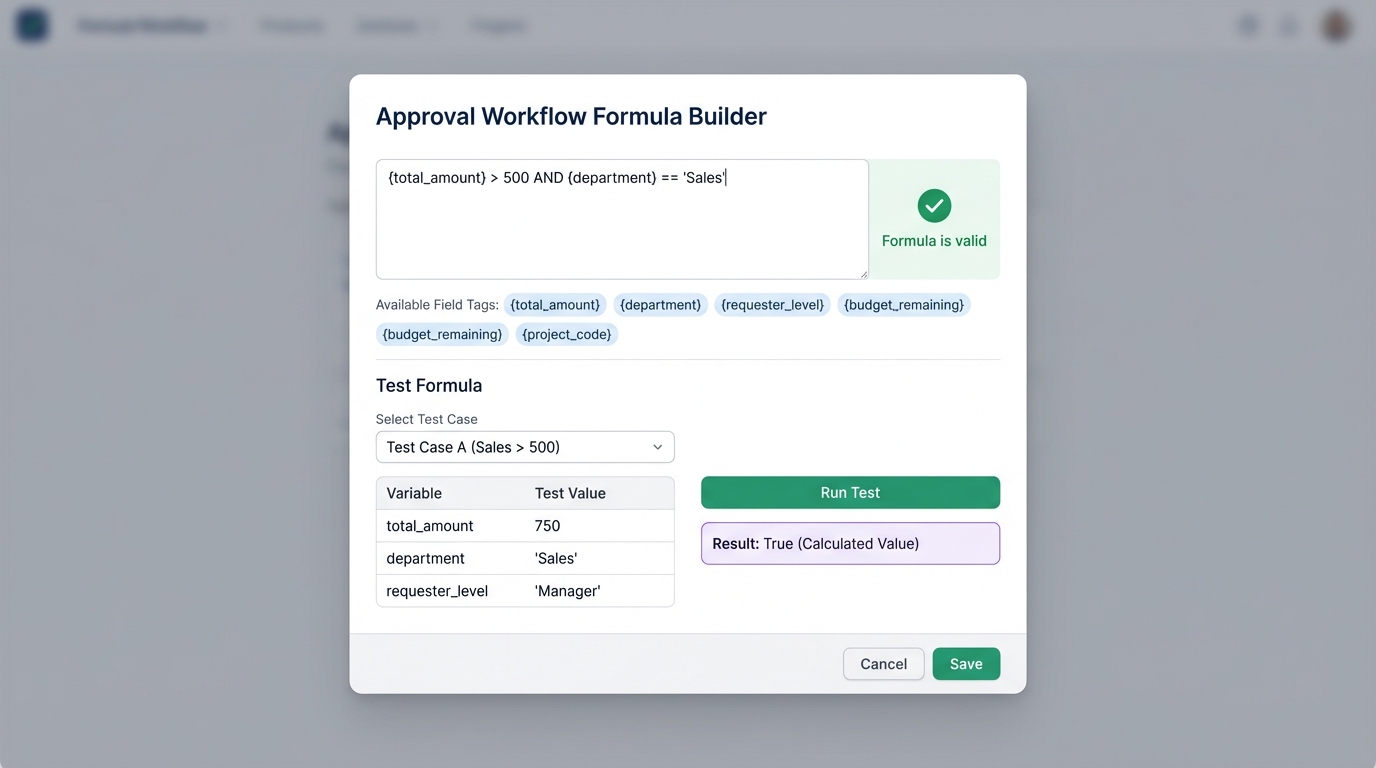
ApproveThis features focus on eliminating friction from approval processes:
One-click email approvals: Approvers receive email notifications with prominent Approve and Deny buttons. One click records the decision and advances the workflow—no login required. For busy managers and external stakeholders, this removes the biggest barrier to timely approvals.
Visual flow builder: Build approval sequences by dragging and connecting steps. Add approval stages, decision points, and parallel branches without writing code. See exactly how requests will flow before activating.
Team-based multi-tenancy: Complete data isolation between teams with custom subdomains. Each team operates independently with its own workflows, users, and settings.
Slack app integration: Native Slack app with interactive approval buttons. Approvers handle decisions directly in Slack without context switching—decisions recorded in the system, all stakeholders notified.
Mobile-responsive design: The entire interface adapts to any screen size. Approve from your desk or your phone with the same full functionality.
Approval workflow templates: Browse pre-built templates organized by business function—HR, Finance, IT, Operations. Launch common approval processes in minutes using proven configurations.
The 40x Savings: Cost-Benefit Analysis
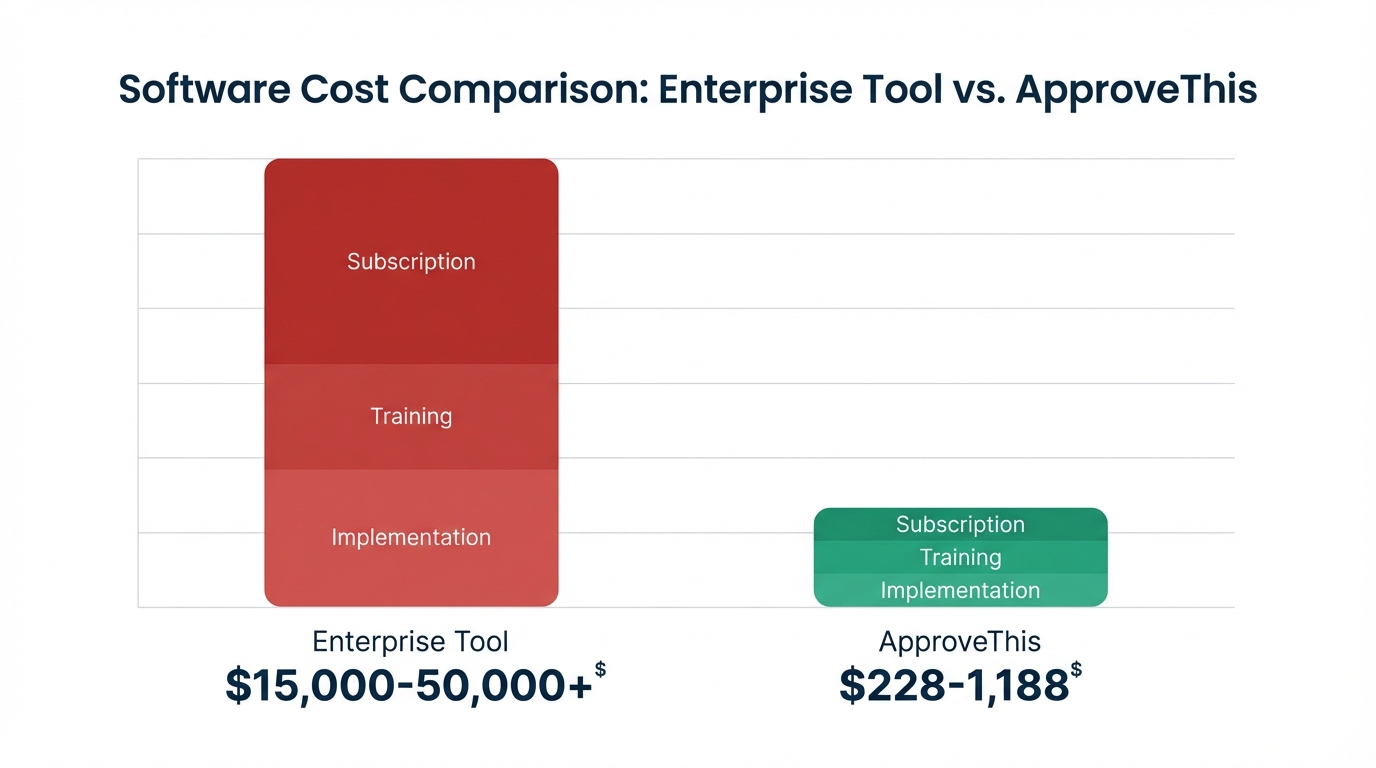
The cost savings between enterprise pricing and ApproveThis are substantial. Here's how the numbers compare:
| Cost Category | Enterprise Tool | ApproveThis |
|---|---|---|
| Monthly subscription | $500-2,000+ | $19-99 |
| Implementation | $5,000-20,000 | $0 (self-serve) |
| Training | $2,000-5,000 | Minimal (15-min setup) |
| External approvers | Per-seat fees | Unlimited, included |
| Annual total | $15,000-50,000+ | $228-1,188 |
The ROI comparison becomes clear quickly. A 30-person company evaluating workflow tools might face enterprise quotes of $800/month plus $10,000 implementation. ApproveThis at $49/month with zero implementation cost delivers the same approval routing for 40x less in the first year.
According to Formstack's workflow automation research, the average company saves $46,000 annually through workflow automation—making the ROI case even stronger when you're not spending enterprise-level prices to achieve those savings.
One mid-sized services firm documented $15,000 in annual savings after switching from an enterprise platform. The switch eliminated per-seat external approver fees (they had 40+ vendor contacts in approval chains), removed implementation consulting costs, and reduced administrative time spent managing the more complex system.
Implementation and Migration Guide
Switching tools feels daunting, but moving from enterprise complexity to purpose-built simplicity is straightforward with the right approach.
Step-by-Step Migration Process
1. Assess current workflows and data: Document your existing Kissflow workflows—what approvals you're running, who's involved, what conditions trigger different paths. Export any historical data you need to retain.
2. Map features to ApproveThis equivalents: Most Kissflow features have direct ApproveThis counterparts. Multi-step approvals, conditional routing, form fields, notifications—map what you're using today to equivalent capabilities.
3. Set up ApproveThis: Create your account and team. Invite users with appropriate roles. Configure notification preferences and any integrations (Slack, email, Zapier).
4. Recreate key workflows: Start with your highest-volume approval process. Use templates as starting points or build from scratch using the visual flow builder. Test thoroughly with sample requests.
5. Validate before going live: Run parallel processes briefly if needed. Confirm approvals route correctly, notifications reach the right people, and data captures properly. Then cut over.
For teams evaluating their options, the approval workflow software buyer's guide provides additional context on what to look for in SMB-focused solutions.
Common Implementation Challenges and Solutions
Data export limitations: Kissflow may limit what historical data you can export. Prioritize active request data and workflow configurations. Historical records can often remain in the old system as an archive.
Team training: ApproveThis's simpler interface reduces training burden significantly. Most users understand the system after processing one or two requests. Focus training on workflow administrators who will build and manage approval flows.
Transition period management: Run critical workflows in ApproveThis while completing migration. Communicate clearly with your team about which system to use for which request types during transition.
Integration reconnection: If you're using Zapier or webhook integrations, recreate those connections in ApproveThis. The Zapier integration supports triggers and actions across 5,000+ apps, so most connections transfer easily.
Support availability: ApproveThis provides documentation, tutorials, and responsive support without premium pricing tiers. You don't need an enterprise contract to get help.
FAQ: Answering Common Concerns
Why is Kissflow so expensive for small businesses?
Kissflow expensive pricing reflects an enterprise-focused business model. The platform is built for large organizations with complex process management needs, dedicated IT teams, and substantial software budgets.
The feature gating strategy—reserving key capabilities for higher tiers—maximizes revenue from enterprises willing to pay for complete functionality. Implementation, training, and premium support costs are built into pricing whether you need them or not.
Enterprise vendors also maintain sales-heavy go-to-market approaches with account executives, solution consultants, and contract negotiations. These costs flow into pricing.
SMB-focused tools like ApproveThis operate differently: self-serve onboarding, transparent pricing, all features included, and support that doesn't require premium packages.
How does ApproveThis compare to Kissflow for SMBs?
| Capability | ApproveThis | Kissflow |
|---|---|---|
| Starting price | $19/month | $500+/month |
| External approvers | Unlimited, free | Per-seat fees |
| One-click email approvals | Included | Limited |
| Implementation time | 15 minutes | Weeks to months |
| Feature gating | None—all features included | Extensive tier restrictions |
| Slack integration | Native app, included | Varies by plan |
| Visual flow builder | Included | Included |
| Mobile experience | Fully responsive | Varies |
The ApproveThis vs Kissflow comparison SMB teams care about comes down to this: complete functionality at predictable pricing versus enterprise complexity with unpredictable costs.
What are the implementation challenges when switching?
Data migration: Exporting workflows and historical data from Kissflow requires planning. Identify what data must transfer versus what can remain archived.
Team retraining: Minimal for most users. ApproveThis's interface is intentionally simpler. Workflow administrators need the most orientation—typically an hour or two.
Workflow redesign: Migration is an opportunity to simplify. Many teams discover their enterprise tool required workarounds that aren't needed in a purpose-built SMB solution.
Timeline expectations: Most teams complete migration in days, not weeks. Simple workflows can go live same-day. Complex multi-department processes might take a week of testing.
Transition support: ApproveThis provides migration documentation and responsive support. You won't need an implementation consultant to move your approval workflows.
Conclusion
Kissflow's enterprise pricing model and feature gating make it fundamentally unsuitable for SMB budgets and needs. You shouldn't have to pay enterprise rates for capabilities designed for Fortune 500 complexity.
Small businesses require simple, affordable workflow automation that works without dedicated IT resources or months of implementation. Core approval routing, email and Slack notifications, mobile access, and reasonable pricing—these should be standard, not premium.
ApproveThis delivers purpose-built SMB workflow features with all capabilities included at every tier. No feature gating, no per-seat external approver fees, no enterprise implementation costs. The 40x savings compared to enterprise alternatives isn't exaggeration—it's math.
Migration is straightforward with proper planning and available support resources. The cost-benefit analysis shows significant ROI for SMBs making the switch, with payback typically measured in weeks rather than months.
Ready to escape enterprise pricing traps? Start your free trial of ApproveThis today and experience workflow automation designed specifically for small business needs.