Kissflow Alternative: How SMBs Save $2,500+/Month with ApproveThis
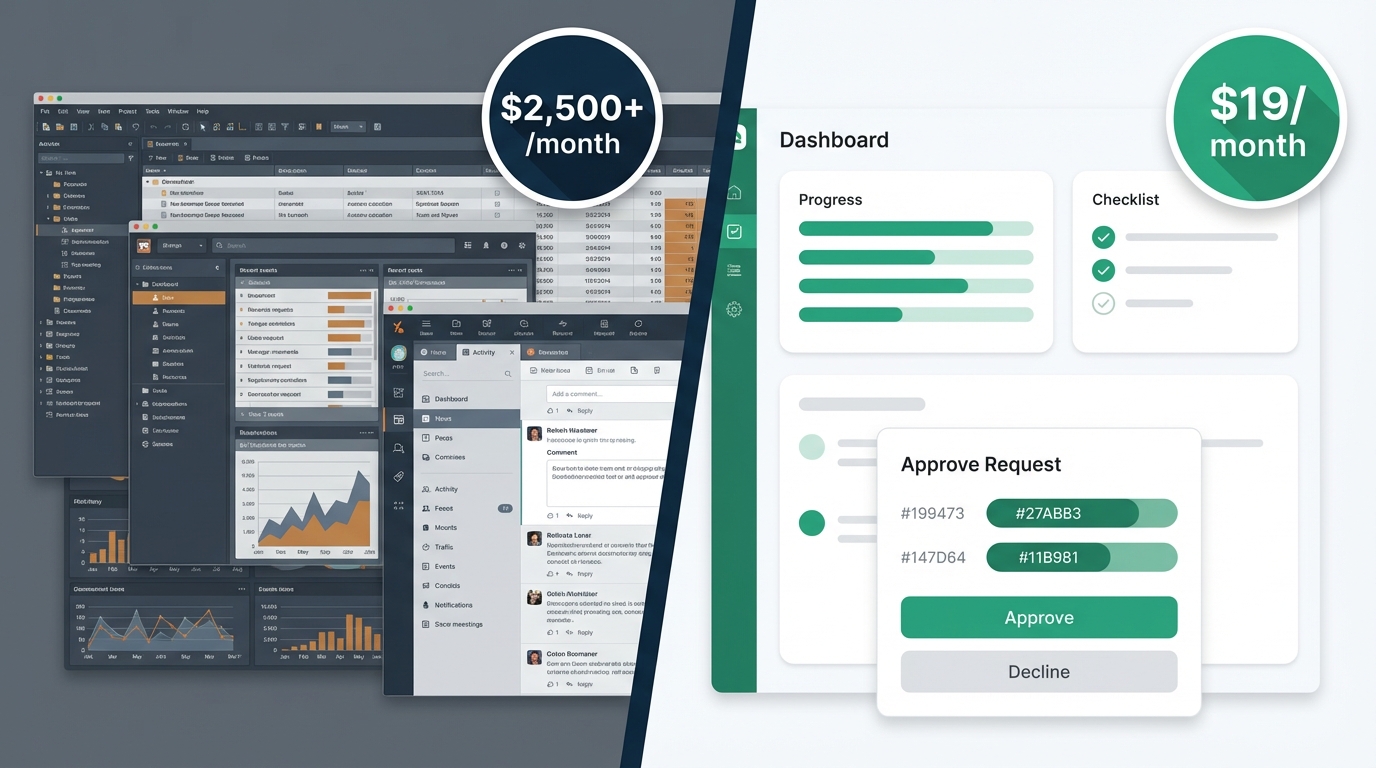
What if you could get the same workflow automation capabilities for $19/month instead of $2,500+/month?
That's not a typo—it's the reality facing SMB decision-makers who need enterprise-grade approval workflows without enterprise pricing.
If you're running a company between 50 and 500 employees, you've probably hit this wall: manual approvals slow everything down, but the tools that fix the problem cost more than some employees' salaries. Kissflow and similar enterprise platforms price themselves out of reach for most growing businesses. According to The Digital Project Manager, Kissflow's Basic plan starts at $1,500 per month with a minimum of 50 users.
This guide provides a comprehensive approval workflow comparison showing how SMBs achieve 40x savings with ApproveThis while maintaining feature parity for SMB use cases. We'll walk through the numbers, compare capabilities side-by-side, and give you a clear workflow migration guide if you're ready to make the switch.
The SMB Decision-Maker's Dilemma: Enterprise Needs vs Budget Reality
Small and mid-sized businesses face a unique challenge. You need sophisticated approval processes, but you don't have enterprise budgets. Let's break down why this matters.
Why SMBs Need Workflow Automation
SMB workflow automation isn't a nice-to-have anymore. It's how companies stay competitive.
Your operations have grown more complex. A purchase over $500 needs manager approval. Contracts need legal review. Time-off requests need coverage confirmation. Marketing spend needs budget sign-off. Each of these small business approval processes adds up.
The most common pain points include:
- Expense approvals that sit in someone's inbox for days
- Purchase orders that get lost between email threads
- Time-off requests that create scheduling conflicts
- Contract reviews that miss deadlines
The manual approval costs are real. Every approval that requires a phone call, a hallway conversation, or an email chain costs time. Multiply that by dozens of approvals per week, and you're looking at hundreds of hours per year—hours your team should spend on actual work. Research from VegamAI shows companies achieve 240% average ROI within the first year of implementing business process automation.
Errors creep in too. Without a structured system, approvals happen inconsistently. One manager approves expenses another would reject. Compliance suffers. Audit trails disappear.
The Kissflow Pricing Challenge for SMBs
Kissflow built a solid platform, but they built it for enterprises with enterprise budgets.
Kissflow pricing for SMBs starts at $2,500+ per month. That's the minimum. The actual number often climbs higher once you factor in:
- Minimum user requirements that force you to pay for seats you don't need
- Annual commitments that lock you in before you've proven value
- Additional fees for advanced features and integrations
The enterprise workflow costs don't stop at the sticker price. Implementation takes weeks. Training takes longer. And if your needs change, you're stuck with budget constraints that make pivoting painful.
Many SMBs find themselves paying for features they'll never use—enterprise security configurations, complex integration frameworks, and capabilities designed for 10,000-person companies.
That's money that could go toward hiring, marketing, or product development.
Pricing Comparison: The 40x Savings Breakdown
Let's talk numbers. This is where the Kissflow alternative conversation gets interesting.
ApproveThis Pricing: $19/Month All-Inclusive
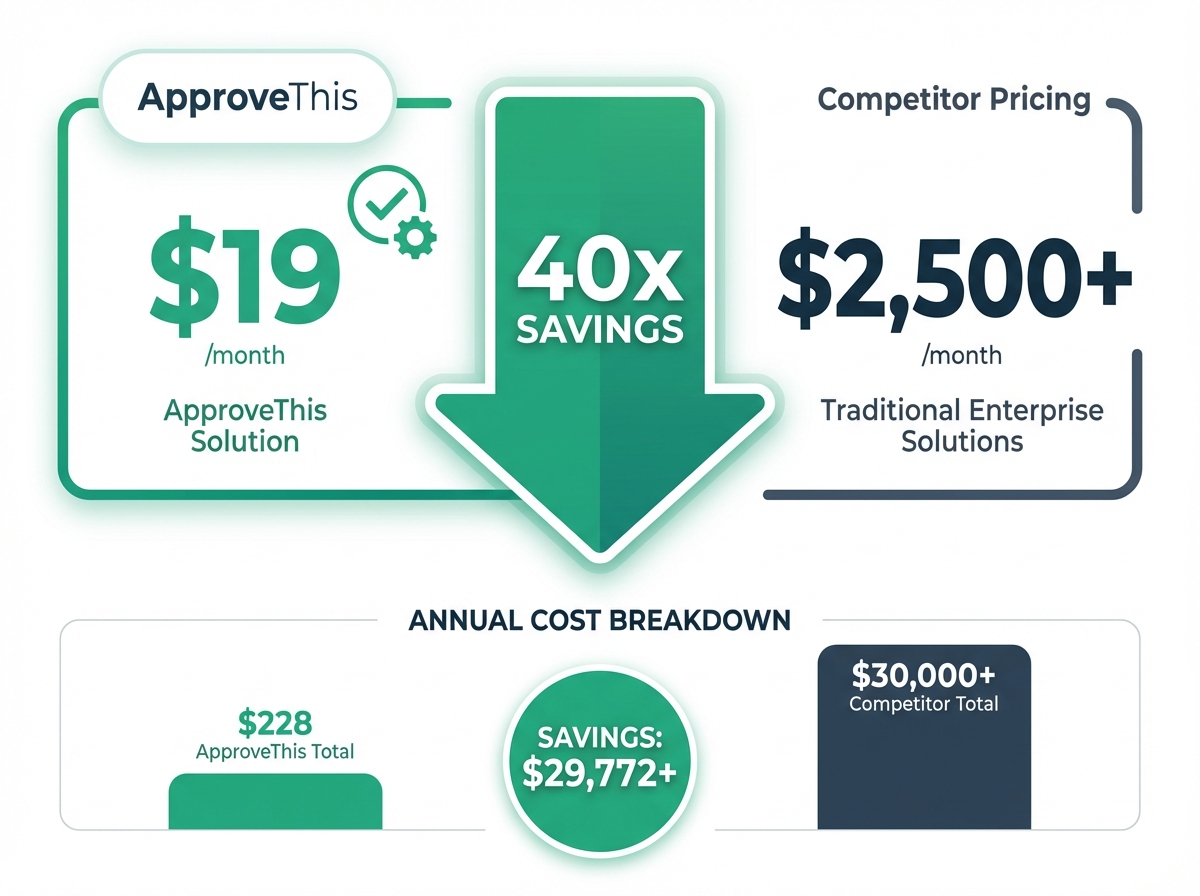
ApproveThis pricing works differently. $19/month. That's it.
No per-user fees. Unlimited approvers at no extra cost—even external approvers like vendors and clients. Your CFO, your regional managers, your contractors? They all approve without adding to your bill.
The flat rate pricing includes everything:
- Unlimited workflows
- Visual flow builder
- All form field types
- Pre-built templates
- Email and Slack approvals
- Zapier integration with 7,000+ apps
- Full audit trail
No hidden costs. No annual commitment required. Start with a free trial and scale as needed.
Kissflow Pricing: $2,500+/Month Minimum
Kissflow enterprise pricing reflects their target market: large organizations with dedicated IT teams and procurement departments.
The $2,500/month minimum gets you basic workflow capabilities. But most SMBs discover additional costs quickly:
- Per-user fees that multiply as you add team members
- Premium features requiring higher tiers
- Integration costs for connecting to existing tools
- Annual commitments that lock in spending
The minimum user requirements mean you can't start small and grow. You're paying for capacity you may not need for years.
ROI Calculation: Annual Savings Analysis
The cost comparison analysis tells a clear story.
ApproveThis annual cost: $228/year
Kissflow annual cost: $30,000+/year
Direct annual savings: $29,772+
That's money back in your operating budget. But the indirect savings matter too.
Consider a 50-person company processing 100 approval requests per month. With manual processes, each approval averages 15 minutes of total handling time. That's 25 hours monthly—or 300 hours annually—spent on administrative approval work.
Automating those approvals cuts handling time by 60-70%. That's 180+ hours returned to productive work.
One 50-person manufacturing company calculated their total ROI calculation after switching: $29,772 in direct savings plus $15,000+ in recovered productivity. They achieved positive ROI in week two.
Feature Comparison: Capability Parity for SMB Needs
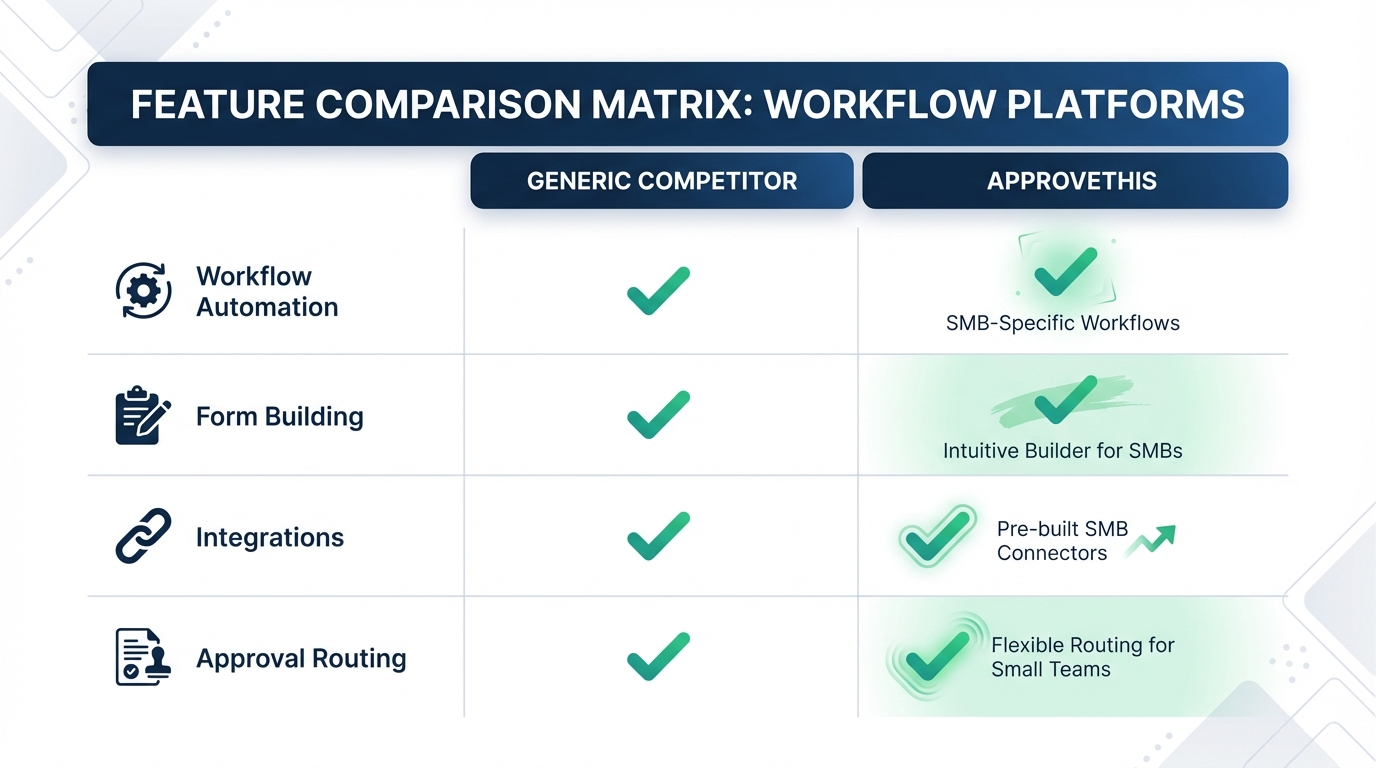
Pricing matters, but not if you're sacrificing capability. Here's the workflow feature comparison that matters for SMBs.
Core Workflow Features Comparison
Both platforms offer the foundational tools SMBs need.
Visual flow builder: ApproveThis provides drag-and-drop workflow design. Build approval sequences by connecting steps visually. No coding required. Kissflow offers similar visual design—this is table stakes for modern workflow tools.
Multi-step approvals: Need sequential approval chains? Both platforms handle it. Manager approves, then director approves, then finance approves. ApproveThis provides robust multi-step approval capabilities that adapt to your org structure.
Conditional routing: This is where approval automation gets smart. Set threshold-based routing so expenses under $500 auto-approve while larger amounts escalate to senior approvers. Both platforms support field-value routing that adapts based on request content. Learn more about conditional logic for building intelligent workflows.
Form and Data Collection Capabilities
The form builder comparison shows similar capabilities.
ApproveThis offers 12+ field types: text, numbers, dates, dropdowns, checkboxes, file uploads, and more. Calculated fields handle auto-totaling line items or computing durations.
Conditional logic shows or hides fields based on earlier answers. A "rush order" checkbox might reveal additional justification fields.
Public forms let external parties submit requests without accounts. Email-based submissions create approval requests from forwarded emails.
Kissflow offers comparable data collection features. For SMB needs, both platforms cover the requirements.
Integration and Automation Parity
Workflow integrations connect approval decisions to your existing tools.
Zapier automation: ApproveThis connects to 7,000+ apps through Zapier. Approval triggers can create records in your CRM, update project management tools, or sync with accounting software. Kissflow offers similar Zapier connectivity.
Slack approvals: Both platforms support approving directly from Slack. Approvers click a button without leaving their conversation.
Email-based approvals: ApproveThis excels here with one-click email approvals—approvers click "Approve" or "Deny" directly in the email notification. No login required. No app to open.
API access: Both platforms offer API and webhook capabilities for custom integrations.
Where ApproveThis Excels for SMBs
Certain ApproveThis advantages matter specifically for smaller organizations.
One-click email approvals: Busy executives approve requests in seconds. Click the button in the email, done. No login, no password, no app switching. This alone reduces approval cycle times dramatically.
Team-based multi-tenancy with custom subdomains: Run separate approval environments for different departments or clients. Each team gets isolated workflows, users, and settings—perfect for agencies or multi-location businesses.
SMB-friendly features: The template library includes 150+ pre-built workflows for common scenarios. AI-powered field suggestions help you build new workflows faster. These aren't enterprise features adapted down—they're designed for teams that need results without dedicated administrators. See all ApproveThis features to explore the full capability set.
Unlimited approvers without per-seat fees means you add vendors, contractors, and external stakeholders without budget discussions.
SMB Use Cases: Real-World Applications
Abstract features become concrete when you see them applied. Here's how SMBs use ApproveThis daily.
Expense Approval Workflows
Expense approval workflows handle the most common SMB approval scenario.
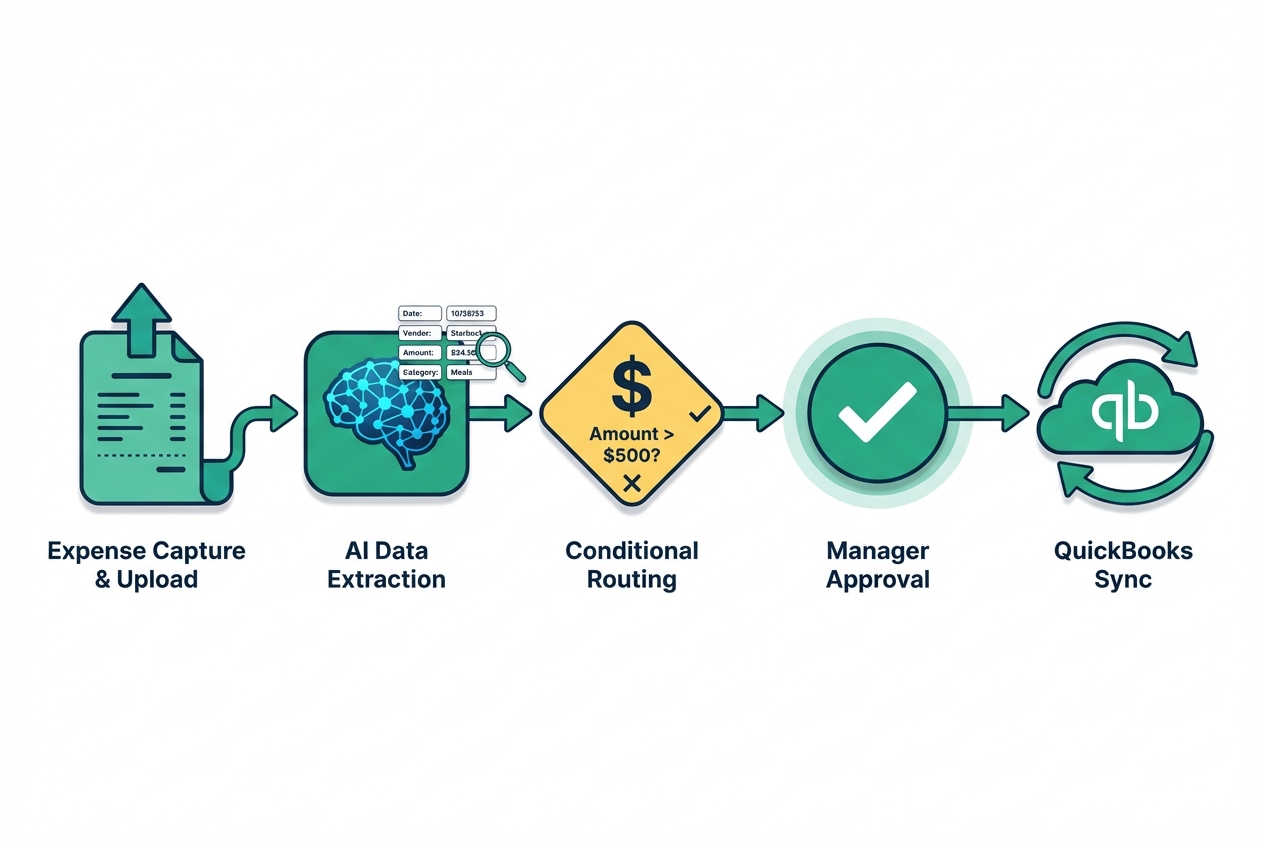
Upload a receipt. AI document data extraction pulls the vendor, amount, and date automatically. No manual data entry.
Multi-level approval chains route based on amount. Under $100? Auto-approved with notification. Under $500? Manager approval. Over $500? Manager plus finance director.
QuickBooks integration syncs approved expenses directly to your accounting system. No duplicate entry, no reconciliation headaches.
Purchase Order Approvals
Purchase order approvals bring structure to vendor spending.
Vendor management features let you route requests to appropriate approvers based on vendor category or relationship. IT purchases go to IT leadership. Marketing vendors go to the CMO.
Budget compliance rules prevent overspending before it happens. Set department limits and get alerts when requests would exceed allocations.
Approved POs generate automatically with consistent formatting, approval signatures, and tracking numbers.
HR and Employee Requests
HR approval workflows handle time-off requests, equipment needs, and policy acknowledgments.
Time-off approvals check coverage requirements before routing to managers. The calendar dashboard view shows who's already scheduled off.
Equipment requests follow procurement workflows automatically. New laptop request? IT reviews specs, finance approves budget, purchasing places the order.
Onboarding workflows ensure new employees complete required documentation and acknowledgments—tracked and auditable.
Migration Guide: How to Switch from Kissflow to ApproveThis
Ready to capture those savings? The workflow migration guide below walks you through the Kissflow migration process.
Pre-Migration Planning and Assessment
Successful migration planning starts with understanding what you have.
Audit your current Kissflow workflows. List every active workflow, who uses it, and how often. Identify which workflows are critical (can't pause) versus nice-to-have (can rebuild later).
Identify critical workflows to migrate first. Start with high-volume, simple workflows. Expense approvals and time-off requests make good pilots—they're frequent enough to validate the new system quickly.
Map Kissflow features to ApproveThis equivalents. Most features translate directly. Multi-step approvals work the same. Conditional routing works the same. The learning curve is minimal.
Step-by-Step Migration Process
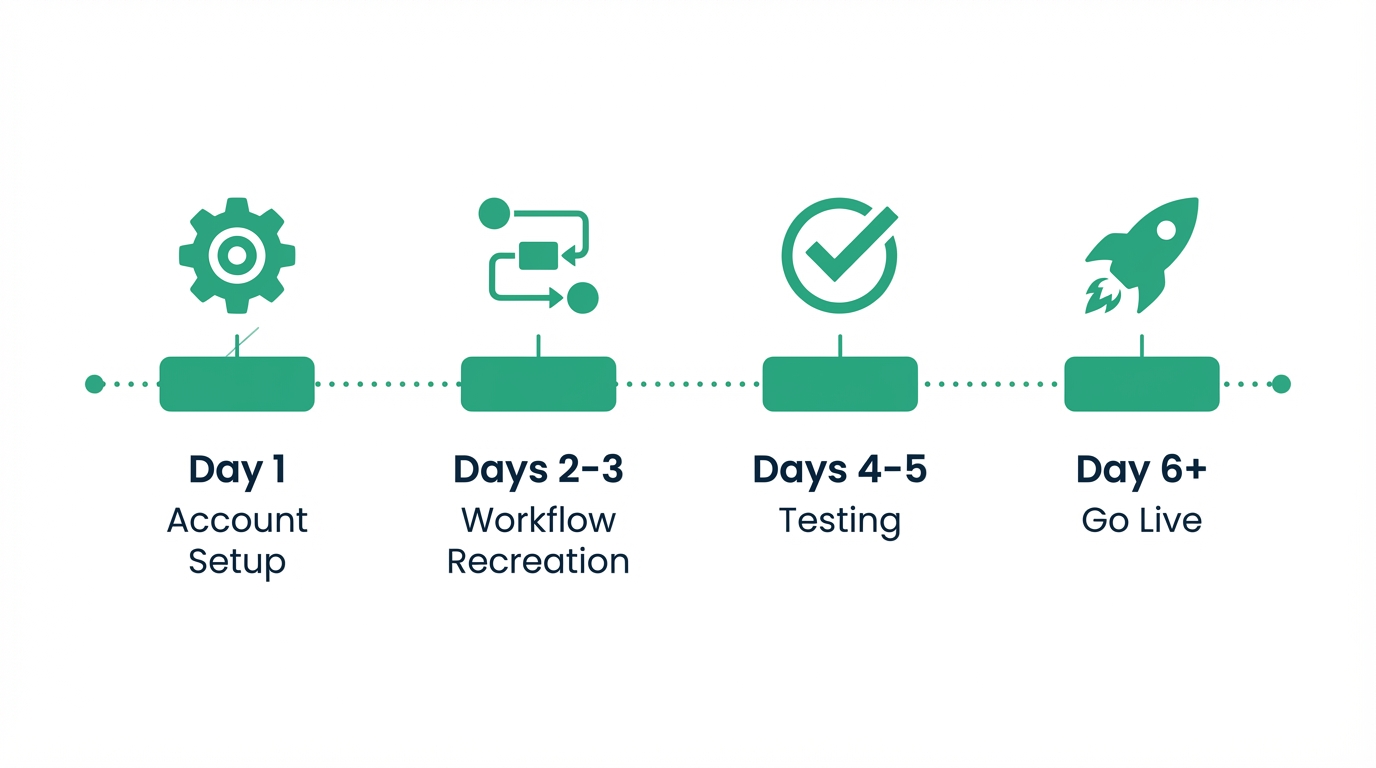
The step-by-step migration takes most teams less than a week.
Day 1: Account setup
Create your ApproveThis account. Configure your team structure—invite administrators, set up approval groups, define the organizational hierarchy if you're using manager-based routing.
Days 2-3: Workflow recreation
Start with your pilot workflows. The template library likely has a starting point close to what you need. Use AI-powered field suggestions to speed up form building. Recreate approval sequences using the visual builder.
Days 4-5: Testing validation
Run test requests through each migrated workflow. Verify routing works correctly. Confirm notifications reach the right people. Check that approvals complete as expected.
Day 6+: Go live
Switch your pilot workflows to ApproveThis. Keep Kissflow active for non-migrated workflows during transition. Migrate remaining workflows in batches.
User Training and Adoption Strategies
Adoption strategies determine whether your migration succeeds long-term.
The good news: ApproveThis requires minimal user training for approvers. They click a button in an email. That's it. No new logins to remember, no new interfaces to learn.
Requesters need brief orientation on submitting through new forms. Most adapt within their first submission.
Administrators benefit from exploring the template library and workflow builder before going live. The interface is intuitive, but familiarity builds confidence.
Phased rollout minimizes disruption. Start with one department. Address questions and refine processes. Then expand.
Monitor adoption through the analytics dashboard. See which workflows get used, identify bottlenecks, and address user concerns before they become complaints.
Customer Testimonials: SMB Success Stories
Numbers tell part of the story. Real SMB switchers tell the rest.
Marketing Agency Saves $28,000 Annually
A 45-person marketing agency case study shows typical results.
They'd used Kissflow for two years. The platform worked, but annual renewals kept climbing. When their contract hit $32,000/year, leadership reconsidered.
They migrated 12 workflows to ApproveThis in one week. Client approval workflows, internal expense reports, time-off requests, and contractor onboarding.
Results after 90 days:
- Cost savings: $28,000+ annual reduction
- Approval time reduction: 65% faster average approval
- External approvers: 30+ client contacts added at no extra cost
Manufacturing Company Streamlines Operations
An 80-employee manufacturer migrated 15+ workflows during a Kissflow contract transition.
Manufacturing workflow automation needs are specific: purchase orders need spec validation, quality holds need multi-department sign-off, maintenance requests need scheduling coordination.
Their operational efficiency gains came from three areas:
- Eliminated manual approval bottlenecks on production-impacting decisions
- Reduced purchase order cycle time from 5 days to 8 hours
- Created audit trails that satisfied ISO compliance requirements
Quick ROI achievement: positive return by end of month one. Total first-year savings exceeded $35,000 when factoring productivity gains.
Tech Startup Scales Without Cost Spiral
Startup scaling creates unique approval challenges. Headcount grows, approval needs multiply, and per-seat pricing turns into a budget crisis.
One SaaS startup started with ApproveThis at 10 employees. Four years later, they're at 50—and still paying $19/month.
"We evaluated Kissflow when we hit 30 people," their VP of Operations explained. "The quote came back at $3,200/month. We would have been paying more for approvals than for half our other tools combined."
Growth without cost increases meant they added external approvers freely—investor updates, vendor approvals, contractor onboarding. Their flat rate scaling kept approval costs predictable even as complexity grew.
The Decision: 40x Savings With Capability Parity
The comparison comes down to simple math and straightforward priorities.
ApproveThis delivers 40x cost savings—$19/month versus $2,500+/month—while maintaining feature parity for SMB needs. Visual workflow builders, multi-step approvals, conditional routing, integrations with 7,000+ apps through Zapier, and one-click email approvals.
SMBs get all essential workflow automation features without enterprise pricing complexity. No per-user fees. No minimum commitments. No paying for capabilities you'll never use.
Migration is straightforward with template libraries, AI-assisted setup, and workflows that build themselves. Most teams go live in under a week.
Real SMB customers have successfully switched and achieved significant ROI—often within the first month. The savings fund other priorities: hiring, marketing, product development, or simply healthier margins.
Start your free trial of ApproveThis today and experience enterprise-grade workflow automation at SMB-friendly pricing. No credit card required, no annual commitment. Set up your first workflow in 15 minutes and see why growing companies choose the Kissflow alternative that actually fits their budget.