Approval Reminders
Nudge approvers automatically about requests still waiting on them, on a cadence you choose, until they act or the workflow stops chasing.
Updated
Approvers forget. Approval Reminders puts the chasing on a schedule: a server-side job runs hourly and emails every approver who still has a pending decision on a request in that workflow. Administrators turn it on per workflow — it's off by default — and set how often reminders go out, how many are sent, and when the chasing stops. Available on all tiers.
Who this is for: an Administrator.
Turn on automatic reminders and set the schedule
A request sitting untouched for a week stalls whatever depends on it, and manually pinging approvers doesn't scale. Setting an interval, a maximum count, and a cutoff hands that follow-up to the system while keeping a ceiling on how many emails an approver receives.
-
Sign in as an Administrator on the workspace whose workflow you want to configure.
-
Open the workflow's settings and click Notifications.
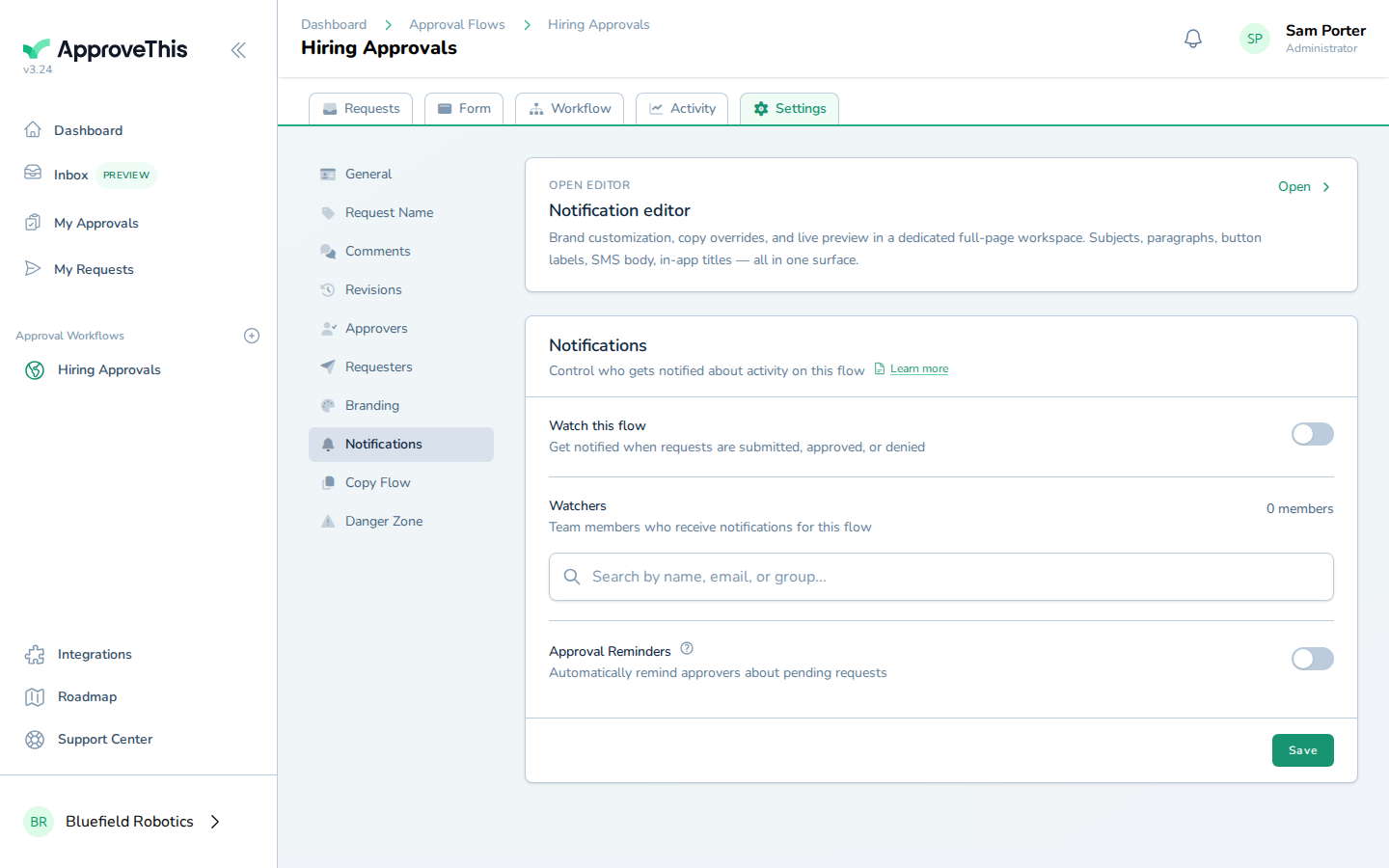
Open the workflow's settings and click Notifications. -
Click Approval Reminders to expand the reminder options.
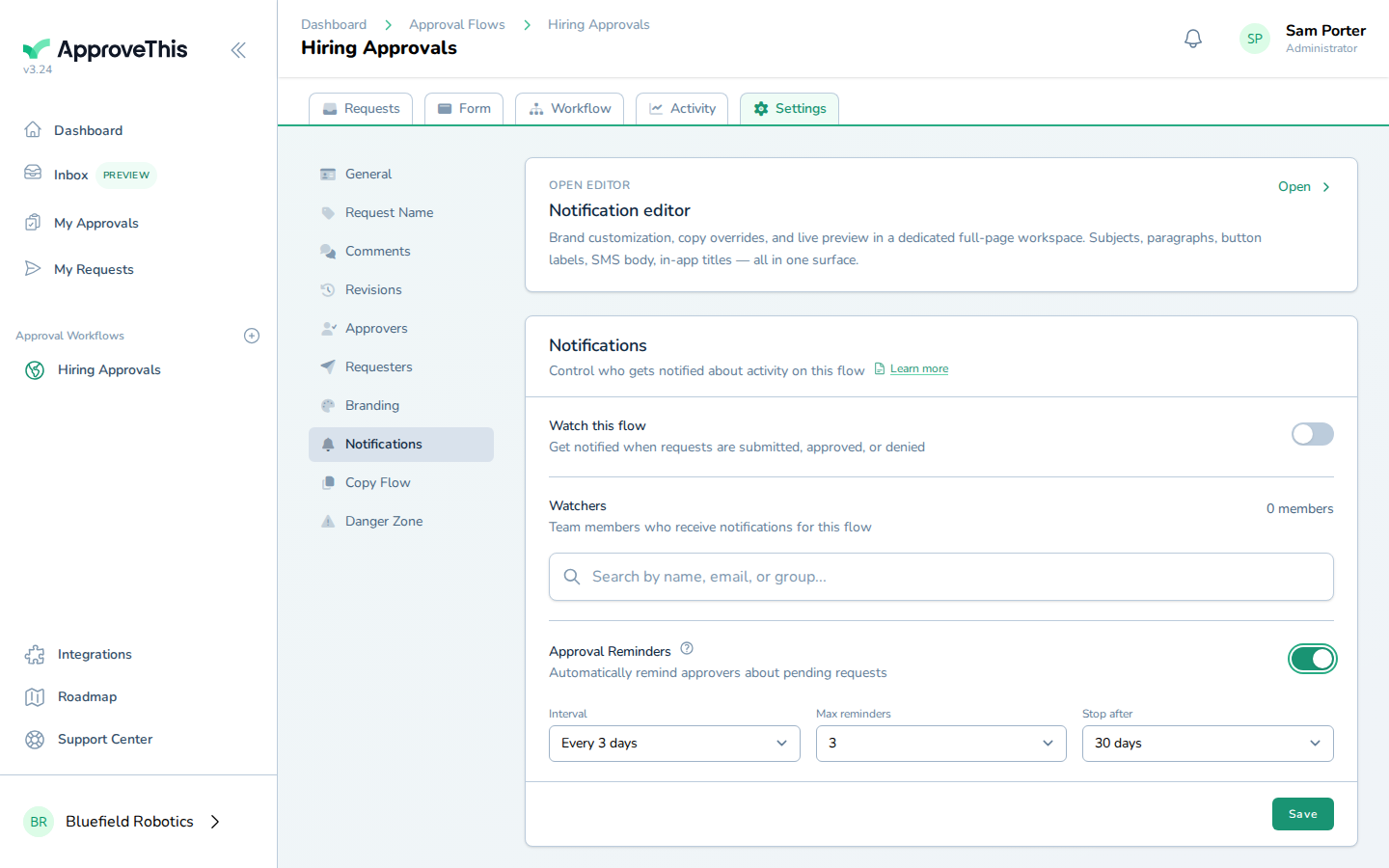
Click Approval Reminders to expand the reminder options. -
Pick how often reminders go out from Interval — the choices are daily, every 3 days, or weekly (the example uses Daily).
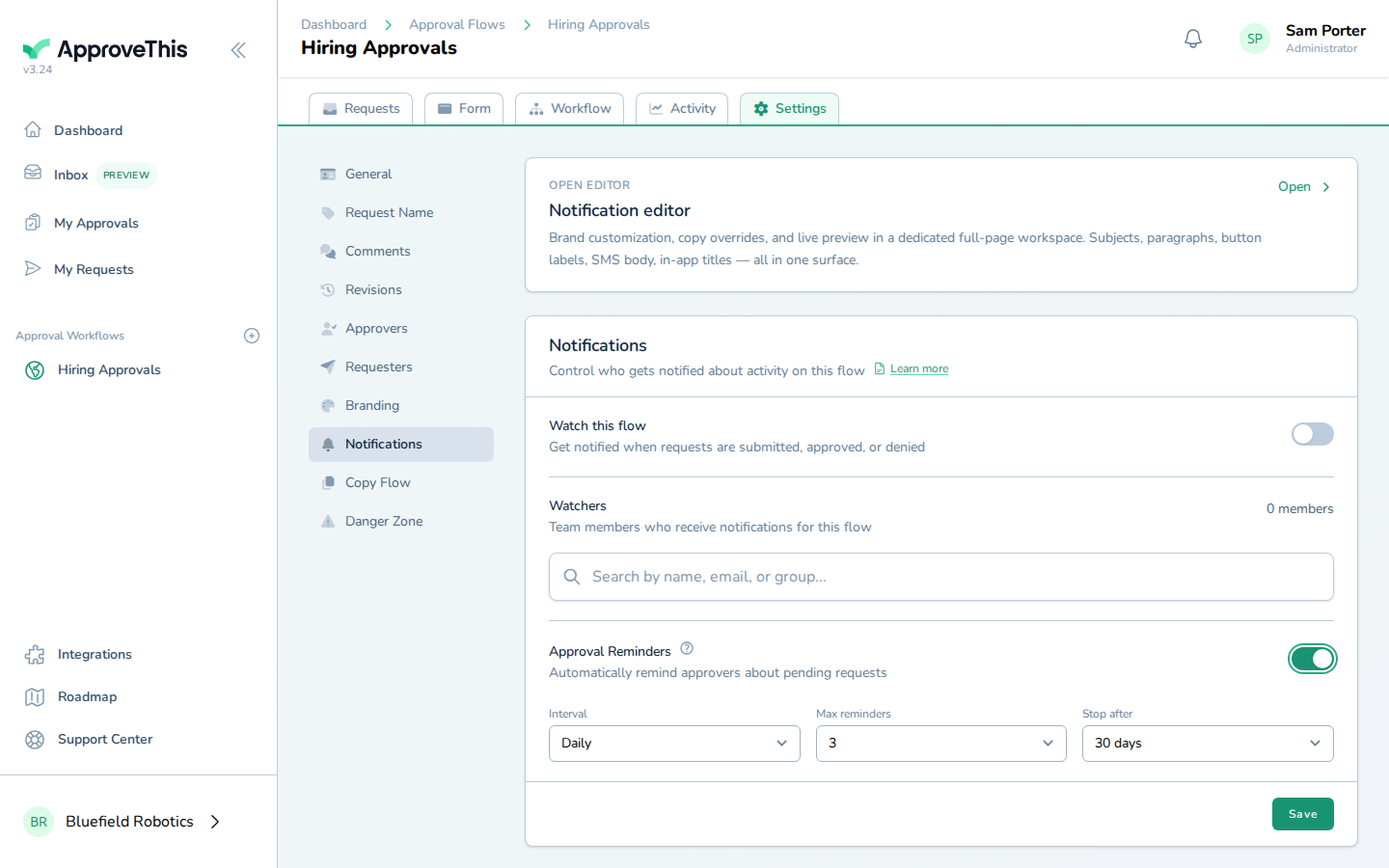
Pick how often reminders go out from Interval — the choices are daily, every 3 days, or weekly (the example uses Daily). -
Set the ceiling on how many reminders a single approver receives from Max reminders, anywhere from 1 to 10; 5 in the example screenshots.
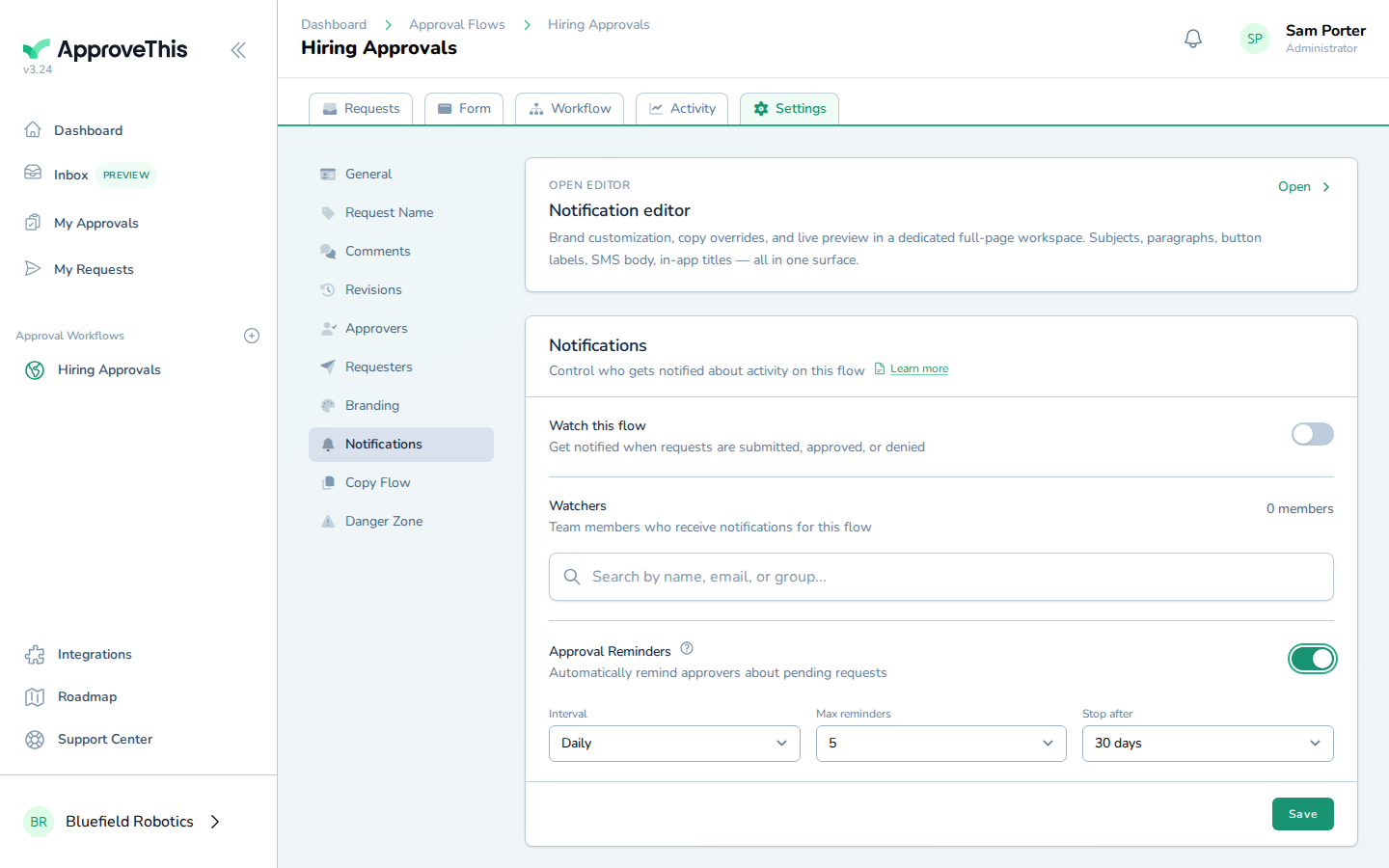
Set the ceiling on how many reminders a single approver receives from Max reminders, anywhere from 1 to 10; 5 in the example screenshots. -
Set the cutoff from Stop after — the number of days after which no further reminders are sent, between 7 and 90, such as 14 days.
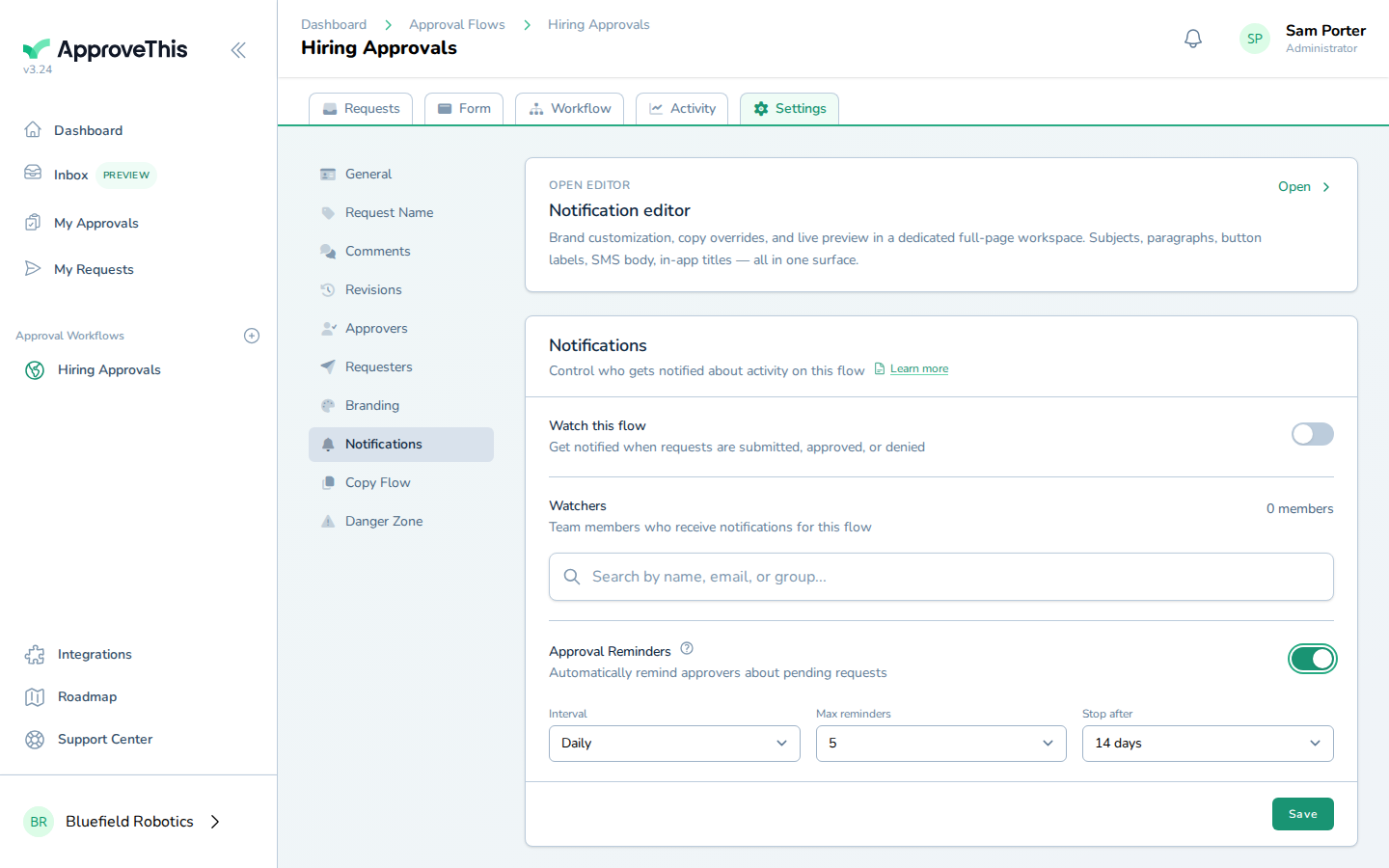
Set the cutoff from Stop after — the number of days after which no further reminders are sent, between 7 and 90, such as 14 days. -
Click Save to apply the schedule to this workflow.
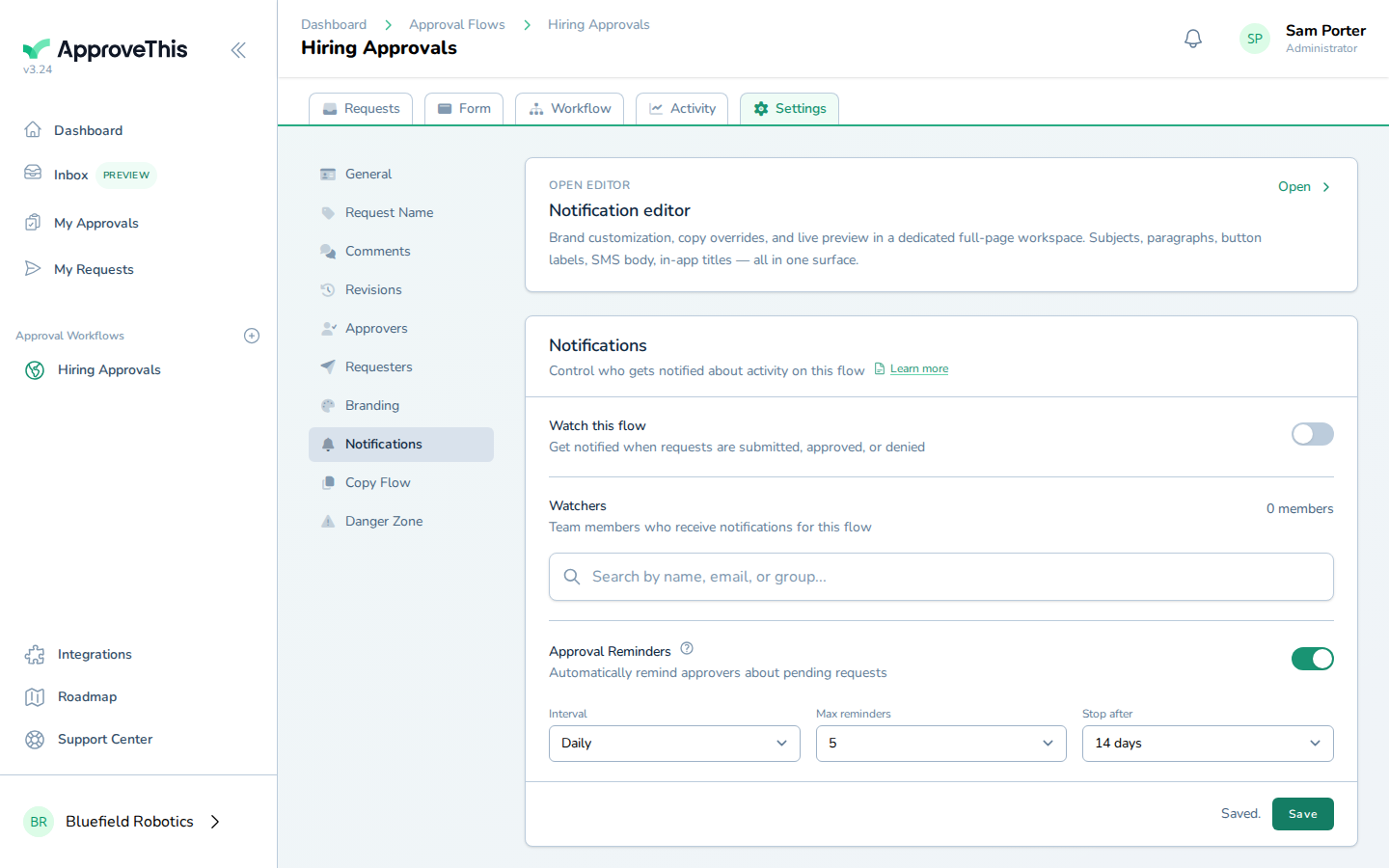
Click Save to apply the schedule to this workflow.