Quorum & Majority Voting
When a step has several approvers, decide what counts as approved: everyone, a majority, a fraction, or a specific number. One busy calendar shouldn't stall the whole request.
Updated
An approval step with three or four named approvers doesn't have to wait on all of them. On any gate step, you can set what counts as a pass — every approver, a majority, a fraction, or a fixed number — and the step resolves as soon as that outcome is decided, auto-retracting the approvals still pending. This is an Administrator task on a workflow whose step already has multiple approvers assigned, and it's available on all tiers.
Who this is for: an Administrator.
Require a majority instead of everyone
A step that needs unanimous sign-off stalls whenever one approver is on leave or buried in a busy week; switching that step to majority lets the request move as soon as most approvers have weighed in. Note that existing approval-table (lookup) steps with no quorum setting behave as quorum=all until you change them.
-
Sign in as an Administrator on the workspace holding the workflow you want to change.
-
Click Configure step on the step whose approvers you want to apply a quorum to.

Click Configure step on the step whose approvers you want to apply a quorum to. -
Click Settings to reach the step's approval rules.
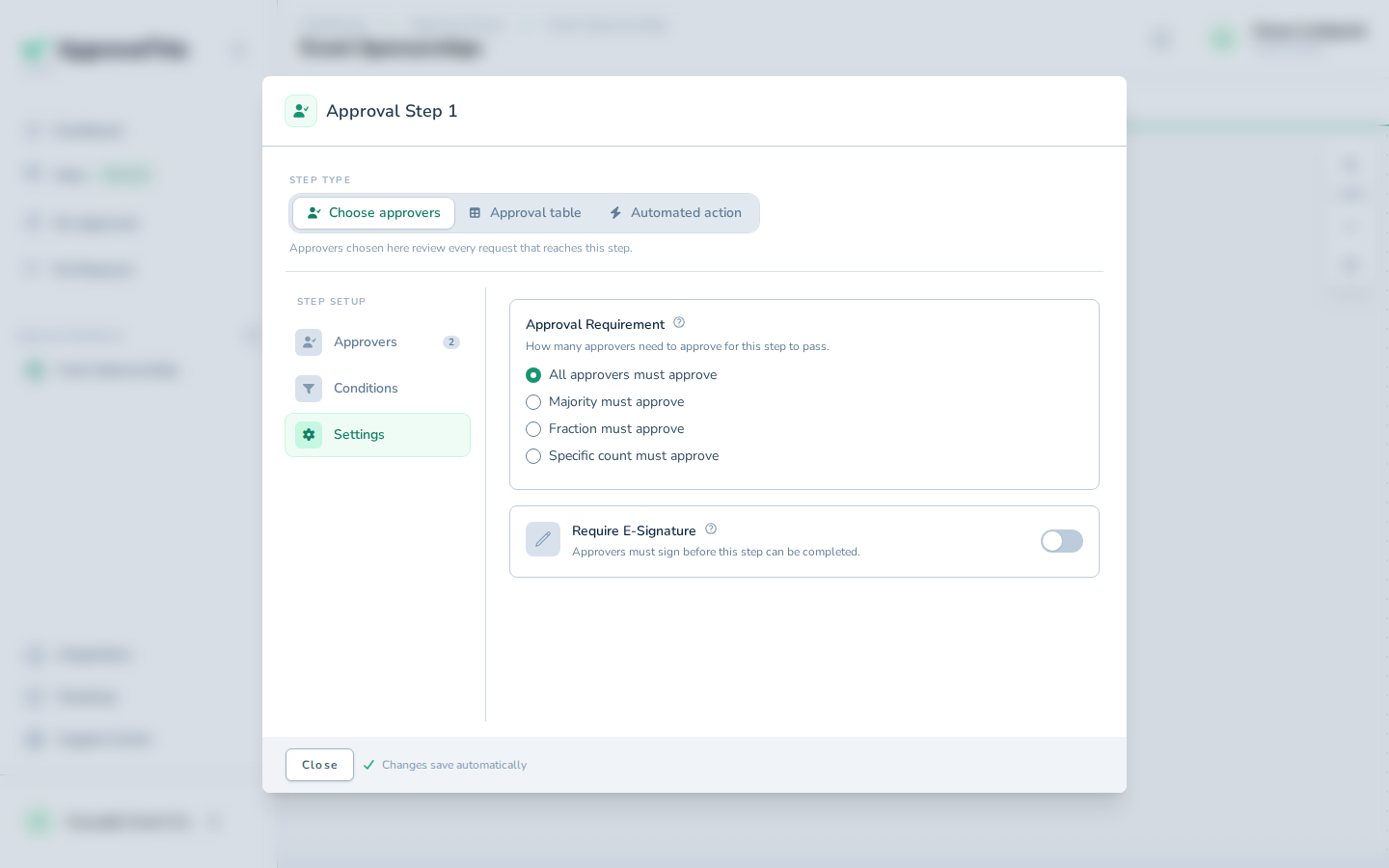
Click Settings to reach the step's approval rules. -
Click Majority must approve to make the step pass once more than half of its approvers have approved, rather than all of them.
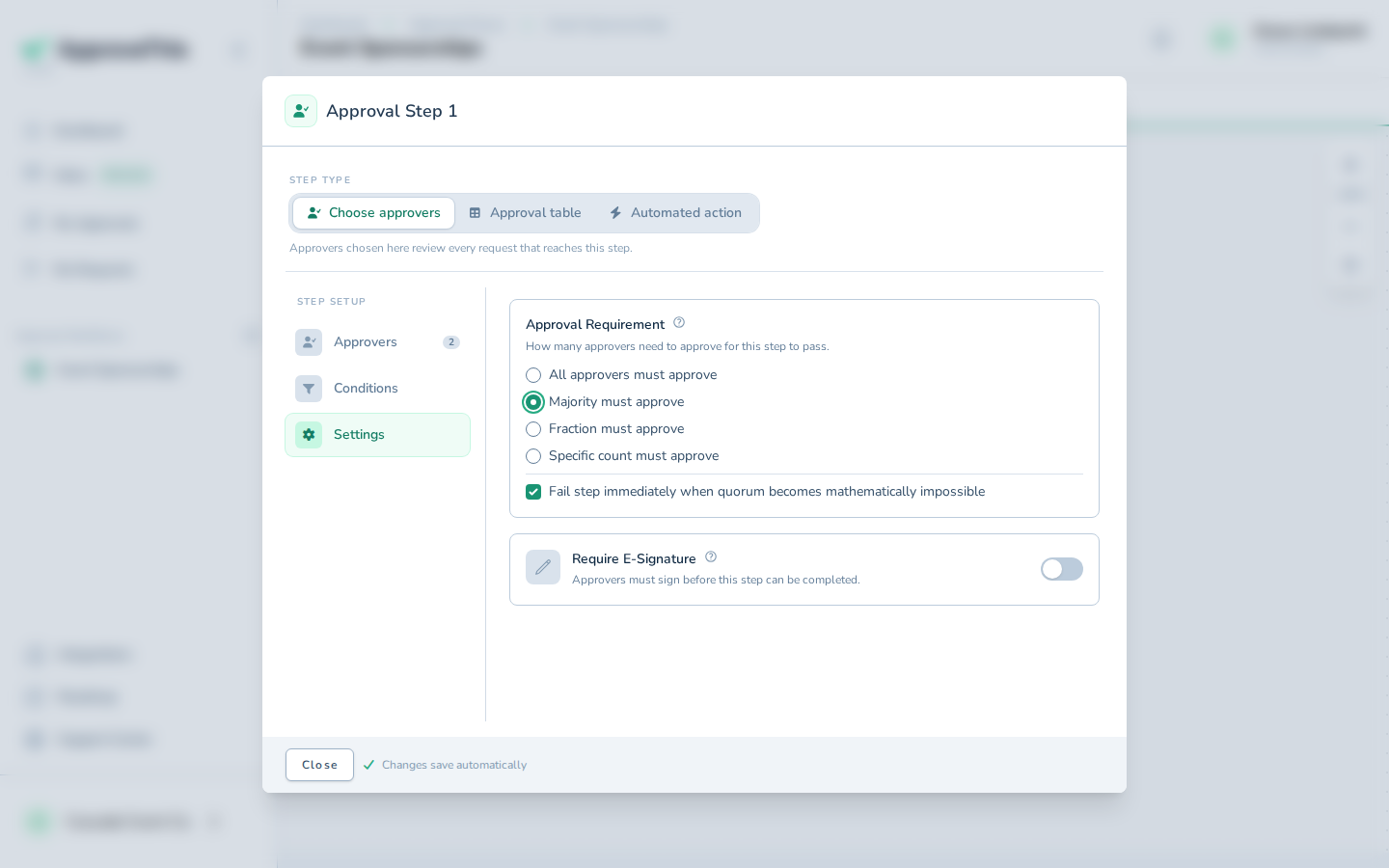
Click Majority must approve to make the step pass once more than half of its approvers have approved, rather than all of them. -
Click Close to return to the workflow with the new rule applied.
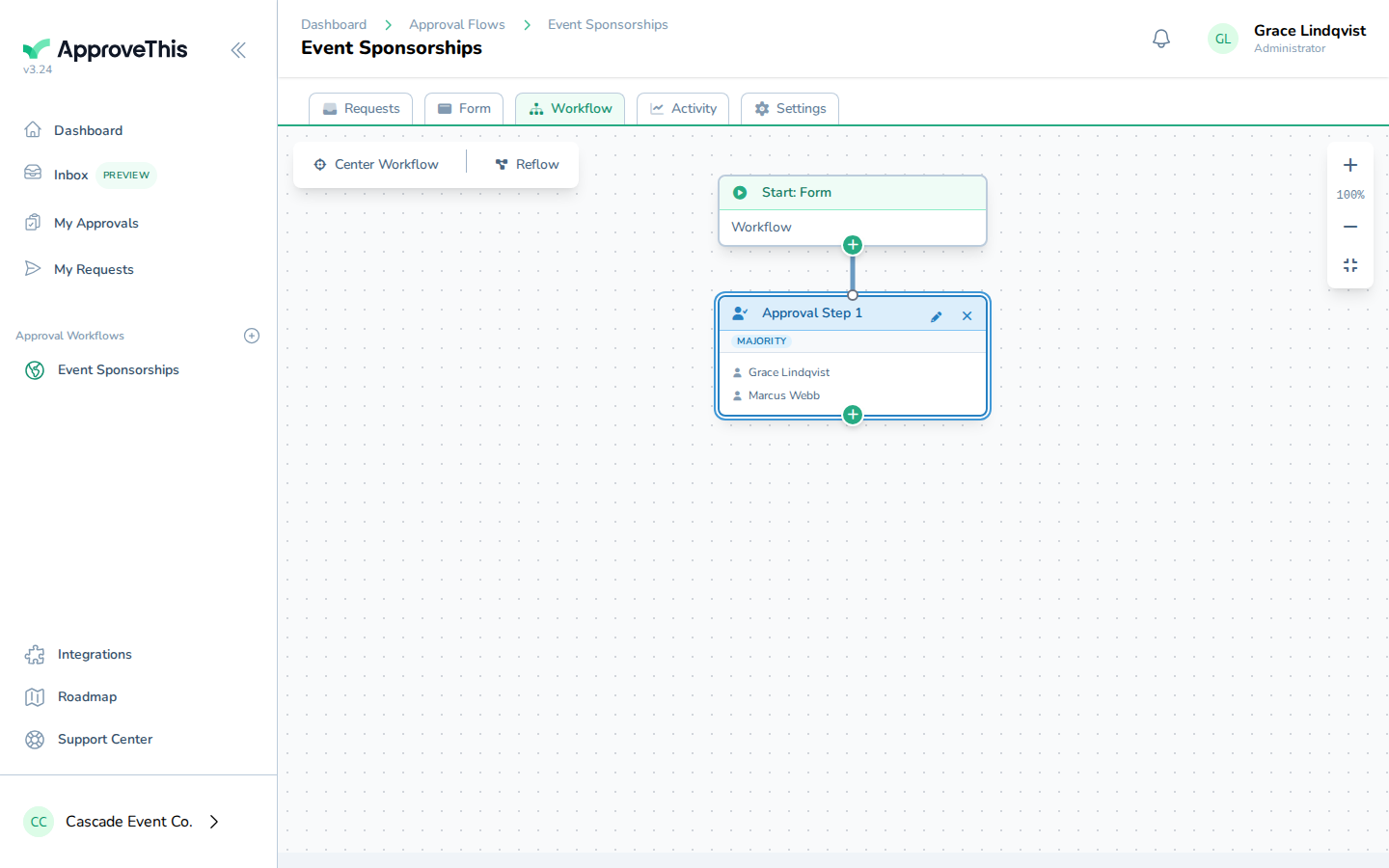
Click Close to return to the workflow with the new rule applied.