Immutable Comments
Lock a flow's comments so that once posted they can't be edited or deleted — a tamper-proof discussion trail for compliance and legal workflows.
Updated
Compliance and legal reviews often need a discussion trail nobody can quietly revise after the fact. Immutable Comments is a per-workflow setting that blocks every edit and delete on comments once they're posted, including replies. It's available on all tiers, and Administrators configure it from the workflow's comment settings. You'll need an existing workflow whose settings page you can open.
Who this is for: an Administrator.
Turn on comments and lock them after posting
An auditor asking who said what, and when, gets a straight answer only if the record can't be rewritten. Locking comments on a workflow means every posted comment and reply stays exactly as written — no edits, no deletions, for anyone.
-
Sign in as the Administrator for the workspace.
-
Click Comments to open the workflow's comment settings.
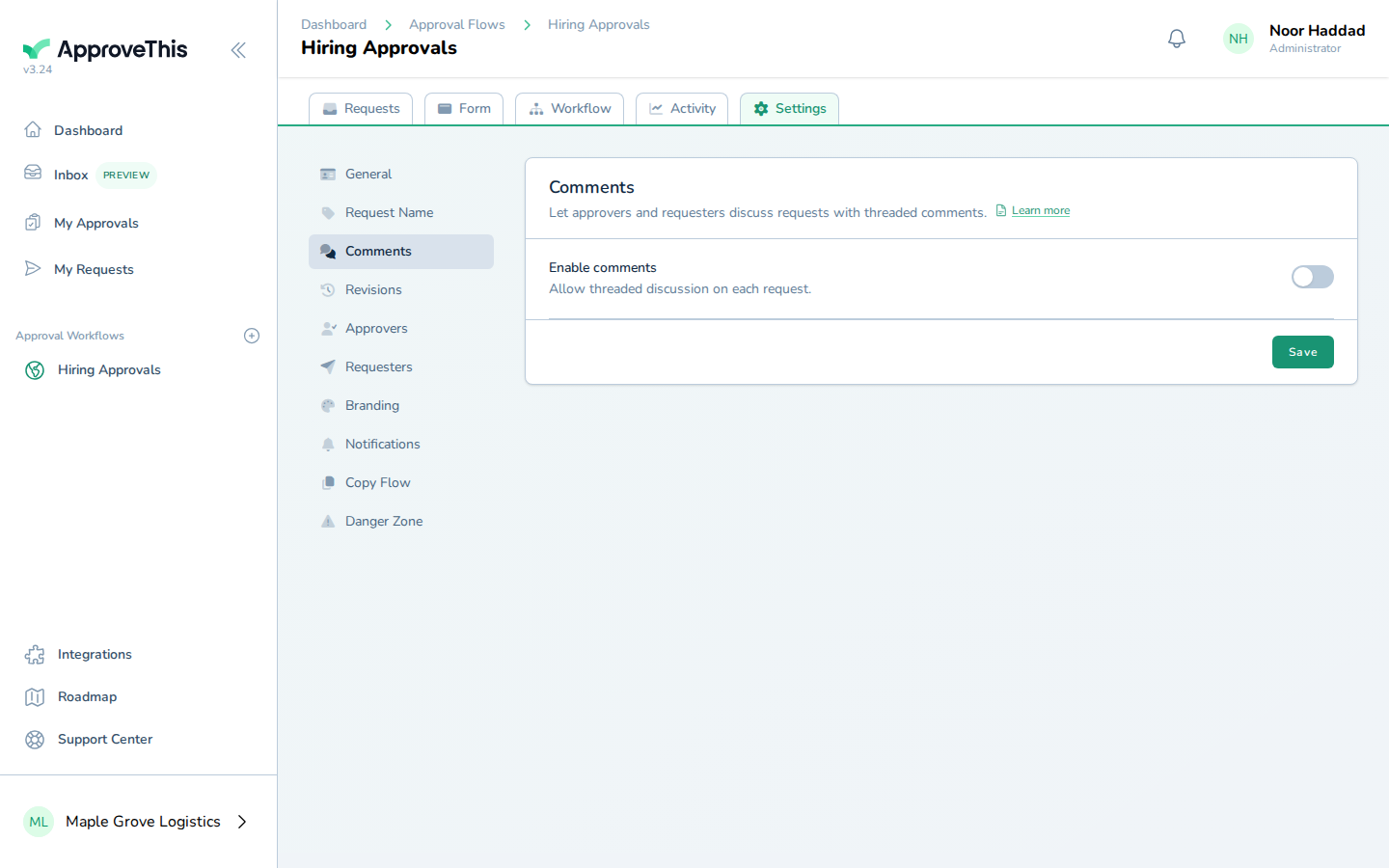
Click Comments to open the workflow's comment settings. -
Click Enable comments to allow discussion on this workflow's requests.
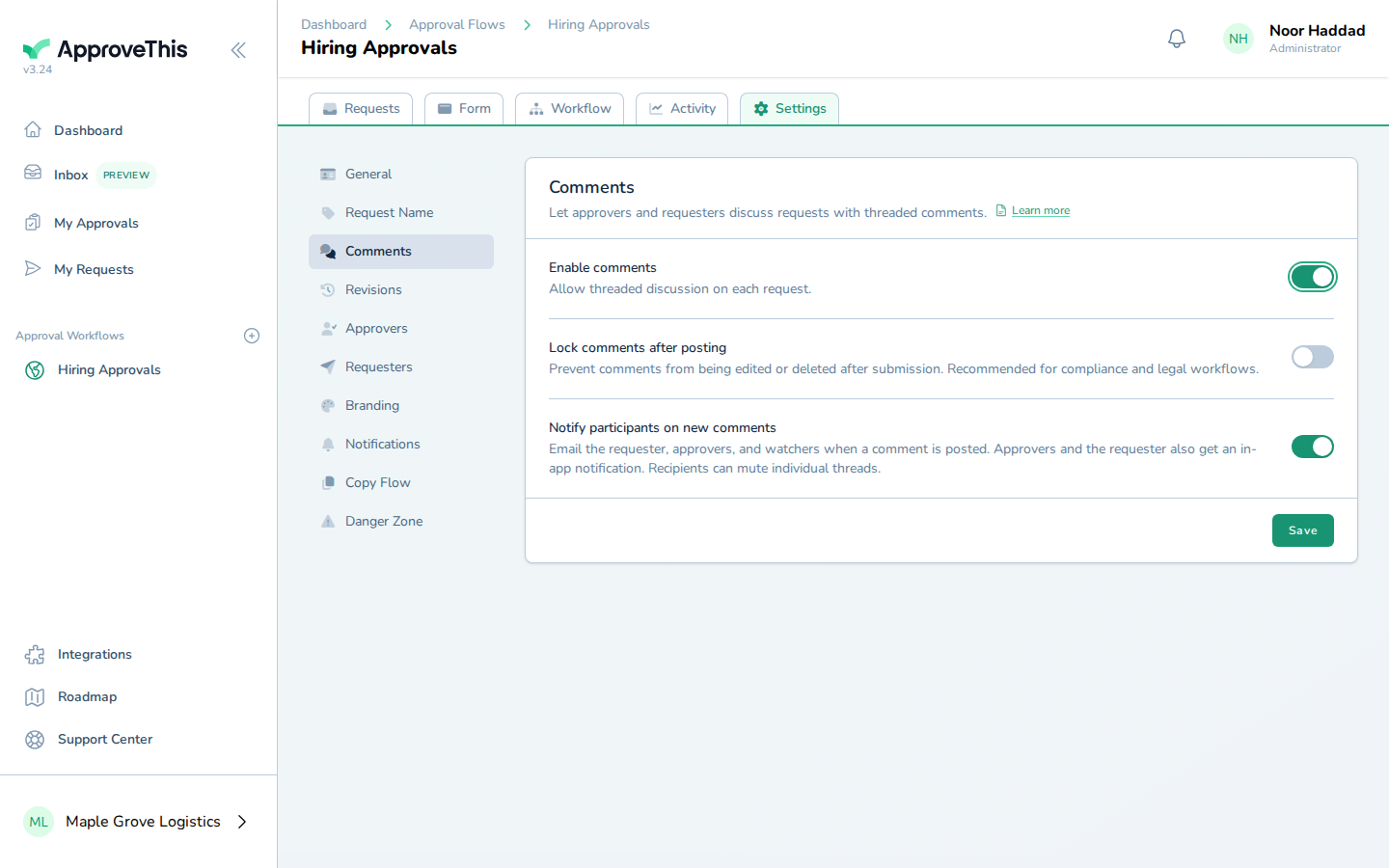
Click Enable comments to allow discussion on this workflow's requests. -
Click Lock comments after posting. From this point, comments and replies on this workflow can no longer be edited or deleted by anyone.
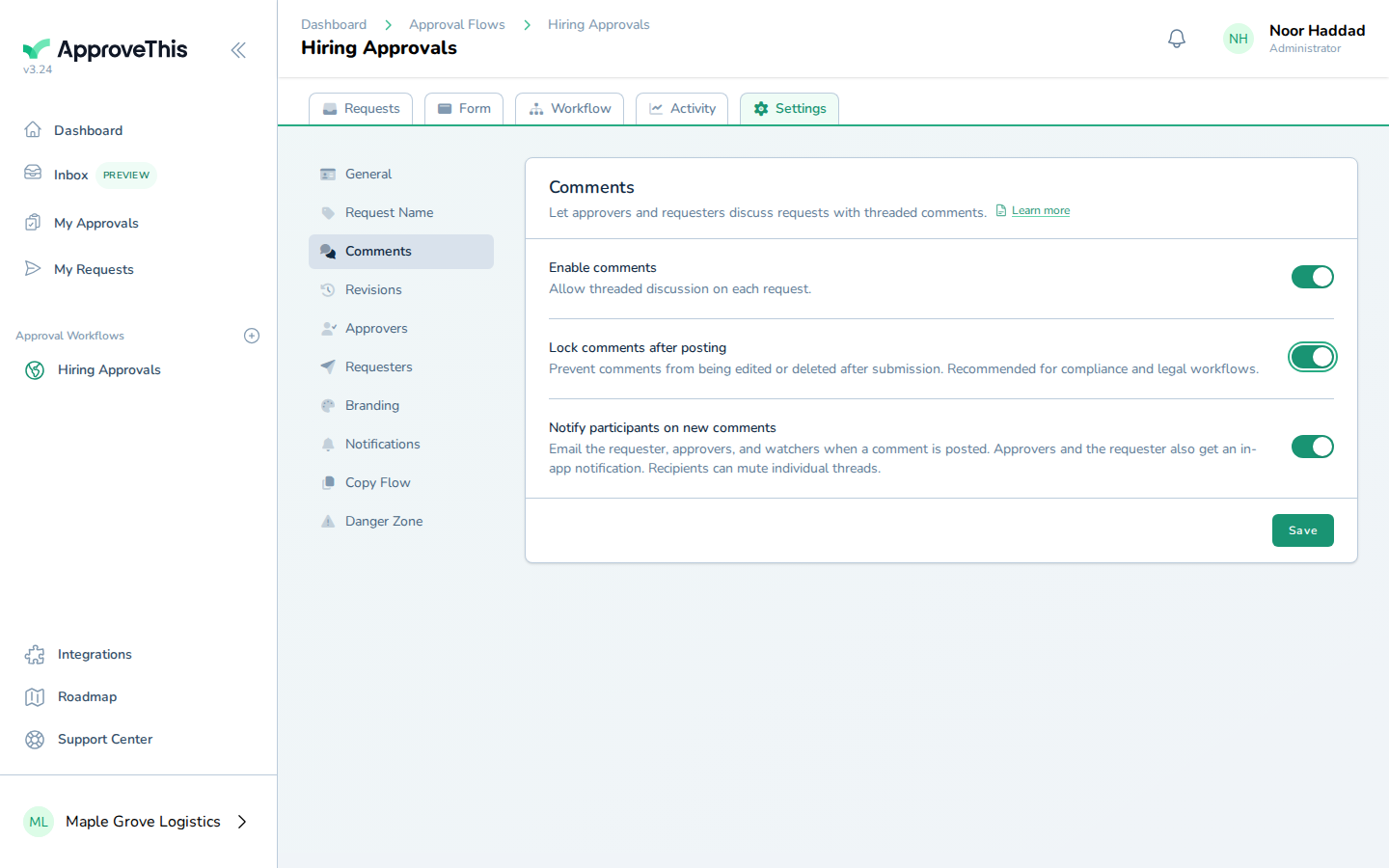
Click Lock comments after posting. From this point, comments and replies on this workflow can no longer be edited or deleted by anyone. -
Click Save to apply both settings to the workflow.
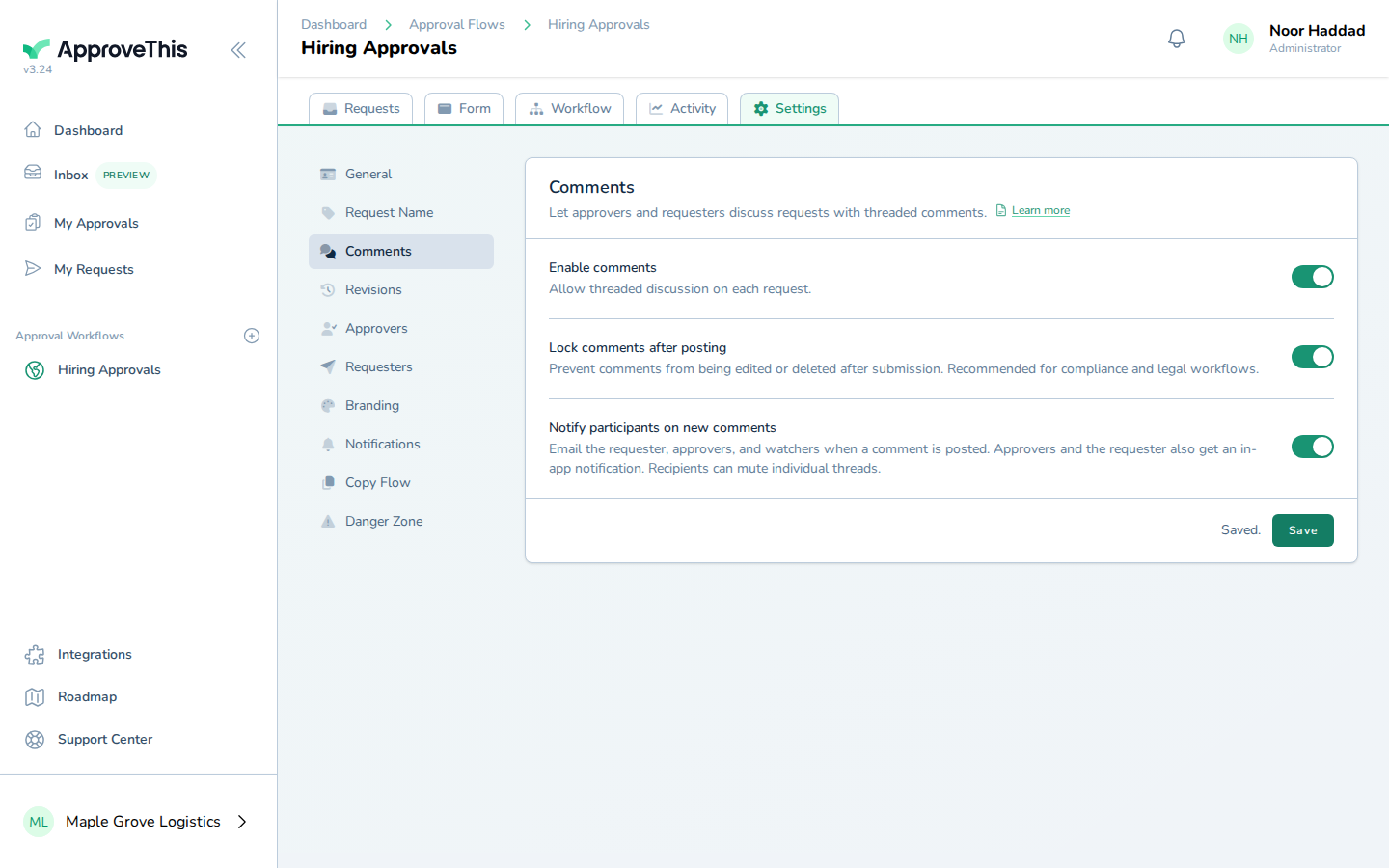
Click Save to apply both settings to the workflow.