Template Library
Start from one of 146 ready-made approval workflows — each with a complete pre-built form — instead of designing yours from a blank page.
Updated
Building an approval workflow from nothing means naming every field yourself before you can even think about approvers. The Form Library skips that: 146 ready-made approval flows, each arriving with a complete pre-built form covering HR, finance, procurement, marketing, sales, IT, legal, logistics, and more. This guide is for Administrators creating a new workflow in ApproveThis. You'll need access to the Create New Approval Flow dialog, where choosing 'Advanced' reveals the flow-type tabs.
Who this is for: an Administrator.
Create a workflow from the Form Library
Picking a library flow gives you a draft workflow with its full field set — typically 5 to 14 fields, including an automatically calculated request title — plus a matching web form. What it does not give you is approvers: no library flow ships with approval steps, routing rules, or conditions, so you configure those on the flow page afterward.
-
Sign in as the Administrator.
-
Click Form Library to open the tab holding the 146 ready-made flows.
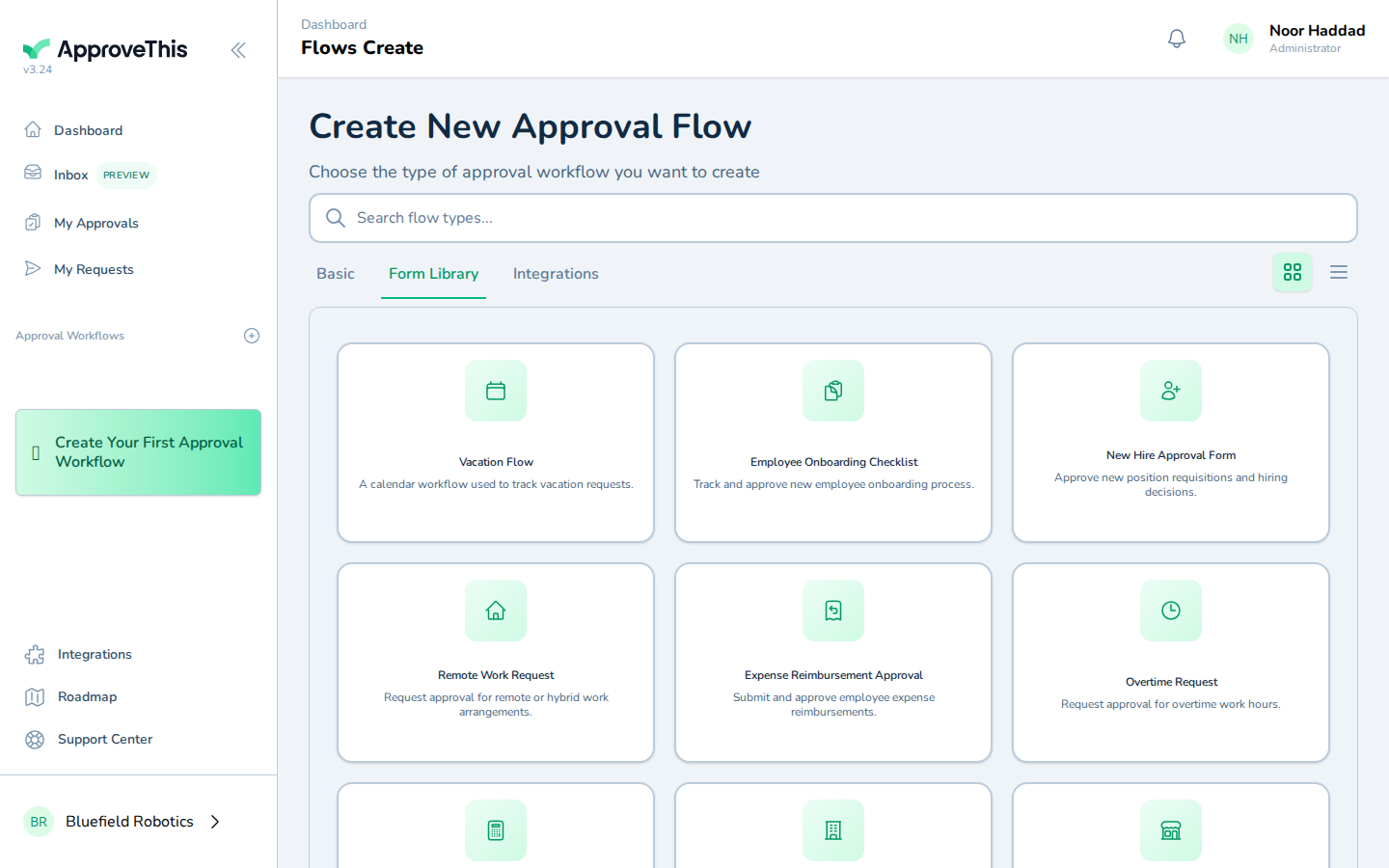
Click Form Library to open the tab holding the 146 ready-made flows. -
Type a word from the kind of workflow you need into Search flow types... to filter the list live; the example uses
onboarding. Search matches flow names and descriptions only, so internal tags won't turn up results.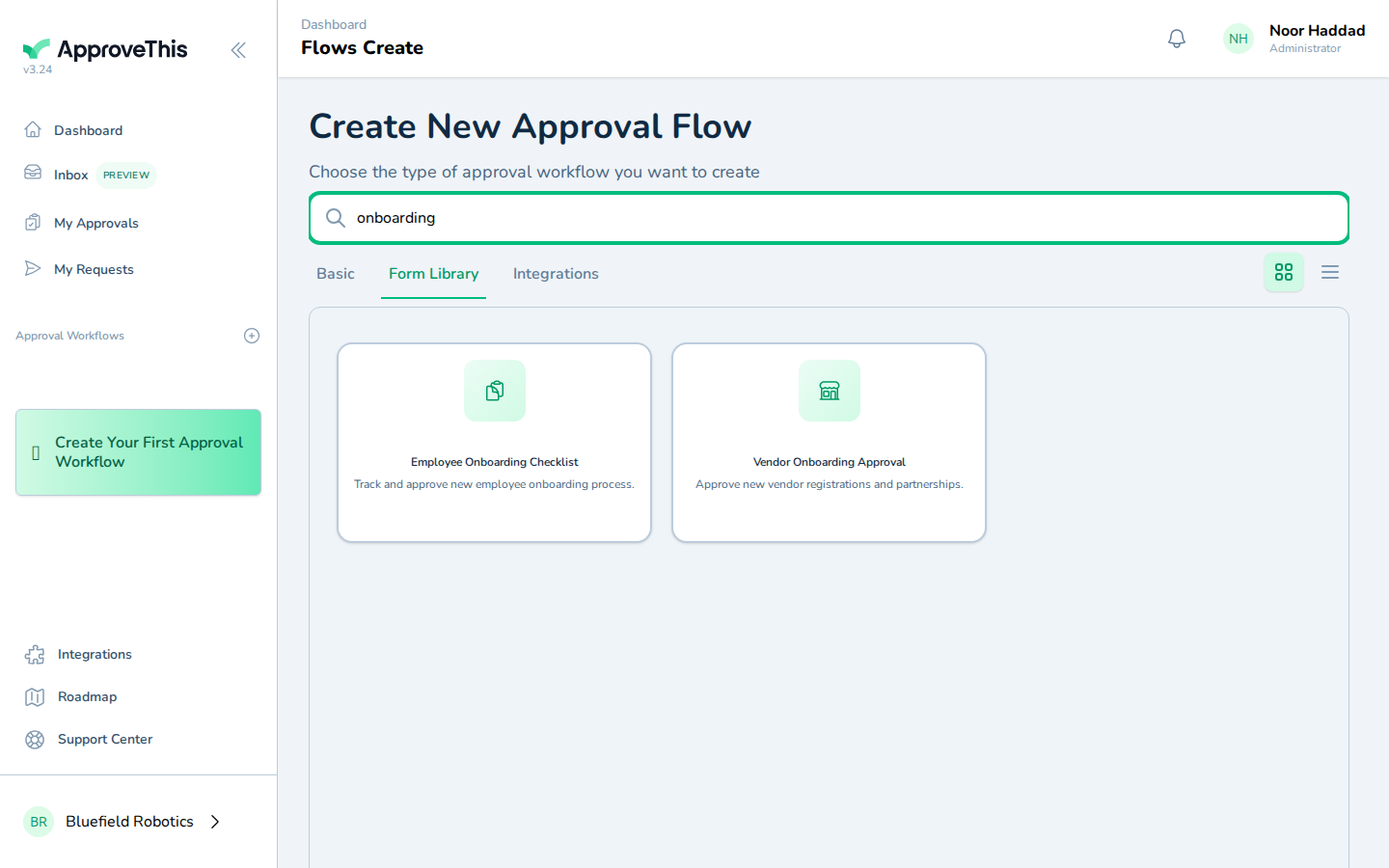
Type a word from the kind of workflow you need into Search flow types... to filter the list live; the example uses onboarding. Search matches flow names and… -
Click the card for the flow you want —
Employee Onboarding Checklistin the example screenshots.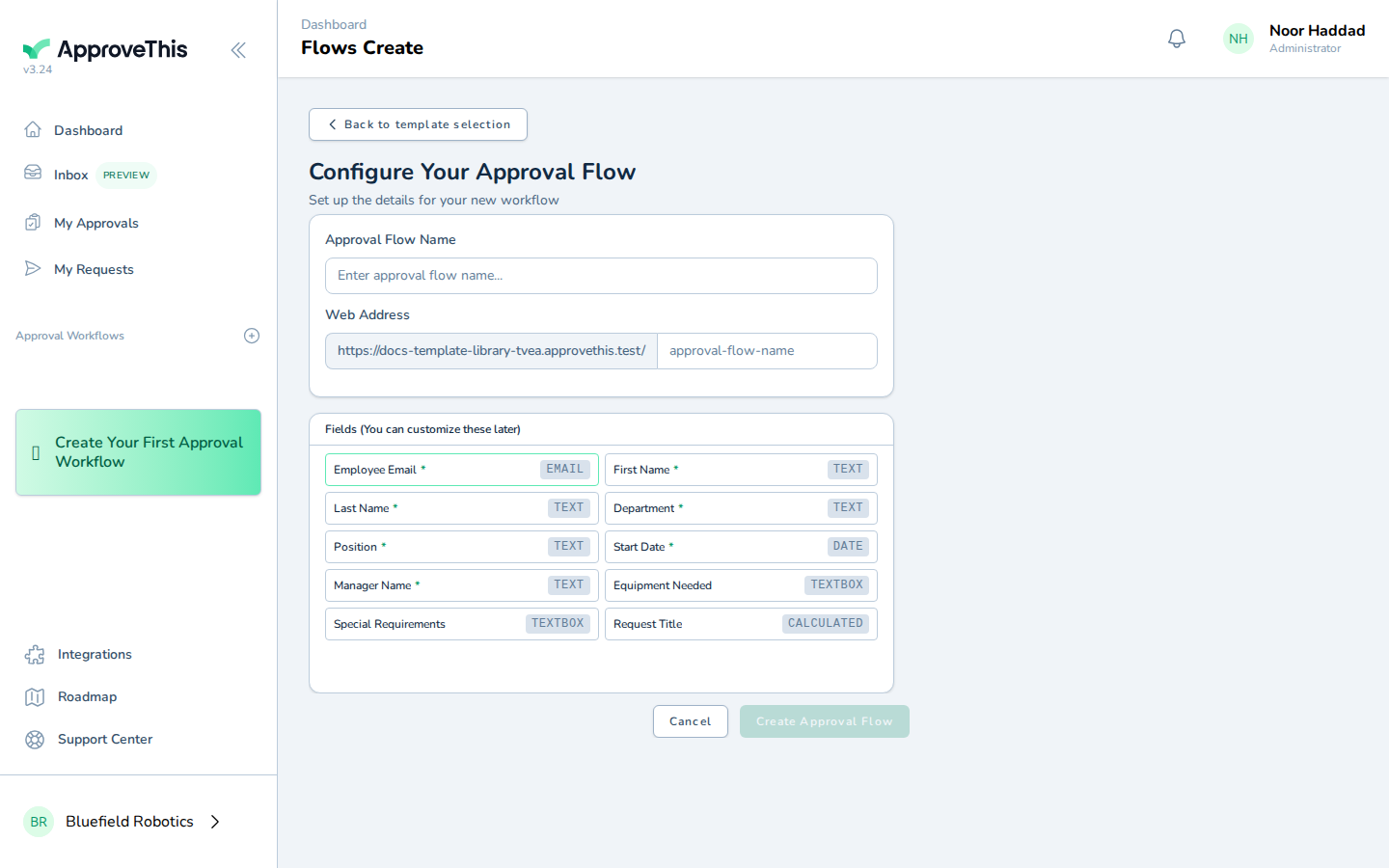
Click the card for the flow you want — Employee Onboarding Checklist in the example screenshots. -
Enter a name for the workflow in Approval Flow Name, such as
Employee Onboarding.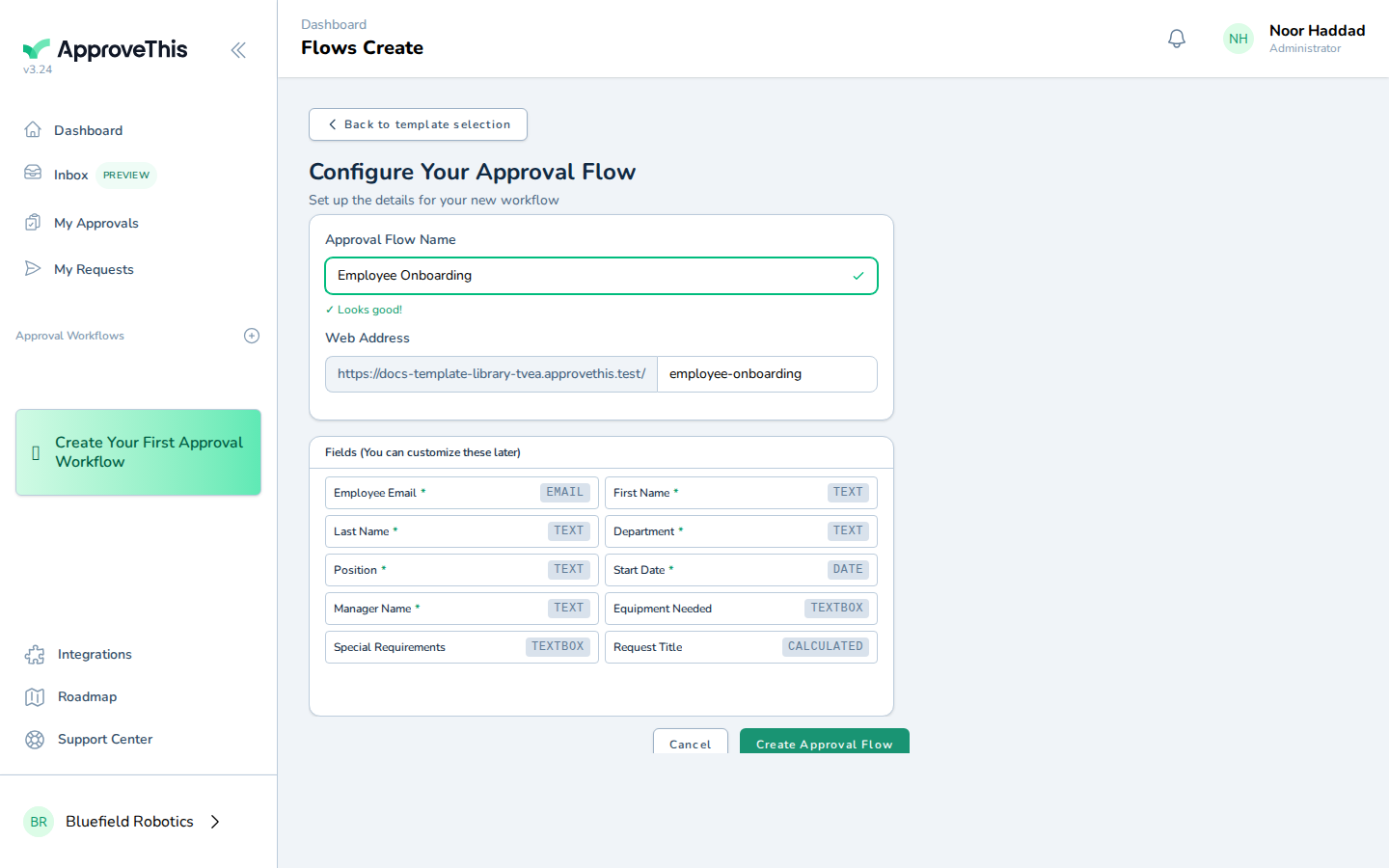
Enter a name for the workflow in Approval Flow Name, such as Employee Onboarding. -
Click Create Approval Flow.
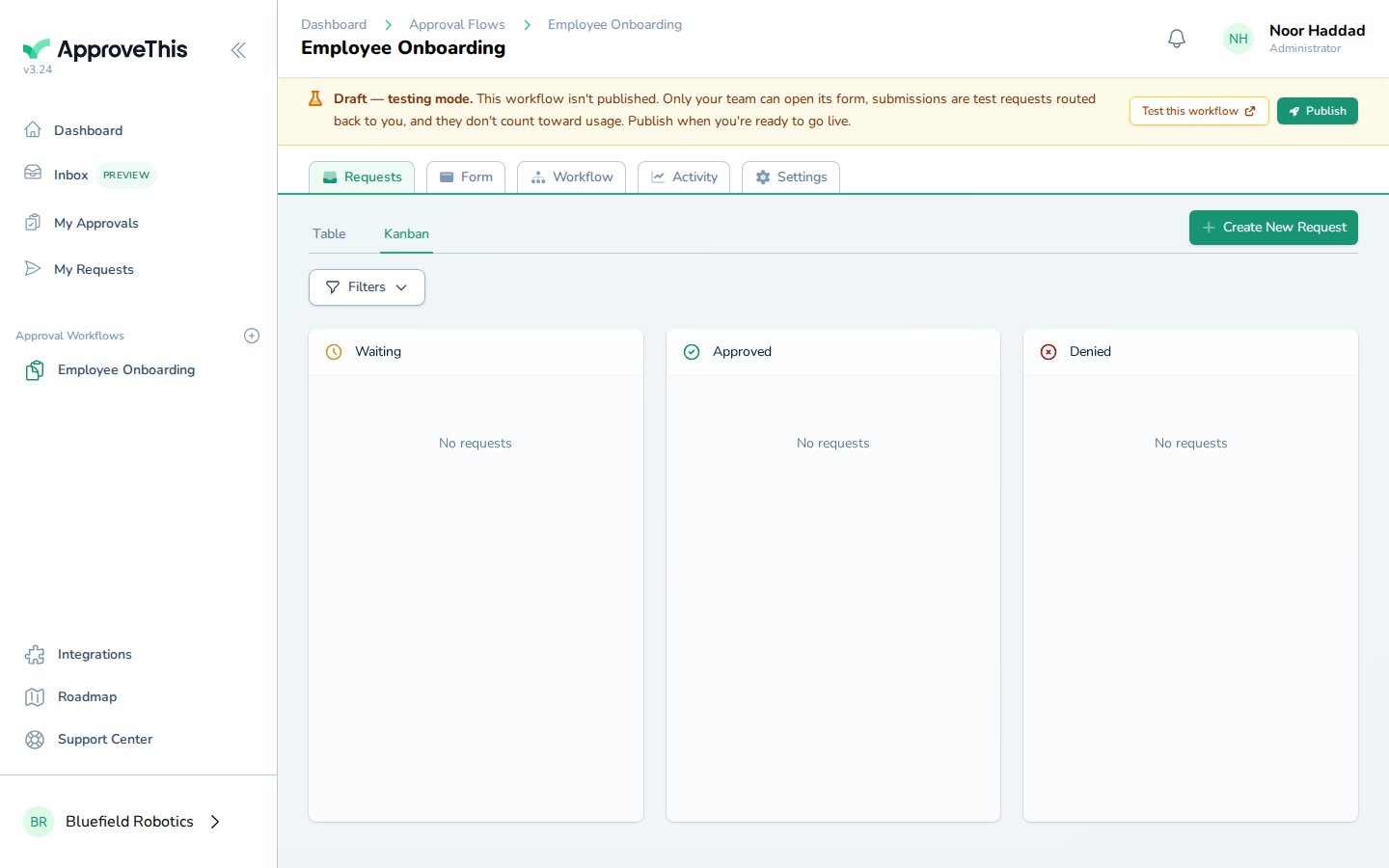
Click Create Approval Flow.