Unified Inbox (Preview)
A preview of the proposed next dashboard — one searchable feed of every request you can access, with inline approve and deny for whatever is waiting on you.
Updated
Chasing a single approval usually means remembering which workflow it came from and clicking through the Requests list to find it. The Inbox preview puts every request you can see in one paginated feed, newest activity first, with role filters, full-text search, and inline decisions for the rows waiting on you. It sits in the sidebar under Inbox with a Preview badge, is available on all tiers to any internal role, and leaves the existing Dashboard as your default landing page. You'll need a request already waiting on your approval to follow along.
Who this is for: a User.
Narrow the feed with the 'Sent to me' filter, search for the request you need, and approve it right from the feed
Finding one pending item is faster when the feed is cut down to what you personally owe a decision on and then searched by whatever you remember about it. This search is the only full-text request search in ApproveThis, so it reaches text inside submitted form answers, though it returns at most the 500 most relevant matches. Keep in mind that this screen is a preview of a proposed dashboard direction: its layout, labels, and behavior may change before it becomes the default.
-
Sign in to ApproveThis as a User and open the Inbox preview from the sidebar.
-
Click Sent to me to narrow the feed to requests with a pending approval waiting on you. The chip carries a live count, and the filter is written into the URL, so the narrowed view survives a reload and can be shared as a link.
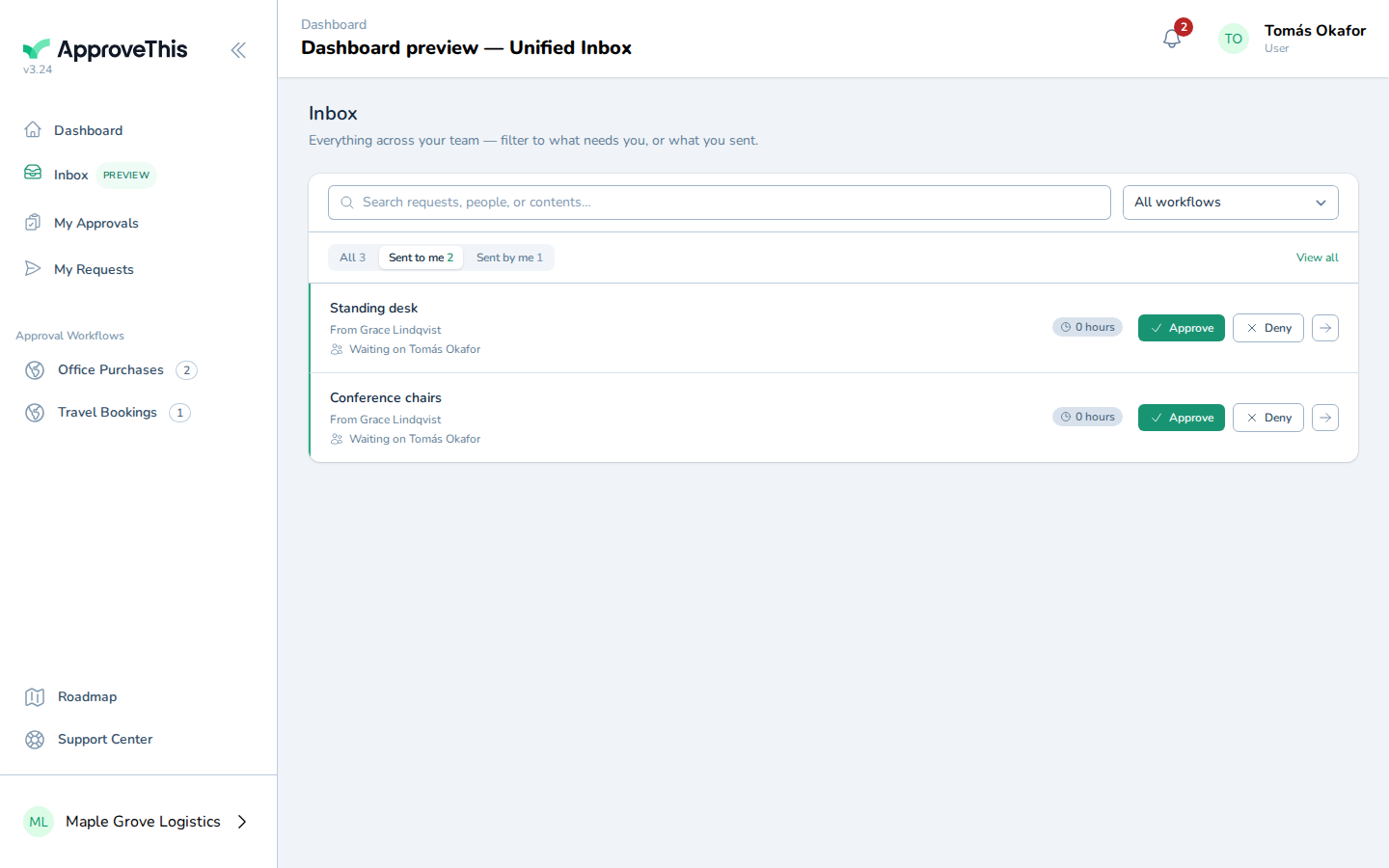
Click Sent to me to narrow the feed to requests with a pending approval waiting on you. The chip carries a live count, and the filter is written into the URL… -
Type whatever you remember about the request into Search requests, people, or contents… — a product name, a requester, an approver's email, or wording from a submitted answer. Matches appear as a typeahead of the top results; the example uses
Standing desk.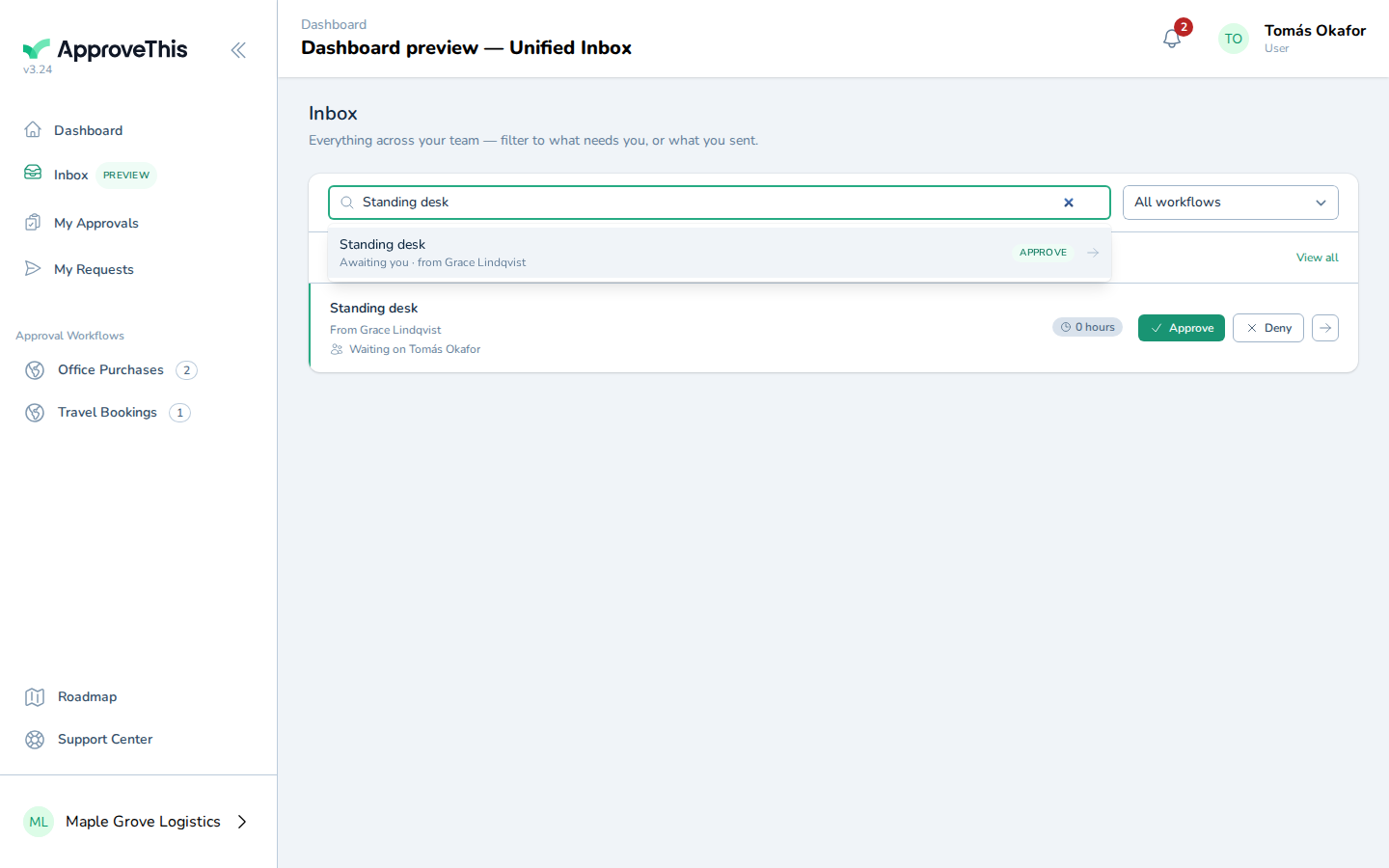
Type whatever you remember about the request into Search requests, people, or contents… — a product name, a requester, an approver's email, or wording from a… -
Click Approve on the row for the request you want to decide. The button is permission-checked, and if that step requires your signature you're taken to the full request to complete it there.
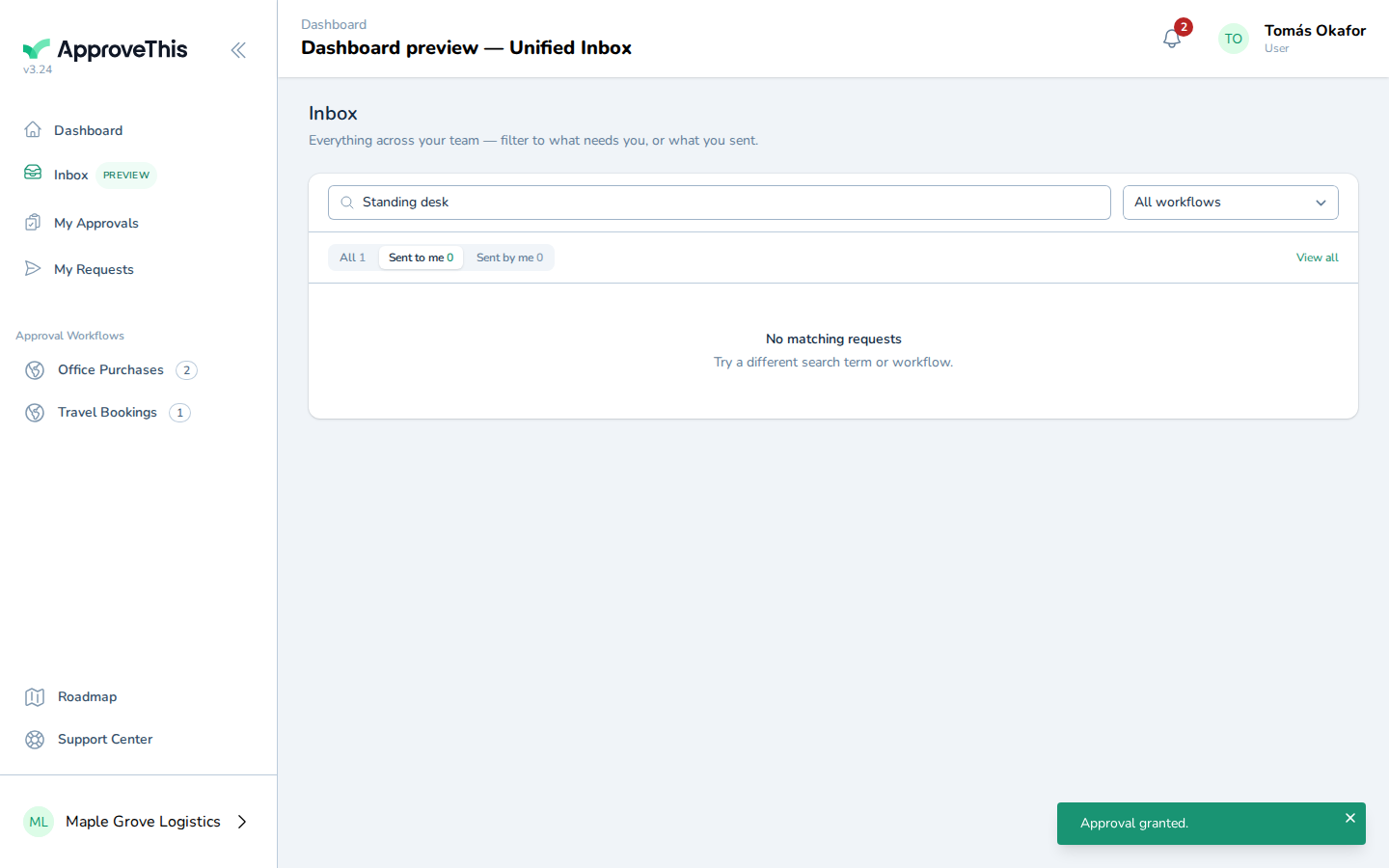
Click Approve on the row for the request you want to decide. The button is permission-checked, and if that step requires your signature you're taken to the…